Server Memory - DDR4 & DDR5 ECC RAM
Enterasource sells server RAM by memory generation: DDR5, DDR4 and DDR3 ECC modules as registered DIMMs (RDIMMs), load-reduced DIMMs (LRDIMMs) and ECC unbuffered DIMMs, plus DDR2 and FB-DIMM modules for older servers. Match the module type to what is already installed, because Dell's PowerEdge manuals forbid mixing RDIMMs with LRDIMMs. All memory is tested in our lab on arrival and again before shipping.
Shop by generation: DDR4, DDR3, DDR5 or DDR2 and other server memory.
In-Stock Parts
Orders placed before 2 PM PST ship same business day
-
 Cisco UCS-MR-1X082RZ-A 8 GB DDR3-1866-MHz RDIMM/PC3-14900/2R/x4/1.5Availability: Available by QuoteManufacturer: Cisco Condition: Refurbished 1 Year WarrantyRequest PricingOut of stock
- Cisco UCS-MR-1X162RZ-A 16GB DDR3-1866 PC3-14900R 2Rx4 ECC Server Memory ModuleAvailability: Available by QuoteManufacturer: Cisco Condition: Refurbished 1 Year WarrantyRequest PricingOut of stock
- Cisco UCS-ML-1X324RZ-A 32 GB DDR3-1866-MHz LR DIMM/PC3-14900/4R/4x/1.5vAvailability: Available by QuoteManufacturer: Cisco Condition: Refurbished 1 Year WarrantyRequest PricingOut of stock
- Samsung M386A4G40DM0-CPB 32GB DDR4L-2133 PC4L-17000 4DRx4 Server Memory ModuleAvailability: Available by QuoteManufacturer: Samsung Condition: Refurbished 1 Year WarrantyRequest PricingOut of stock
- Samsung M393A4K40CB2-CTD 32GB DDR4-2666 PC4-21333 2Rx4 ECC Server Memory ModuleAvailability: Available by QuoteManufacturer: Samsung Condition: Refurbished 1 Year WarrantyRequest PricingOut of stock
- Micron MTA18ASF2G72PDZ-2G3B 16GB DDR4-2400T PC4-19200T 2Rx8 Server Memory ModuleAvailability: Available by QuoteManufacturer: Micron Condition: Refurbished 1 Year WarrantyRequest PricingOut of stock
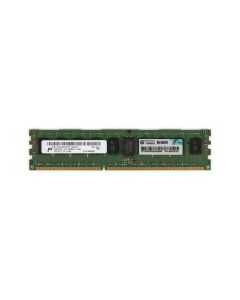
- HP 712384-081 32GB 4Rx4 DDR3L-1333 PC3L-10600 ECC REG Server Memory ModuleAvailability: Available by QuoteManufacturer: HPE Condition: Refurbished 1 Year WarrantyRequest PricingOut of stock
- HP 500202-061 2GB 2Rx4 DDR3-1333 PC3-10600R ECC Registered Server Memory ModuleAvailability: Available by QuoteManufacturer: HPE Condition: Refurbished 1 Year WarrantyRequest PricingOut of stock
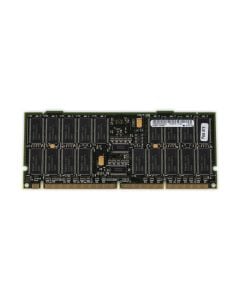
- HPE A4923-60001 512MB SDRAM High Density ECC Server Memory ModuleAvailability: Only 3 leftManufacturer: HPE Condition: Refurbished 1 Year WarrantyBuy Now$9.19
- HP A5798-60001 512MB SDRAM PC-133 High Density ECC Server Memory ModuleAvailability: Available by QuoteManufacturer: HPE Condition: Refurbished 1 Year WarrantyRequest PricingOut of stock
- HP A6097-60001 512MB SDRAM PC-133 High Density ECC REG Server Memory ModuleAvailability: Available by QuoteManufacturer: HPE Condition: Refurbished 1 Year WarrantyRequest PricingOut of stock
- HP A6098-60001 1GB SDRAM PC-133 ECC Server Memory ModuleAvailability: Available by QuoteManufacturer: HPE Condition: Refurbished 1 Year WarrantyRequest PricingOut of stock





Server RAM vs desktop RAM
Server RAM is registered: Micron explains that an RDIMM carries a register that manages the data signals, which improves stability and lets a system run more modules, while an unbuffered DIMM (UDIMM) connects straight to the memory controller and is the desktop type. The two do not swap: Micron's compatibility note says an RDIMM needs a system built for registered memory and will not run in one designed for UDIMMs, and AMD lists unbuffered DIMMs for its Ryzen 9 7000 desktop processors.
| Module type | Buffering | Capacity per module (Dell examples) | Where it is used |
|---|---|---|---|
| RDIMM (registered) | Register on the module | 8GB to 64GB DDR4 on the 15th-generation R650 | Every PowerEdge generation in the table below |
| LRDIMM (load-reduced) | Load-reduced buffering; Micron positions LRDIMMs for maximum memory density | 128GB and 256GB DDR4 on the R650 | DDR3 and DDR4 PowerEdge generations |
| 3DS RDIMM | Registered, with stacked DRAM dies | 128GB DDR5 modules are built both as 3DS and as standard RDIMMs | 16th-generation DDR5 servers, which do not mix 3DS and non-3DS modules |
| ECC UDIMM (unbuffered) | None; the module connects directly to the controller | Up to two per channel on the 12th-generation R720 | 12th-generation two-socket servers and entry single-socket servers |
Use the module type the server already runs, because the types do not mix (see the questions below).
Which memory each PowerEdge generation uses
Each PowerEdge generation runs one memory generation, so start from the server model; Dell's documentation lists:
| PowerEdge generation | Memory | Module types | Speeds Dell lists |
|---|---|---|---|
| 12th, e.g. R720 | DDR3 and DDR3L | ECC UDIMM, RDIMM, LRDIMM | 800 to 1866 MT/s |
| 13th, e.g. R730 | DDR4 | RDIMM, LRDIMM | 1333 to 2400 MT/s |
| 14th, e.g. R740 | DDR4 | RDIMM, LRDIMM | 2133 to 2933 MT/s |
| 15th, e.g. R650 | DDR4 | RDIMM, LRDIMM | 2933 and 3200 MT/s |
| 16th, e.g. R760 | DDR5 | RDIMM | Up to 4800 MT/s with 4th Gen Xeon or 5600 MT/s with 5th Gen when each channel holds one DIMM; 4400 MT/s with two per channel |
Ranks, channels and running speed
Memory runs at the speed the slowest part of the chain allows. Dell's R740 manual gives each processor six memory channels with two sockets per channel, sets the bus speed by the system profile, the processor's maximum supported DIMM speed and the modules' own maximum, supports 2933 MT/s only at one DIMM per channel, and runs a mixed set at the speed of the slowest module. Ranks matter too: Dell's R720 manual lowers the top speed as ranks and modules per channel rise, and the R740 manual allows at most two differently ranked DIMMs in a channel.
Mirroring and sparing
Both modes trade capacity for resilience. In Mirror Mode, Dell's R740 keeps two identical copies of data, so usable memory is half of what is installed, and the modules must be identical in size, speed and technology, installed six per processor at a time. Single Rank Spare Mode holds one rank per channel in reserve and moves data off a rank that logs too many correctable errors; Dell's own example drops a 384GB build of 16GB dual-rank modules to 288GB, and notes that sparing does not protect against multi-bit uncorrectable errors.
Population rules from Dell's manuals
- In a dual-processor server, configure each processor's memory identically (PowerEdge R740).
- Do not mix more than two module capacities in one system (PowerEdge R740 and R650).
- Populate DIMM sockets only for installed processors (PowerEdge R720).
Server memory questions
- Can I use desktop RAM in a server?
- Not in a server that runs registered memory. Desktop systems use unbuffered DIMMs, while Micron limits RDIMMs to server-grade boards and CPUs that support registered memory, so the classes do not cross over. Dell's R760 takes only registered ECC DDR5 modules. Some entry single-socket servers do take unbuffered DIMMs, so check the server's own memory list.
- Can I mix RDIMMs and LRDIMMs?
- No. Dell's DDR4 manuals rule it out: its R730 and R740 manuals forbid RDIMMs and LRDIMMs in the same server, and the 12th-generation R720 manual adds UDIMMs to the same rule. On DDR5 servers the equivalent rule separates 3DS and non-3DS RDIMMs. Choose one module type for the whole server and match it to the modules already installed.
- Why does my server run memory slower than the module rating?
- Because the server, not the module, sets the speed. Dell's R740 manual ties the memory bus speed to the processor's maximum supported DIMM speed, the module's own maximum and the system profile, allows its top rate only at one DIMM per channel, and runs mixed modules at the speed of the slowest. A module rated faster than the processor supports simply runs at the processor's limit.
ECC itself is explained in our guide ECC vs non-ECC memory. To match memory to a processor upgrade, browse server processors, including AMD EPYC 7002 processors for DDR4-3200 platforms, or complete server configurations.