M.2 SSDs
Used M.2 SSDs for servers come in two interfaces: M.2 SATA drives, the type Dell's BOSS-S1 and BOSS-S2 boot cards take, and M.2 NVMe drives in 80 mm (2280) and 110 mm (22110) lengths for NVMe boot cards and on-board M.2 slots. Before you order, check both the interface and the length your card or slot accepts. Each used M.2 SSD is put through our lab's receiving and pre-shipment tests, and the warranty term is on its listing.
Filters
-
 Dell GKJ0P 120GB SATA SSD M.2 6Gbps Solid State Drive | Intel SSDSCKJB120G7RAvailability: Available by QuoteManufacturer: Dell Condition: Refurbished 1 Year WarrantyRequest PricingOut of stock
- Dell 7RKD7 480GB SATA SSD M.2 6Gbps RI Solid Sate Drive l MTFDDAV480TDS-1AW1ZAvailability: In StockManufacturer: Dell Condition: Refurbished 1 Year WarrantyBuy Now$374.99
- Dell T2GFX 240GB MLC SATA SSD M.2 6Gbps RI Solid State Drive | MTFDDAV240TDUAvailability: Available by QuoteManufacturer: Dell Condition: Refurbished 1 Year WarrantyRequest PricingOut of stock
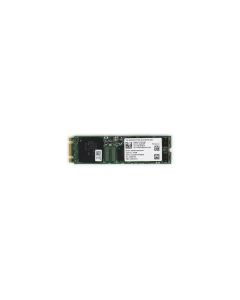
- Dell JTVX2 512GB NVMe SSD M.2 Gen4 x4 Solid State Drive | KIOXA KXG70ZNV512GAvailability: Available by QuoteManufacturer: Dell Condition: Refurbished 1 Year WarrantyRequest PricingOut of stock


Which M.2 drive fits a Dell BOSS card
Every Dell BOSS card takes 80 mm M.2 drives, and the interface depends on the card:
| BOSS card | M.2 drives it takes (Dell user guide) |
|---|---|
| BOSS-S1 | Two 80 mm M.2 SATA SSDs |
| BOSS-S2 | Two 80 mm M.2 SATA SSDs at 6Gb/s |
| BOSS-N1 | 80 mm M.2 NVMe SSDs; PCIe Gen3 x4 host interface |
M.2 lengths, keys and interfaces for servers
An M.2 drive is identified by width and length, so a 2280 drive is 22 mm wide and 80 mm long, and Seagate's NVMe primer lists 42, 80 and 110 mm as the common lengths. The edge connector is keyed for the interface, SATA (socket 2) or PCIe x4 (socket 3), which is why an NVMe stick does not run on a SATA-only card even when the length matches.
| Size code | Width x length | Server boot devices that use it |
|---|---|---|
| 2280 | 22 x 80 mm | Dell BOSS-S1 and BOSS-S2 (SATA) and BOSS-N1 (NVMe) |
| 22110 | 22 x 110 mm | HPE's NS204i-r riser and NS204i-t boot controller, which each take two 22110 M.2 NVMe SSDs |
Boot pairs: Dell BOSS and HPE NS204i
Both server makers build the boot device as a mirrored pair outside the data bays. Dell describes BOSS-N1 as a RAID solution for booting, and HPE describes its NS204i boot devices as a dedicated hardware RAID 1 solution that keeps the OS separate from data, creates the RAID 1 volume automatically and leaves every drive bay open for data; the NS204i-u version for Gen11 servers is a hot-plug unit with two 480GB M.2 NVMe drives. Browse BOSS controller cards, and see our Dell BOSS card guide for which PowerEdge servers take each card. For 2.5-inch drives, see SATA SSDs and NVMe SSDs, or every server SSD.
Used M.2 SSD questions
- Which M.2 drives work in a Dell BOSS card?
- 80 mm (2280) drives of the card's interface. Dell's user guides specify two 80 mm M.2 SATA SSDs for the BOSS-S1 and BOSS-S2, at 6Gb/s on the S2, and, for the BOSS-N1, 80 mm M.2 NVMe SSDs linked over PCIe Gen3 x4. A 110 mm drive will not fit these cards, and an NVMe stick will not run on the SATA versions.
- SATA or NVMe M.2 for a server boot drive?
- Use the interface your boot card takes. Dell's BOSS-S1 and BOSS-S2 run M.2 SATA, while the BOSS-N1 and HPE's NS204i boot devices run M.2 NVMe. NVMe is the faster link: Seagate notes that SATA is limited to 600 MB/s, while PCIe Gen3 x4 offers up to 3,000 MB/s. Either way, buy the pair as matched drives so the mirror stays balanced.