
![Dell 61F54 Dual M.2 6G PCI-E BOSS-S1 Controller [Low Profile]](https://enterasource.com/media/catalog/product/cache/ffce50e7886c56500fb8888e63bd924e/d/a/daily-receiving-2753_base.jpg)
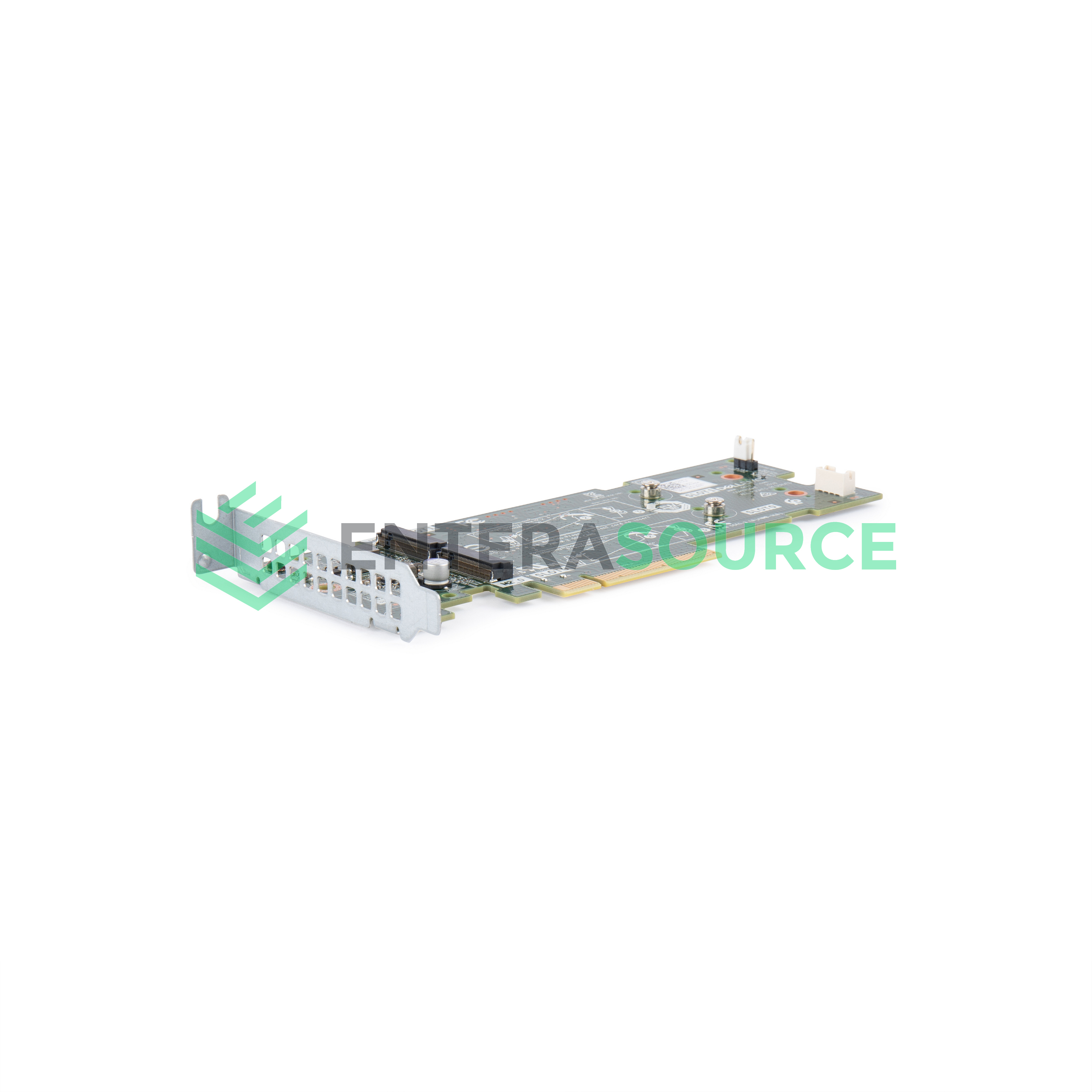
![Dell 7HYY4 Dual M.2 6G PCI-E BOSS-S1 Controller [Full Height]](https://enterasource.com/media/catalog/product/cache/ffce50e7886c56500fb8888e63bd924e/d/a/daily-receiving-2467_base.jpg)




By Enterasource Posted on October 7, 2026
Read MoreDell BOSS Card Guide: BOSS-S1 vs BOSS-S2 vs BOSS-N1 and PowerEdge Compatibility

A Dell BOSS card is a two-drive M.2 boot device, not a general-purpose RAID controller. BOSS-S1, BOSS-S2 and BOSS-N1 all top out at two 80 mm M.2 SSDs and one virtual disk, normally a hardware RAID 1 mirror, so the operating system lives off the front drive bays. What changes is the media, where the card sits, and whether a failed drive can be replaced without powering the server down.
Two claims circulate widely and both are wrong: that NVMe M.2 SSDs are incompatible with BOSS, and that BOSS runs RAID 0, 1, 5, 6, 10, 50 and 60 across dozens of disks. Every specification below is cited to a Dell document; where Dell publishes nothing, this guide says so.
What is a Dell BOSS card?
BOSS stands for Boot Optimized Storage Solution, and a BOSS controller is a small hardware RAID device whose only job is booting the server's operating system. Dell's BOSS-N1 User's Guide defines it as "a RAID solution that is designed for booting a server's operating system."
Both expansions of the acronym are Dell's: earlier BOSS-S1 material used Boot Optimized Server Storage, the current guides use Boot Optimized Storage Solution. Two constants hold across all three boot optimized storage cards — a maximum of two M.2 drives and one virtual disk — and both the S1 and S2 guides say to use the card "only as an operating system boot device."
Why boot from a BOSS card instead of your main drive array?
It keeps the operating system off the front bays, off the backplane and off the PERC-attached array, on its own mirrored pair. Dell's BOSS-N1 Specification Sheet states the intent: BOSS separates "operating system boot drives from data on server-internal storage." A mirrored OS install consumes no front bay, no backplane port and no array capacity, and survives a single M.2 failure — see how the R740 and R740xd backplanes are laid out for what a chassis gives you at the front.
What people actually use a BOSS card for
Hypervisor and operating-system boot, on a mirrored pair, in machines where the front bays are already committed. Dell KB 000177584 documents OS deployment to a BOSS device for Red Hat Enterprise Linux and derivatives, SUSE, Ubuntu, VMware ESXi and Microsoft Windows. For sizing a hypervisor host, see our guide to Proxmox hardware requirements.
Installing and configuring a BOSS card
Dell owns this ground and keeps it maintained, so use Dell's procedure — KB 000177584 covers OS deployment to a BOSS device across every major server operating system. Three things catch people out:
- The device does not announce itself by product name. The identifier you will see is
DELLBOSS VD. - Management runs through tools you already have — the UEFI RAID Configuration Utility, a CLI utility, OpenManage Server Administrator, and iDRAC with Lifecycle Controller. On the S1 and S2 the CLI binaries are
mvsetupon Windows andmvclion Linux and ESXi. - Legacy BIOS changes which slot can boot. With two unconfigured bootable M.2 drives fitted, "only the slot 0 drive may be used as a boot drive… This only occurs in legacy BIOS boot mode." Nothing in Dell's documentation says BOSS is UEFI-boot-only.
BOSS-S1 vs BOSS-S2 vs BOSS-N1: the full comparison
The BOSS-S1 and BOSS-S2 are two-drive M.2 SATA cards; the BOSS-N1 is a two-drive M.2 NVMe card. The S2 adds hot-plug and status LEDs the S1 does not have, and the N1 adds RAID 0 while dropping pass-through entirely. Dell's BOSS-S1 feature table has twelve rows; the BOSS-S2 table has forty-eight.


| Specification | BOSS-S1 | BOSS-S2 | BOSS-N1 |
|---|---|---|---|
| Drive types | 6 Gbps M.2 SATA SSDs × 2 | 6 Gbps M.2 SATA SSDs × 2 | M.2 NVMe SSDs × 2 |
| Host interface | x8 connector, PCIe Gen 2.0 x2 lanes | PCIe Gen 2 | PCIe Gen3 x4, dual NVMe Gen3 x2 device links |
| RAID levels | RAID 1 | RAID 1 and Non-RAID | RAID 1 and RAID 0 |
| Non-RAID / pass-through | Yes, up to two disks | Yes, single and dual | No |
| Max drives / virtual disks | 2 / 1 | 2 / 1 | 2 / 1 |
| Stripe size | 64 K only | 64 K only | 128 K default |
| Capacities Dell qualifies | 240 GB, 480 GB | 240 GB, 480 GB | 480 GB, 960 GB, 1.92TB |
| Hot-plug of M.2 drives | No hot-plug row in Dell's table | Yes | Yes for rear facing, No for Modular |
| Status LEDs | "There are no status LEDs on the BOSS-S1 card." | Yes — four states | Yes for rear facing, No for Modular |
| Self-encrypting drives (SED) | Not listed | No | "Yes, to be introduced after BOSS-N1 launch" |
| Physical form | Adapter card, low-profile and full-height, plus a separate modular card | Module in an integrated slot, with bracket, carrier and cables | Module kit with carriers, blank and two cable sets |
| Generations Dell lists it against | 14G and 15G | 15G | 16G |
The three BOSS-N1 variants: Monolithic, Modular ET and Modular
BOSS-N1 is one name covering three controller variants that do not share a serviceability story. Dell qualifies the headline features by variant — "Hot-plug of M.2 drives: Yes for rear facing, No for Modular" — because "a modular implementation of BOSS-N1 is available for servers requiring an internal non-hot-plug option." So "BOSS-N1" on a parts list does not tell you whether the drives are hot-swappable; the variant does.
Dell names the three BOSS-N1 Monolithic, BOSS-N1 Modular ET and BOSS-N1 Modular, and its qualified-media caution covers all three together — "The BOSS-N1 Monolithic, BOSS-N1 Modular ET, and BOSS-N1 Modular controllers are tested and supported only with the M.2 drives that are shipped with the controller" — so the supported media does not vary by variant. What Dell does not publish is a feature split by variant name: the hot-plug and LED rows are qualified "for rear facing" against "for Modular", which names a serviceability class rather than a variant.
What Dell claims about BOSS performance, and what it does not
Dell publishes no throughput, IOPS or boot-time figure for any BOSS card, and makes no performance claim for the move from SATA to NVMe. The stated rationale for the N1 redesign is serviceability — "rear-of-the server access" — and virtual disk cache function is "Write through" on all three, with the S2 guide adding that the controller "does not support controller cache."
Which BOSS card does my PowerEdge take?
Dell publishes an explicit supported-systems list for the BOSS-S1 — 21 models for the adapter card and 6 more for the modular card — and documents BOSS-S2 and BOSS-N1 support through the platform manuals and technical guides instead. "Not documented" below means Dell does not publish it, which is a different claim from "it does not work."
| PowerEdge model | Gen | BOSS-S1 | BOSS-S2 | BOSS-N1 |
|---|---|---|---|---|
| R240 · R340 · R440 · R540 · R640 · R740 · R740xd · R940 · C4140 | 14G | Yes — adapter | not documented | not documented |
| T140 · T340 · T440 · T640 | 14G tower | Yes — adapter | not documented | not documented |
| R6415 · R7415 · R7425 | 14G | Yes — adapter | not documented | not documented |
| C6420 · FC640 · M640 (M1000e) · M640 (VRTX) · MX740c · MX840c | 14G modular | Yes — modular card | not documented | not documented |
| R6515 · R7515 · C6525 | 15G | Yes — adapter | not documented | not documented |
| R6525 · R7525 | 15G | Yes — adapter | Yes | not documented |
| R650 | 15G | Yes — riser slot | Yes — integrated slot | not documented |
| R750 | 15G | Yes — adapter | Yes — integrated slot | not documented |
| R660 | 16G | not listed by Dell | not listed by Dell | Yes |
| R760 | 16G | not listed by Dell | not listed by Dell | Yes |
| Legend. "Not documented" means Dell does not publish the combination. It is not the same claim as "not supported." "Not listed by Dell" is the stronger form used on the 16G rows: Dell publishes 16G storage-controller tables and the BOSS-S1 and BOSS-S2 do not appear in them. And BOSS-S2 and BOSS-N1 post-date the 14th generation; "not documented" in those two columns on 14G rows reflects that, not a gap in this table. | ||||
The tidy story most comparison pages tell — "S1 is 14G, S2 is 15G, N1 is 16G" — is wrong. Dell's own supported-systems list puts the BOSS-S1 adapter card on the R6515, R6525, R7515, R7525 and C6525, all 15th-generation platforms, and on the R650 and R750 Dell offers both cards while forbidding both at once — the R650 Installation and Service Manual: "The system supports either BOSS-S1 or BOSS-S2. It cannot support both the cards together." Tower servers are on the list too, and blade and modular chassis take a physically different modular card rather than the adapter card in another bracket.
On 16G, Dell publishes no sentence saying the S1 or S2 is unsupported. What it publishes is comparison tables listing only BOSS-N1 in the 16G storage-controller column, and 16G technical guides with no BOSS-S1 or BOSS-S2 entry anywhere, including the riser slot-priority tables. Forward compatibility is generous; backward compatibility barely exists, because the N1 is a module kit needing a dedicated bay, its own carriers and platform-specific cables.
What comes after the BOSS-N1: the BOSS-N1 DC-MHS on 17G
On 17th-generation PowerEdge, the boot device is not a BOSS-N1 — it is a BOSS-N1 DC-MHS, a different controller built to the DC-MHS modular hardware standard. Dell's own product-comparison tables put the two side by side: the 16G column reads “Boot Optimized Storage Subsystem (BOSS-N1)” and the 17G column reads “Boot Optimized Storage Subsystem (BOSS-N1 DC-MHS)”. On four of the documented models Dell also offers an M.2 Interposer board (DC-MHS), which carries two M.2 NVMe drives for internal boot and which Dell does not document as providing RAID.
| PowerEdge model | Gen | Internal boot device Dell documents | M.2 Interposer board (DC-MHS) |
|---|---|---|---|
| R670 | 17G | BOSS-N1 DC-MHS — HW RAID 1, 2 × M.2 NVMe SSD, 480GB or 960GB | Yes — 2 × M.2 NVMe SSD |
| R770 | 17G | BOSS-N1 DC-MHS — HW RAID 1, 2 × M.2 NVMe SSD, 480GB or 960GB | Yes — 2 × M.2 NVMe SSD |
| R470 | 17G | BOSS-N1 DC-MHS — HW RAID 1, 2 × M.2 NVMe SSD | Yes — up to 2 × M.2 NVMe SSD |
| R570 | 17G | BOSS-N1 DC-MHS | Yes — up to 2 × M.2 NVMe SSD |
| R6715 · R7715 · R6725 · R7725 | 17G | BOSS-N1 DC-MHS | not documented |
| R770AP | 17G | BOSS-N1 DC-MHS module, described by Dell as “BOSS module for internal system boot” | not documented |
| Legend. Same convention as the table above: “not documented” means Dell does not publish the combination, which is not the same claim as “not supported.” Dell's R470 comparison table is the one place it publishes an outright negative — it marks the M.2 interposer N/A for the 16G R660xs, which makes the interposer a 17G-onward device rather than a carry-over. | |||
The mechanical break is bigger than the name change suggests. The BOSS-N1 DC-MHS is a PCIe card with a PCIe Gen3 x4 host interface and dual NVMe Gen3 x2 device interfaces, carrying 80 mm NVMe M.2 SSDs — and on 17G the whole storage-controller stack moves with it, Dell listing the RAID controllers as “H965i Front DC-MHS”, “H365i Front DC-MHS” and “H975i Front DC-MHS” where 16G listed PERC H965i, H755, H755N, H355 and HBA355i. Software RAID goes too: where the R660 lists S160, the R670 lists “N/A”. A BOSS-N1 is not a spare for a BOSS-N1 DC-MHS.
Hot-plug on the DC-MHS carrier has published timing. Dell states the carrier card's design allows M.2 drives to be hot-plugged, with iDRAC and Lifecycle Controller logging the events, and recommends “a minimum interval of 30 seconds between hot-removal and hot-insertion for ISE drives, and a minimum interval of five minutes for SEDs.” Dell also recommends using the BOSS-N1 DC-MHS only as an operating system boot device.
Platform context sits in our buying guides for the PowerEdge R640, PowerEdge R740, PowerEdge R750 and PowerEdge R660. If you already know the card, we stock Dell BOSS controller cards across all three generations.
What our own configurator shows across 42 PowerEdge chassis
In our CTO configurator, 42 chassis products across 13 PowerEdge hosts expose a BOSS picker, and the generation split falls straight out of it: 14G takes a BOSS-S1 with SATA M.2 media, 16G takes a BOSS-N1 with NVMe M.2 media. That is our data rather than a Dell specification, but every chassis on those two generations agrees, and capacities step up at the boundary from 120–480GB SATA to 480–960GB NVMe.
Two rules are wired in. A dependency rule enforces card before media — select "None" for the card and the M.2 picker disappears. And the R750 branches: choose "Dell BOSS S2" and you get a pre-populated hot-plug M.2 module; choose "Dell BOSS PCIe Adapter" and you are asked a question the S2 path never asks — Low Profile or Full Height.
Which M.2 drives work in a BOSS card: SATA or NVMe?
SATA for the BOSS-S1 and BOSS-S2, NVMe for the BOSS-N1. The answer is per card, not per product line, which is why the blanket claim that "NVMe SSDs are not compatible with BOSS" is wrong. Dell also qualifies the media itself, with a CAUTION on every generation: the card "is tested and supported only with the M.2 drives that are shipped with the controller."
| Card | Interface | Drive families Dell qualifies | Capacities Dell publishes | Length |
|---|---|---|---|---|
| BOSS-S1 | 6 Gbps M.2 SATA | Intel M.2 S4510 · Micron M.2 5100 · Micron M.2 5300 | 240 GB, 480 GB | 80 mm |
| BOSS-S2 | 6 Gbps M.2 SATA | Intel M.2 S4510 · Micron M.2 5300 | 240 GB, 480 GB | 80 mm |
| BOSS-N1 | M.2 NVMe | SK Hynix PE9010 · Micron 7450 · Phison D100P · Samsung PM9D3a | 480 GB and 960 GB on all four; 1.92TB on PE9010, D100P and PM9D3a | 80 mm |
The BOSS-N1 ceiling is higher than the specification sheet says. The datasheet bullet reads "480GB or 960GB capacity", while the user guide's qualified-drive table adds 1.92TB across three families. Two N1 drives also carry firmware preconditions: the Phison D100P "requires a minimum iDRAC firmware version of i9-7.30.10.50 on all platforms," and the Samsung PM9D3A requires "BOSS-N1 version 2.1.13.2034 and later versions."
A consumer M.2 NVMe stick is not a substitute for a 240 GB Intel S4510 in a BOSS-S1 — different protocol, different endurance class, outside Dell's tested set. We publish interface, capacity and endurance class on every one of our M.2 boot SSDs, because a SATA M.2 and an NVMe M.2 are indistinguishable in a photograph.
Is a BOSS card a RAID controller? What it can and cannot do
Not in the sense the question is usually asked. A BOSS card is a fixed-function two-drive mirror, not a general-purpose RAID controller like a PERC. Dell caps every generation at "Maximum number of drives supported: 2" and "Maximum number of virtual disks: 1", and lists no battery backup unit, no non-volatile cache, no hot spare, no patrol read, no consistency check and no virtual disk expansion on any of them.
So there is no RAID 5, 6, 10, 50 or 60 on any BOSS card, and no support for dozens or hundreds of disks. RAID 0 exists on exactly one — the BOSS-N1 — and Dell calls it "one-drive hardware RAID 0", not striping across an array. RAID 0 and pass-through moved in opposite directions: the S1 and S2 both support non-RAID disks, while the N1 lists single and dual non-RAID as No.
Brackets, modules and the cable you might be missing
A BOSS-S1 is a card. A BOSS-S2 or BOSS-N1 is a cabled assembly, and ordering the bare controller will not get a server booting.
Bracket height is a slot constraint, and Dell publishes the mapping. The S1 adapter card is "available only in the low-profile and full-height form factors." On the R640, Dell lists BOSS as Low Profile in riser 1B and in 1A+2A, and Full Height in slot 2 of the 1B+2B configuration, because Riser 2B is a full-height three-fourth-length x16 position. On the R740, "BOSS LP" has one legal home: slot 6, in all configurations.
Placement decides which slot the card consumes. On 14G the BOSS shares a slot-priority table with NICs, HBAs, GPUs and PCIe SSD adapters, at one card per system, and Dell notes "the expansion card slots are not hot-swappable." On the R650, Dell's riser tables put "Dell BOSS S2 Module" in an Integrated slot and "BOSS-S1" in numbered riser slots — so the S2 costs no general-purpose slot and the S1 does. In a 1U with limited risers that is the difference between fitting a second NIC and not; the Dell PowerEdge R760 buying guide covers the 16G riser layouts.

The cables are part of the part. Dell's R650 cabling table names BOSS_CARD_PWR to BOSS_PWR for power and SL6_PCH_PA4 to the module's signal connector, and the R760 BOSS-N1 module kit ships two cable sets, one for Riser 1 and one for the rear drive module. We carry fourteen BOSS cables and every one is chassis-specific — and the motherboard connector differs between machines of the same generation: the R660 and R760 BOSS-N1 signal cables land on SL12, the R760xa on MB_SL16.
There are zero BOSS-S1 cables in our catalog, which is exactly what a PCIe-slot card should produce. Dell also publishes a BOSS S2 filler for the R650 and a module blank plus a separate carrier blank for the R750, so a 15G server bought without BOSS still has a part number in that bay.
| Part number | Leading-zero form | Class | Form factor / host |
|---|---|---|---|
| JV70F | 0JV70F | BOSS-S1 | Low profile |
| 7HYY4 | 07HYY4 | BOSS-S1 | Full height |
| M7W47 | 0M7W47 | BOSS-S1 | Full height |
| 2MFVD | 02MFVD | BOSS-S1 | Low profile |
| 61F54 | 061F54 | BOSS-S1 | Low profile |
| WX5KW | 0WX5KW | BOSS-S1 | MX blade |
| MJK9R | 0MJK9R | BOSS-S1 | Module — R450, R650xs, R660xs |
| FRY80 | 0FRY80 | BOSS-S2 | Dual-port module riser |
| HM7F6 | 0HM7F6 | BOSS-S2 | Module carrier — R750 |
| WW56V | 0WW56V | BOSS-N1 | Controller module — R660, R760 |
| KH121 | 0KH121 | BOSS-N1 | Hot-plug card carrier — R660, R760, R7625 |
Does a BOSS card drive fan or cooling selection?
No. Dell states in writing that there is no fan requirement for the BOSS-S1 or BOSS-S2, and does not document the BOSS-N1 as a fan-selection driver either. The S1 guide's troubleshooting entry "LC log displays fan unavailability error" gives the probable cause as "Currently there is no fan requirement for BOSS-S1, which might be required in future based on M.2 thermal requirement," and the S2 guide repeats it verbatim. What selects fan grade on 16G is processor TDP and core count, DIMM population, drive type and power, GPU presence and chassis form — BOSS is not a row in any of those tables.
There is a real thermal interaction, and the causation runs the other way. In the R760 Technical Guide's ASHRAE tables the fan row reads "HPR SLVR fans are required" at both A3 and A4, while the BOSS row reads "BOSS-N1 is supported" at A3 and drops to unsupported at A4; the R660 Technical Guide's A4 lists say "BOSS N1 is not supported." The extended ambient envelope requires the high-performance fans and evicts the BOSS-N1 — it drives both, and BOSS drives neither.
One adjacency is worth naming without inflating it: the N1 module can install into the R760's rear drive module, the same region Dell's rear-NVMe thermal matrix gates on HPR Silver against HPR Gold. Dell draws no causal link, and neither do we. Our own configurator encodes no BOSS-to-fan relationship anywhere — no dependency rules, no option notes, in either direction.
Replacing a failed BOSS drive
On a BOSS-S1 it is a scheduled outage: power down, open the lid, remove the air shroud, remove the card. Dell's 14G procedure is explicit: "Remove the air shroud. Remove the BOSS card… Loosen the screws and lift the retention straps that secure the M.2 SSD module on the BOSS card."
Rear-facing, hot-pluggable BOSS media begins with the BOSS-S2 on 15G, not with the BOSS-N1 — a point stated wrongly almost everywhere. Dell's R650 and R750 Installation and Service Manuals both list the BOSS S2 module in their rear view tables, the S2 table lists "Hot-plug of M.2 drives: Yes", and removing the R650's BOSS S2 filler has one prerequisite: "Follow the safety guidelines listed in the Safety instructions." No cover removal.

Two service tiers, not one. Every 15G and 16G BOSS is a card carrier holding the M.2, nested inside a controller card module screwed down and cabled to the system board. On the R760, shutdown is required only for the controller card module — the card carrier installs without powering off. Note too that auto-rebuild is enabled by default and does not ask: "An auto-rebuild occurs without prompting the user, and any data on the rebuild target is overwritten."
Two false alarms Dell tells you to ignore
Dell publishes explicit "no action required" rulings for two BOSS errors that show up in iDRAC and Lifecycle Controller logs. The first is the fan message: the LC log displays "The BOSS-S1 device does not have a fan installed in it," and Dell's corrective action is one line — "No action required. This error message can be ignored."
The second is a false drive failure. Dell KB 000177690 documents iDRAC reporting false BOSS M.2 failure events with an SSD0001 event code while the drives function normally, attributes it to a polling race condition, and rules the alert can be safely ignored if device status returns to normal within 30 seconds or after an iDRAC reset. On older cards, note also that "Systems Management through iDRAC/LC is not enabled in the firmware version A00" — an S1 on factory firmware will not report through iDRAC at all.
Do you actually need a BOSS card?
Fit one when your front drive bays are worth more than the card; skip it when they are not. It earns its place when every front bay is committed to data, when you want the OS on separate physical media from the data array, and when the chassis is dense enough that one bay is a large fraction of the total.
Pick something else when you have spare bays and no capacity pressure — two SSDs mirrored on the PERC do the same job with hardware already in the machine. Skip it too if you want two independent, separately addressable M.2 devices (the N1 cannot), if you want RAID beyond a mirror (no BOSS card can), if you are speccing for an extended ambient envelope (ASHRAE A4 removes the BOSS-N1 on 16G), or if the chassis has no matching cable set or module bay. Physical fit is not support.
Frequently asked questions
- What does BOSS stand for on a Dell server?
- Boot Optimized Storage Solution. Earlier BOSS-S1 material used "Boot Optimized Server Storage"; the current S1, S2 and N1 user guides all use "Boot Optimized Storage Solution".
- What is a BOSS card in a Dell server?
- A hardware RAID device that holds the operating system on two M.2 SSDs so the OS does not occupy a front drive bay. Dell KB 000177584 calls it "a discrete PCIe card that supports two M.2 SSD drives, defaulting to a RAID 1 configuration." Boot optimized storage cards are boot devices and nothing else.
- Is a Dell BOSS card a RAID controller?
- Only in the narrowest sense: hardware RAID across a maximum of two drives and one virtual disk. Dell's tables list no battery backup unit, no non-volatile cache, no hot spare, no patrol read and no consistency check on any BOSS generation.
- Does a BOSS card support RAID 0 or RAID 5?
- RAID 5 is not supported on any BOSS card, and RAID 0 exists on only one. Dell lists RAID 1 as the BOSS-S1's only RAID level, the BOSS-S2 as "RAID 1 and Non-RAID" with RAID 0 explicitly No, and the BOSS-N1 as "one-drive hardware RAID 0" plus RAID 1.
- Can I use an NVMe M.2 SSD in a Dell BOSS card?
- In a BOSS-N1, yes — it is an NVMe device with a PCIe Gen3 x4 host interface and 80 mm M.2 NVMe SSDs. In a BOSS-S1 or BOSS-S2, no: Dell specifies "6 Gbps M.2 SATA SSDs" for both.
- Can I use any M.2 SSD with a Dell BOSS card?
- No. Dell publishes a CAUTION on every generation: the card "is tested and supported only with the M.2 drives that are shipped with the controller." BOSS-S1 accepts Intel M.2 S4510 and Micron M.2 5100 or 5300 at 240 GB or 480 GB; BOSS-N1 accepts SK Hynix PE9010, Micron 7450, Phison D100P and Samsung PM9D3a at 480 GB, 960 GB and 1.92TB.
- What is the difference between BOSS-S1, BOSS-S2 and BOSS-N1?
- Media, serviceability and RAID behaviour. The S1 and S2 take two 6 Gbps M.2 SATA drives; the N1 takes two M.2 NVMe drives. The S1 has no hot-plug row in its specification table and Dell states "There are no status LEDs on the BOSS-S1 card", while the S2 lists hot-plug as Yes with four LED states. The N1 adds RAID 0 and removes non-RAID pass-through.
- What is the difference between a BOSS-N1 and a BOSS-N1 DC-MHS?
- They are different controllers documented for different generations. Dell documents the BOSS-N1 on 16th-generation PowerEdge and the BOSS-N1 DC-MHS on 17th-generation PowerEdge, and publishes a separate User's Guide for each. The DC-MHS controller is a PCIe card with a PCIe Gen3 x4 host interface and dual NVMe Gen3 x2 device interfaces, carrying 80mm NVMe M.2 SSDs. The two are not interchangeable.
- Which BOSS card does the PowerEdge R640, R740, R750, R660 or R760 use?
- The R640 and R740 take the BOSS-S1 adapter card. The R750 is documented for both BOSS-S1 and BOSS-S2, and Dell's R650 manual states a system supports "either BOSS-S1 or BOSS-S2. It cannot support both the cards together." The R660 and R760 are documented for BOSS-N1.
- Which BOSS card does the PowerEdge R670 or R770 use?
- Neither uses a BOSS-N1. Dell documents the R670 and R770 for the BOSS-N1 DC-MHS, which provides hardware RAID 1 across two M.2 NVMe SSDs of 480GB or 960GB. Both models can alternatively take an M.2 Interposer board (DC-MHS) carrying two M.2 NVMe SSDs, which Dell does not document as providing RAID.
- Are Dell BOSS cards backwards compatible?
- No, and forward compatibility is far more generous than backward. Dell lists the BOSS-S1 adapter card on 21 PowerEdge models spanning 14th and 15th generation. The BOSS-N1 does not go the other way — it is a module kit needing a dedicated module bay, its own carriers and platform-specific cable sets.
- Is the BOSS card low profile or full height?
- The BOSS-S1 adapter card comes in both; Dell states it is "available only in the low-profile and full-height form factors", and the riser decides which you need. On the R740, "BOSS LP" is legal in slot 6 only, in all configurations. Dell publishes no height variants for the BOSS-S2 or BOSS-N1.
- Does a BOSS-S2 need a cable?
- Yes — a power cable and a signal cable, both platform-specific. Dell's R650 cabling table names BOSS_CARD_PWR to BOSS_PWR for power and SL6_PCH_PA4 for signal. The BOSS-N1 module kit for the R760 ships two sets, one for Riser 1 and one for the rear drive module.
- How do I replace a failed BOSS card drive?
- On a BOSS-S1 the system comes down: remove the air shroud, remove the card, lift the retention straps, then pull the M.2 module away. On a BOSS-S2 and the rear-facing BOSS-N1 variants the M.2 media is hot-pluggable from the back of the server. Auto-rebuild is enabled by default and "occurs without prompting the user, and any data on the rebuild target is overwritten."
Where to go from here
Start from the server, not the card. Identify the platform, check it against the compatibility table above, then confirm the bracket or module bay and the cable set for that specific chassis. On a 15th-generation machine, settle S1 or S2 before you order. We stock Dell BOSS controller cards across all three generations, along with the module carriers, platform-specific cables, riser cages and blanks — send us a Dell part number and we will tell you what it fits.
Have Questions About This Topic?
Our team works with enterprise IT hardware daily. If this article raised questions about your specific environment, we are happy to help.
Related Products
