

By Enterasource Posted on October 27, 2026
Read MoreRAID 5 vs RAID 6 vs RAID 10: Capacity, Rebuild Risk and Which One to Configure
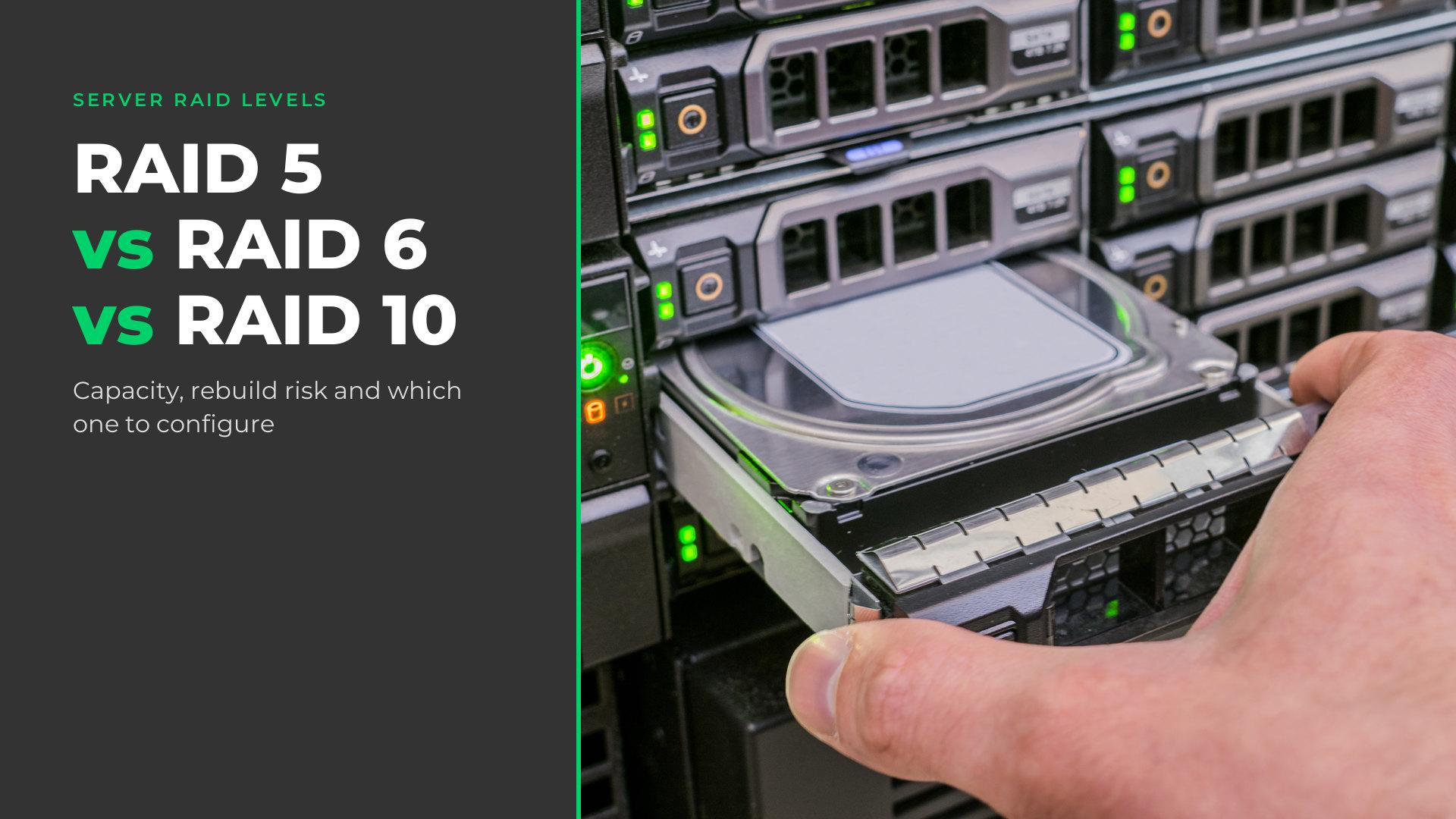
RAID 5 vs RAID 6 vs RAID 10 is a choice between usable capacity, write performance and how many drive failures an array survives.
- RAID 5 stripes data with one parity block per stripe: at least three drives, one drive's capacity given up, one failure survived.
- RAID 6 adds a second parity block: at least four drives, two drives' capacity given up, any two failures survived.
- RAID 10 stripes data across mirrored pairs: at least four drives in even numbers, half the raw capacity kept, one failure survived, or more if each lands in a different pair.
Four points settle most server builds:
- Minimum drive counts come from the level, maximums from the controller.
- Rebuild exposure grows with drive size; RAID 6 can regenerate a sector a rebuild cannot read.
- Several entry controllers, including Dell's PERC H330 and H355, have no RAID 6.
- In a 24-bay server, RAID 50 and RAID 60 are optional, not required.
Many of our Dell PowerEdge and HPE ProLiant configurators offer this choice as an optional RAID Configuration build service. Every table below names its sources.
RAID 5 vs RAID 6 vs RAID 10 at a glance
RAID 5 keeps the most usable capacity and survives one drive failure; RAID 6 gives up one more drive's capacity to survive any two; RAID 10 keeps half the raw capacity and has the lowest write penalty.
The standard definitions come from SNIA, the Storage Networking Industry Association. RAID 5 stores one parity block per stripe, with parity and data “interleaved across the storage devices”. RAID 6 lets data “survive any two storage device failures”. RAID 10 is “a striped device (RAID 0) over a set of mirrored devices (RAID 1)”. Dell's KB 000128635 adds a warning: “The RAID technology is not a backup solution.”
| Level | Minimum drives | Drives that can fail | Usable capacity | Drive I/Os per small write | A rebuild reads |
|---|---|---|---|---|---|
| RAID 1 | 2 | 1 | 1 drive | 2 | The other drive |
| RAID 5 | 3 | 1 | n − 1 drives | 4 | Every surviving drive |
| RAID 6 | 4 | Any 2 | n − 2 drives | 6 | The surviving drives |
| RAID 10 | 4, even numbers | 1; up to n/2 in different pairs | n/2 drives | 2 | The failed drive's mirror partner |
| RAID 50 | 6 (2 spans of 3) | 1; up to 1 per span | s × (k − 1) drives | 4 | Surviving drives in that span |
| RAID 60 | 8 (2 spans of 4) | 2; up to 2 per span | s × (k − 2) drives | 6 | Surviving drives in that span |
n = drives; s spans of k drives; capacity in drives of the smallest size. Source: SNIA online dictionary; Dell PERC 11 User's Guide Rev. A05; HPE Smart Array SR Gen10 User Guide Edition 15; Broadcom 12Gb/s MegaRAID Tri-Mode Software User Guide v1.27. RAID 50 and 60 figures derived per span.
- RAID 5 vs RAID 6: RAID 5 keeps one more drive of capacity; RAID 6 survives a second failure, even mid-rebuild, at six write I/Os instead of four.
- RAID 5 vs RAID 10: n − 1 drives of capacity against n/2; RAID 10 halves the write I/Os and rebuilds from one partner.
- RAID 6 vs RAID 10: equal capacity at four drives; RAID 6 survives any two failures, RAID 10 only two in different pairs, and RAID 6 keeps more capacity above four drives.
How many drives do RAID 5, RAID 6 and RAID 10 need?
RAID 5 needs at least three drives, RAID 6 four and RAID 10 four in even numbers; RAID 50 starts at six and RAID 60 at eight. The maximum depends on the controller.
| Level | Dell PERC 9 (H730P, H830) | Dell PERC 10 to 12 (H740P, H745, H755, H965i) | HPE SR (P408i, P816i, SR932i-p) | HPE MR (MR408i, MR416i) |
|---|---|---|---|---|
| RAID 5 | 3 to 32 | 3 to 32 | 3 to 64 | 3 to 32 |
| RAID 6 | 4 to 32 | 4 to 32 | 4 to 64 | 4 to 32 |
| RAID 10 | 4 to 192 | 4 to 240 | 4 to 64 | 4 to 32 |
| RAID 50 | 6 to 192 | 6 to 240 | 6 to 64 | 6 to 256 |
| RAID 60 | 8 to 192 | 8 to 240 | 8 to 64 | 8 to 256 |
Source: Dell PERC 9 (Rev. A08), PERC 10 and 12 (online editions) and PERC 11 (Rev. A05) user's guides; HPE SR Gen10 (Edition 15), SR Gen10 Plus (10a), SR Gen11 (8), MR Gen10 Plus (6) and MR Gen11 (4) guides.
Usable capacity follows HPE's formulas, with C the capacity of the smallest drive: C × (n − 1) for RAID 5, C × (n − 2) for RAID 6 and C × (n / 2) for RAID 10. RAID 50 and RAID 60 apply the RAID 5 or RAID 6 formula to each span.
| Drives | RAID 5 | RAID 6 | RAID 10 | RAID 50 (2 spans) | RAID 60 (2 spans) |
|---|---|---|---|---|---|
| 3 | 66.7% · 1 | — | — | — | — |
| 4 | 75% · 1 | 50% · 2 | 50% · 1 (up to 2) | — | — |
| 5 | 80% · 1 | 60% · 2 | — (odd) | — | — |
| 6 | 83.3% · 1 | 66.7% · 2 | 50% · 1 (up to 3) | 66.7% · 1 (up to 2) | — |
| 8 | 87.5% · 1 | 75% · 2 | 50% · 1 (up to 4) | 75% · 1 (up to 2) | 50% · 2 (up to 4) |
| 12 | 91.7% · 1 | 83.3% · 2 | 50% · 1 (up to 6) | 83.3% · 1 (up to 2) | 66.7% · 2 (up to 4) |
| 16 | 93.8% · 1 | 87.5% · 2 | 50% · 1 (up to 8) | 87.5% · 1 (up to 2) | 75% · 2 (up to 4) |
| 24 | 95.8% · 1 | 91.7% · 2 | 50% · 1 (up to 12) | 91.7% · 1 (up to 2) | 83.3% · 2 (up to 4) |
Cell: usable share · drives that can fail in the worst case; best case in brackets, when each failure hits a different pair or span. “—”: below the minimum, or odd for RAID 10. Source: derived from HPE's formulas (SR Gen10, Edition 15) and the failure rules in the next section.
For a specific drive set, including mixed sizes, add the drives to our RAID calculator: it shows usable capacity, how many drives can fail and how much capacity a mixed set leaves unused.
Why RAID 10 needs an even number of drives (and the mirrored layouts that don't)
RAID 10 is built from two-drive mirrors, so drives come in pairs. Dell's PERC RAID 10 tables list only even totals, HPE says the count “must increment by 2 drives”, and Broadcom requires an even number of drives in each RAID 10 span.
Layouts that take other counts are separate levels that no PERC offers: HPE's RAID 1 Triple and RAID 10 Triple, three-way mirrors in sets of three drives, and Broadcom's RAID 1E, “two-way mirroring on two or more drives”.
Can you mix drive sizes in one array?
Yes, but every drive counts as the smallest one. Dell's enterprise RAID FAQ says drives need not be identical, but a RAID 5 of 500 GB, 200 GB and 100 GB drives uses 100 GB of each; Broadcom's formulas agree, and HPE requires replacements “equal to or larger than the capacity of the smallest drive in the array”. PERC also keeps SAS and SATA, and hard drives and SSDs, in separate virtual disks, as our SAS vs SATA guide explains.
How many drives can fail before you lose data?
RAID 5 survives one failed drive and RAID 6 any two; RAID 10 survives one, and up to half its drives, only while no mirrored pair loses both members. In HPE's words, several drives can fail “as long as no two failed drives belong to the same mirrored pair”, and Dell's PERC guides add that RAID 6 survives “failures while a single disk is rebuilding”.
A second RAID 10 failure is therefore a matter of position. After one failure in an n-drive RAID 10, exactly one of the n − 1 remaining drives is critical, the failed drive's partner: 1 of 3 in four drives, 1 of 11 in twelve, 1 of 23 in twenty-four. RAID 6 has no critical drive after its first failure.
Spanned levels apply the rule per span. Per Broadcom, a RAID 50 tolerates one failure in each RAID 5 drive group and a RAID 60 two in each RAID 6 drive group. HPE, which calls spans parity groups, puts it the other way: RAID 50 loses all data “if a second drive fails in the same parity group” before the rebuild ends, and RAID 60 if a third does.
Rebuild risk on large drives
A rebuild's exposure is the data it must read from the surviving drives, set against their rated limit for unrecoverable reads. RAID 5 reads every surviving drive with no redundancy left; RAID 6 reads about as much but can regenerate an unreadable sector from its second parity; RAID 10 reads only the failed drive's partner.
Drive makers state that limit as a maximum: Seagate rates Exos X24 nearline drives at “<1 in 10E15” bits read, its 10K and 15K drives at 1 per 10E16 and its Nytro SSDs at 1 per 10E17, as our SAS vs SATA guide shows. At 1 per 10^15 the bound is one event per 125 TB read (10^15 bits ÷ 8 bits per byte).
The 1-in-10^14 figure often quoted for rebuilds is a desktop rating: Seagate prints “1 per 10E14” for BarraCuda drives aimed at “Desktop or all-in-one PCs” and “Home servers”.
| Array | Drive class and rating | RAID 5 or 6 rebuild reads | Events at the bound | RAID 10 rebuild reads (events) |
|---|---|---|---|---|
| 6 × 8 TB | Nearline, 1 sector per 10E15 | 40 TB | 0.32 | 8 TB (0.064) |
| 12 × 16 TB | Nearline, <1 in 10E15 | 176 TB | 1.41 | 16 TB (0.128) |
| 8 × 24 TB | Nearline, <1 in 10E15 | 168 TB | 1.34 | 24 TB (0.192) |
| 12 × 2.4 TB | 10K SAS, 1 per 10E16 | 26.4 TB | 0.021 | 2.4 TB (0.0019) |
| 24 × 1.92 TB | SAS SSD, 1 per 10E17 | 44.16 TB | 0.0035 | 1.92 TB (0.00015) |
Events = TB read × 8 × 10^12 bits ÷ rating, assuming every surviving drive (RAID 5) or the partner (RAID 10) is read in full at exactly its rated maximum, with 1 TB = 10^12 bytes (Seagate). RAID 6 is shown reading as much as RAID 5; the guides cited do not say whether it reads one parity set or both. Ratings are maximums, not measured rates, so these counts are not probabilities. Source: Seagate datasheets Exos 7E10 (DS1957.6M-2104US), Exos X24 (DS2080-2307US), Exos 10E2400 (DS1959.6-2004US) and Nytro 3350 (DS2101-2206US).
On RAID 5, an unreadable sector during a rebuild loses a stripe, not necessarily the array. HPE's puncture feature “allows a drive rebuild to complete despite the loss of a data stripe”, and that data “must be restored from a previous backup”; Broadcom logs “Unrecoverable medium error during rebuild”. RAID 6 regenerates the sector from its second parity.
How long the rebuild takes varies. Dell's ME5 guide says reconstruction “can take hours or days”, and the estimated rebuild rates in Dell's PERC 9 guide, taken on 7.2K SAS drives with no host I/O, are 380 GB per hour for a 24-drive RAID 10 and 160 GB per hour for a 24-drive RAID 5.
Why do some admins say RAID 5 should no longer be used?
Because of that read volume, and because some storage-array guidance steers large or mechanical drives away from RAID 5; the server-controller guides set no drive-size limit. By product line:
- Dell PS Series: RAID 6 for “SATA or NL-SAS disks 1 TB or larger”; RAID 5 “should only be used for non-critical data” (TR1020).
- Dell SC Series: RAID 5 “Not recommended for HDDs larger than 967 GB” (SC Series RAID paper).
- Dell PowerVault ME5: RAID 5 for “10K, lower capacity 7K” drives; RAID 6 or ADAPT for “High capacity 7K” (ME5 Administrator's Guide).
- HPE MSA 1060, 2060 and 2062: “HPE does not recommend RAID 5 with mechanical HDDs.” (MSA best practices)
Dell's ME5 and HPE's MSA guidance disagree on 10K drives, and each covers its own arrays, not servers. Cut-offs such as 4 TB, 8 TB or 16 TB appear in none of these documents.
RAID 5 plus a hot spare vs RAID 6
Dell's PERC guides put it plainly: “If you are using only one array, deploying RAID 6 is more effective than deploying a hot spare disk.” A spare lets the controller start a rebuild without waiting for a replacement, but RAID 5 has no redundancy until the rebuild finishes, while RAID 6 keeps a second parity through it.
Patrol read and consistency checks
Background checks find bad blocks while redundancy still exists. On Dell PERC, “patrol read automatically runs every seven days on configured SAS and SATA hard drives”; Broadcom says “You should perform a consistency check at least once a month.” HPE Smart Array's surface scan also verifies RAID 5 and 6 parity, and disabling it means “not detecting the growth of bad blocks on the media before a data loss situation.”
SSD arrays
An SSD rating of 1 per 10E17 bounds unrecoverable reads at one event per 12,500 TB read, a hundred times the nearline bound: a 24 × 1.92 TB SSD RAID 5 rebuild comes to 0.0035 events. HPE's MSA guidance keeps RAID 5 for SSDs while ruling it out for mechanical drives.
Performance: how parity and mirroring change writes
Each small random write takes two drive operations on RAID 10, four on RAID 5 and six on RAID 6, per HPE; reads are generally the same across levels except in smaller RAID 5 and 6 arrays.
The penalty comes from the update. To change one block, RAID 5 reads the old data and old parity and writes the new data and new parity; RAID 6 does the same for its second parity block. HPE calls this a “read-modify-write”, and SNIA's DDF specification gives the parity equations. Full-stripe writes avoid it (“almost no write penalty”), and in a degraded array, writes to the failed drive take “n + 1 drive operations”.
Write-back cache is the mitigation, and it needs protected power. Dell notes the cacheless PERC H330 “affects performance in RAID 5 and RAID 50 arrays”; Broadcom says RAID 5 “Suffers more impact if no cache is used.” PERC 11 uses write-back caching when “the battery is present and in good condition”, and our HPE Gen10 Plus and Gen11 configurators offer an optional Cache Backup Module.
RAID 10 (1+0) vs RAID 0+1, and where RAID 1 fits
RAID 10 (RAID 1+0) stripes data across mirrored pairs; RAID 0+1 mirrors two striped sets and loses data on failure patterns RAID 10 survives. In RAID 10 each pair can lose one drive. In RAID 0+1 one failure takes its whole striped set offline, because SNIA's RAID 0 loses data “with the failure of any storage device in the set”, and one more failure in the other half loses data.

None of the controller guides cited here lists RAID 0+1 as a level; HPE calls RAID 10 “RAID 1+0”.
RAID 1 vs RAID 5
RAID 5's advantage over RAID 1 is usable capacity; RAID 1 needs only two drives and rebuilds from the other one. On PERC, RAID 1 is exactly two drives, which Dell suits to “small databases” needing “complete data redundancy”. RAID 5 gives up one drive's capacity at any count: three drives keep two, eight keep seven. PERC 11 can migrate RAID 1 to RAID 5 by adding drives, which “Maintains redundancy while adding capacity”.
RAID 1 for boot drives
For boot volumes, Dell's BOSS cards are built for the job: the BOSS-N1 guide describes “a RAID solution that is designed for booting a server's operating system” with “dual drive RAID 1”. Our Dell BOSS card guide covers which card fits which PowerEdge.
RAID 50 and RAID 60: when spans make sense
RAID 50 and RAID 60 stripe data across two or more RAID 5 or RAID 6 spans, tolerating one or two failures per span; on PERC and HPE MR controllers they are required only above 32 drives in one virtual disk. Broadcom uses them “when a virtual drive of greater than 32 drives is needed”, with at most eight spans, so a 24-bay server can run one RAID 6 across every bay.
RAID 50 vs RAID 60 is RAID 5 vs RAID 6 applied per span: RAID 60 needs eight drives instead of six and gives up two drives' capacity per span instead of one, to survive two failures per span instead of one at six write I/Os instead of four.
Below that size, spans are a trade. HPE: data loss is least likely with “the largest possible number of parity groups”, but “less data can be stored”. On 24 equal drives:
- One RAID 6: 22 drives usable; any two can fail.
- RAID 60, 2 spans of 12: 20 drives usable; two failures per span.
- RAID 60, 3 spans of 8: 18 drives usable; two failures per span.
- RAID 50, 2 spans of 12: 22 drives usable; one failure per span.

HPE rates RAID 50 and 60 above RAID 5 and 6 for performance, “especially during writes”. Spans hold equal drive counts, and on PERC “Spanned virtual disks such as RAID 50 and 60 cannot be reconfigured”, so size them up front.
Our Dell PowerEdge R740xd 24-bay and R760 24-bay configurators carry RAID 50 and 60 in the RAID Configuration service; the levels offered depend on the controller you choose. For a 24-bay array, the PowerVault ME5024 uses ADAPT instead: Dell's distributed erasure coding with dual-disk protection and a 12-disk minimum, whose reconstruction “will generally complete more quickly than for RAID-6”.
What your RAID controller must support
The controller decides which levels you can build: RAID 6 and RAID 60 need a controller whose guide lists them, and parity RAID wants a protected write cache. The table covers controllers on our PowerEdge and ProLiant configurators plus Dell and HPE software RAID; controllers sold separately are in our RAID controllers category.
| Controller | RAID levels | Write cache | Add drives / change level |
|---|---|---|---|
| Dell PERC H330 | 0, 1, 5, 10, 50 | None | Yes / no |
| Dell PERC H730P | 0, 1, 5, 6, 10, 50, 60 | 2 GB non-volatile, battery | Yes / not stated |
| Dell PERC H740P, H745, H755, H755N | 0, 1, 5, 6, 10, 50, 60 | 8 GB non-volatile (H745: 4 GB), battery | Yes / yes |
| Dell PERC H345, H355 | 0, 1, 10 | None | Yes (H345: in the OS only) / not stated |
| Dell PERC H965i | 0, 1, 5, 6, 10, 50, 60 | 8 GB non-volatile, battery | Yes, except RAID 50 and 60 / no |
| Dell S140, S150 (software) | 0, 1, 5, 10 on Windows; 1 on Linux | System memory | Not stated |
| Dell HBA330, HBA355i | None (non-RAID) | — | — |
| HPE Smart Array E208i | 0, 1, 5, 10 | None | Yes / yes |
| HPE Smart Array P408i, P816i; SR416i-a, SR932i-p | 0, 1, 5, 6, 10, 50, 60, RAID 1 and 10 Triple | Flash-backed | Yes / yes |
| HPE MR216i | 0, 1, 10 | None | Yes / yes |
| HPE MR408i, MR416i | 0, 1, 5, 6, 10, 50, 60 | Flash-backed, 4 or 8 GB | Yes / yes |
| HPE S100i, SR100i (software) | 0, 1, 5, 10 | Read cache only | No / no |
“Not stated”: the controller's own guide does not say. HPE MR expands arrays but not RAID 10, 50 or 60 volumes, and changes level only with one logical drive in the array. Source: Dell PERC 9 (Rev. A08), PERC 10 and 12 (online), PERC 11 (Rev. A05), S140, S150, HBA330 (Rev. A04) and HBA355 (Rev. A02) guides; HPE SR Gen10 (Edition 15), SR Gen10 Plus (10a), SR Gen11 (8), MR Gen10 Plus (6), MR Gen11 (4) and SR100i (5) guides.
Expansion shelves leave RAID to the host controller: Dell's manual for the PowerVault MD1400, a 12-bay 3.5" SAS shelf, refers RAID setup to the PERC H830 guide. Our JBOD guide covers how such shelves cable to a server and which controllers pass drives through.
What vendors call these levels
The same levels travel under vendor names, and some vendor names are different layouts.
| Name | Vendor and product | What it is |
|---|---|---|
| RAID 6 (ADG, Advanced Data Guarding) | HPE Smart Array | RAID 6: “double parity” |
| RAID 1 Triple, RAID 10 Triple (formerly RAID 1/10 ADM) | HPE Smart Array P-class and SR | Three-way mirror: “data is duplicated to two additional drives” |
| ADAPT | Dell PowerVault ME5 | “Distributed erasure coding with dual disk failure protection”; 12-disk minimum |
| RAID 5-5, 5-9; RAID 6-6, 6-10 | Dell SC Series | Stripe widths: RAID 5-5 is “striped across 5 disks”; RAID 6-6 has “4 data segments, 2 parity segments for each stripe” |
| RAID 1E | Broadcom MegaRAID | “Uses two-way mirroring on two or more drives” |
Source: HPE SR Gen10 (Edition 15) and SR Gen10 Plus (10a) guides; Dell ME5 Administrator's Guide; Understanding RAID with Dell SC Series Storage (3104-CD-DS); Broadcom MegaRAID Tri-Mode Software User Guide v1.27.
Can you add drives or change the RAID level later?
It depends on the controller. Dell's PERC 11 migration table adds drives to RAID 5 and converts RAID 5 to RAID 6 with “at least one disk” added; RAID 10 grows by “an even number of disks”. The PERC H330 cannot change level, and the PERC 12 guide states: “The RAID Level Migration (RLM) feature is not supported on PERC12 controllers.” No PERC reconfigures RAID 50 or 60, and while an expansion runs, PERC switches write-back virtual disks to write-through.
When to skip hardware RAID: HBA mode for ZFS and Ceph
For ZFS or Ceph, skip the RAID level and give the software the raw drives. The Proxmox VE Administration Guide says “Do not use ZFS on top of a hardware RAID controller which has its own cache management” and, for Ceph, “Use host bus adapter (HBA) instead”; for LVM it recommends “a hardware RAID controller (with BBU)”. See our Proxmox hardware requirements guide and our host bus adapters.
Which RAID level should you configure on a server?
Choose RAID 10 for write-heavy databases, RAID 6 for large nearline drives, RAID 5 for SSD arrays, and RAID 10 or RAID 6 for virtual machine storage depending on whether write load or capacity comes first; then confirm the controller supports the level.
| Workload | 1U, 8 or 10 × 2.5" (R640, R660) | 2U, 12 × 3.5" (R750, R760) | 2U, 24 × 2.5" (R740xd, R760) |
|---|---|---|---|
| Database, write-heavy | RAID 10 × 8 (4) or × 10 (5) | RAID 10 × 12 (6) | RAID 10 × 24 (12) |
| VM datastore on hardware RAID | RAID 10 × 8 or 10 (4 or 5); RAID 6 × 8 to 10 (6 to 8) for capacity | RAID 10 × 12 (6) or RAID 6 × 12 (10) | RAID 10 × 24 (12), RAID 6 × 24 (22) or RAID 60, 2 × 12 (20) |
| Backup target on large nearline drives | Use a 3.5" chassis | RAID 6 × 12 (10), or RAID 60, 2 × 6 (8) | Use a 3.5" chassis |
| File share | RAID 6 × 8 to 10 (6 to 8); RAID 5 × 8 to 10 (7 to 9) on SSDs | RAID 6 × 12 (10) | RAID 6 × 24 (22) or RAID 60, 2 × 12 (20); RAID 5 × 24 (23) on SSDs |
| Boot volume | RAID 1 on two drives, or a BOSS card | ||
Source: derived from the tables above. RAID 10 for small random writes (HPE SR Gen10, Edition 15: “the highest write performance of any fault-tolerant configuration”; Dell TR1020 v4.7 and PERC 9 Rev. A08 for random-write and OLTP loads); RAID 6 for large nearline drives (the array guidance above); RAID 5 on SSDs (the SSD row of the rebuild table; HPE's MSA guidance keeps RAID 5 for SSDs). No manufacturer maps virtual machine storage to a hardware RAID level; that row is our reading of the tables. The nearline drives cited are 3.5-inch.
Two checks before you order: the RAID level and the drives are separate choices in the configurator, so match the drive count to the minimums above or size it in our RAID calculator; and the levels offered depend on the controller you choose.
Frequently asked questions
- How many disks are needed for RAID 5, RAID 6 and RAID 10?
- RAID 5 needs at least three drives, RAID 6 at least four and RAID 10 at least four, according to the minimum-disk tables in Dell's PERC user's guides; HPE's Smart Array, MR and SR guides list the same minimums. RAID 10 also needs an even count: Dell's RAID 10 table lists only even numbers, and HPE says the count must increment by two.
- How many disks can RAID 5, RAID 6 and RAID 10 lose?
- RAID 5 survives one failed drive and RAID 6 survives any two, according to SNIA's definitions and Dell's PERC guides. RAID 10 always survives one failure and can survive up to half of its drives, but only when no two failures fall in the same mirrored pair, a condition HPE's guides spell out. RAID 50 and RAID 60 tolerate one and two failures per span.
- Why do some people say RAID 5 should no longer be used?
- Because a RAID 5 rebuild reads every surviving drive with no redundancy left, and nearline datasheets cap unrecoverable reads at 1 in 10^15 bits, one event per 125 TB read. Dell's PS Series guidance recommends RAID 6 on its PS Series arrays for SATA and nearline SAS drives of 1 TB and up, and HPE's MSA guidance does not recommend RAID 5 on mechanical drives, but Dell's ME5 guide suggests it for 10K drives.
- Is RAID 6 slower than RAID 5?
- For small random writes, yes. HPE's controller guides count four drive operations per host write for RAID 5 and six for RAID 6, because RAID 6 updates a second parity block; Broadcom calls the resulting drop in write performance significant. HPE says read performance is generally the same across levels, except in smaller RAID 5 and 6 arrays, and SNIA and Dell name a write-back cache as the mitigation.
- What are the downsides of using RAID 10?
- Capacity and pair dependence. RAID 10 writes every block twice, so usable space stays at half the raw total however many drives you add, according to HPE's controller guides. It needs at least four drives, in even counts. Its fault tolerance depends on where failures land: a second failure in the same mirrored pair loses data, while RAID 6 survives any two failures.
- Can I add more drives to a RAID 5, or change it to another RAID level?
- It depends on the controller. Dell's PERC 11 guide allows adding disks to a RAID 5 and migrating RAID 5 to RAID 6 with at least one added disk. The PERC H330 cannot migrate levels, and PERC 12 controllers can expand but not migrate. HPE's hardware controllers that offer RAID 5 list both operations; HPE's S100i and SR100i software RAID list neither.
- Can you use different size drives in RAID 5?
- Yes, but the smallest drive sets the size. Dell's enterprise RAID FAQ says controllers allocate space by the smallest drive, so a RAID 5 of 500 GB, 200 GB and 100 GB drives uses 100 GB of each; Broadcom's capacity formula agrees. A replacement must be at least as large as the smallest member, and PERC controllers do not mix SAS and SATA in one virtual disk.
- Do you need a hardware RAID controller for RAID 6?
- Among Dell's and HPE's own RAID options, yes. Their software RAID, Dell's S140 and S150 and HPE's SR100i, supports RAID 0, 1, 5 and 10 at most, and entry controllers such as the PERC H330 and H355 lack RAID 6 too; the PERC H755 and HPE MR416i list it. Outside hardware RAID, Proxmox documents ZFS RAIDZ-2, a double-parity layout needing at least four disks.
To add a RAID level to a server build, configure a Dell PowerEdge R640, R740xd 24-bay, R750 or R760, or a quote-based HPE ProLiant DL380 Gen11 or DL380 Gen10 Plus, and pick a level under RAID Configuration. Nothing is pre-selected; on the R760 and HPE configurators the option's note reads: “Optional build service. We configure the selected RAID level before the server ships.”
Have Questions About This Topic?
Our team works with enterprise IT hardware daily. If this article raised questions about your specific environment, we are happy to help.