










By Enterasource Posted on October 7, 2026
Read MoreOn-Prem LLM Hardware: How to Size GPU Servers When You Move Off Cloud AI APIs
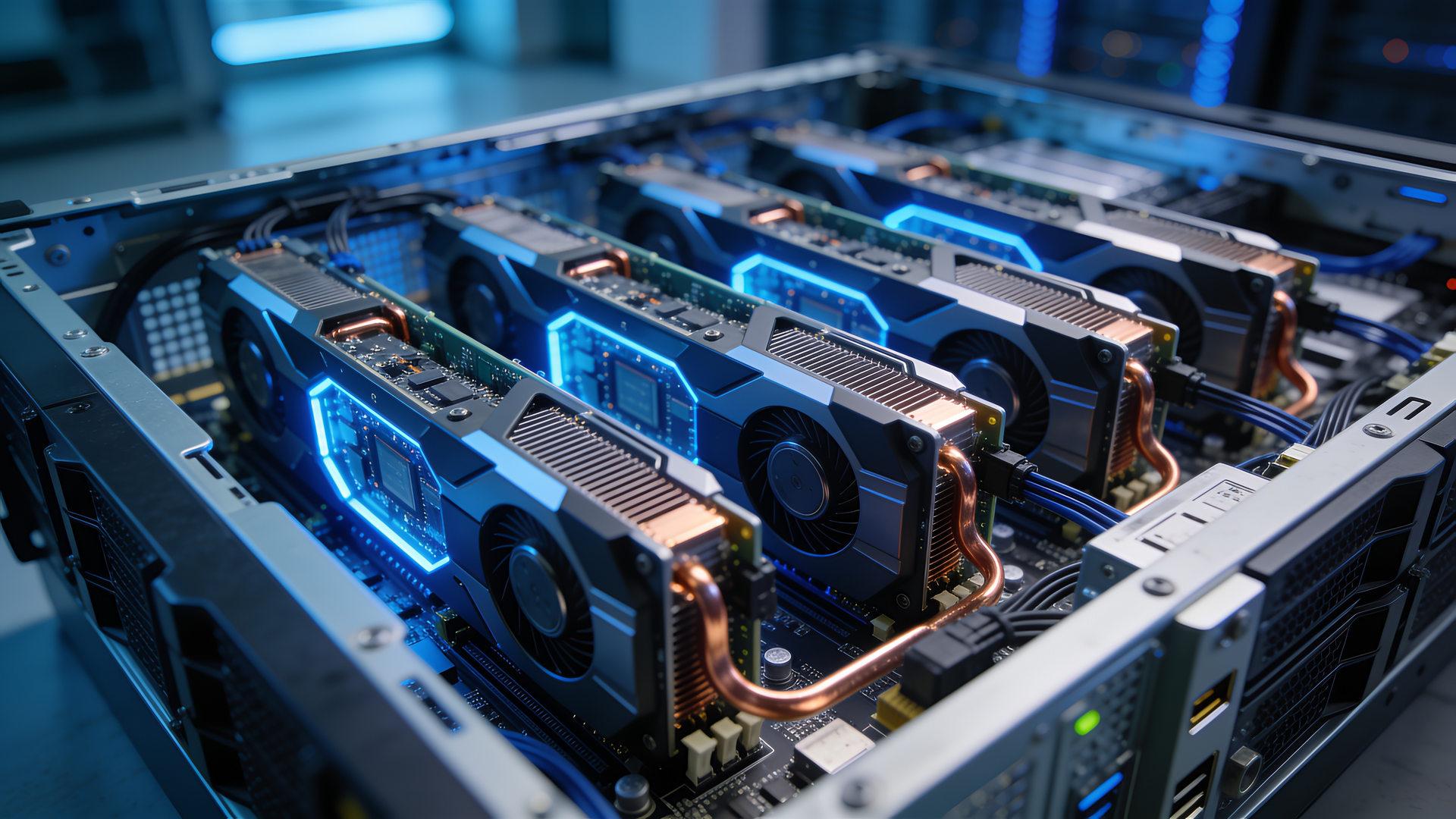
In one week, several of our customers told us the same thing: they are moving LLM workloads off cloud AI APIs and onto servers they own. This guide is for the IT lead or infrastructure engineer who has been asked whether an on-prem LLM can replace an API workload, what its hardware requirements are, and what it takes to run.
Most of the answer is hardware: a 70B model at 4-bit can load on one 48 GB card and leave room for a single user, NVLink joins A100 and H100 PCIe GPUs only in pairs, and a Dell 2400 W power supply delivers 1400 W on a 120 V circuit. This guide walks through sizing GPU memory, choosing the GPU, platform and serving stack, checking power and cooling, and testing the move against your own API bill.
Short answer: an on-prem LLM server is sized by four numbers: the model's weight memory at your serving precision (about 70 GB for a 70B model at FP8), the KV cache your users hold at once (about 10.7 GB per 32K-token conversation on that model), the per-user speed you need (capped by GPU memory bandwidth), and the power your room can deliver (plan 200-240 V for a four-GPU server).
What an on-prem LLM is, and what changes when you leave a cloud API
An on-prem (on-premises) LLM is a large language model whose weights run on servers you own or control, so prompts and outputs are processed on your hardware instead of by a provider's API. A self-hosted LLM and a private LLM deployment are the same decision under other names. The models are open-weight families such as Llama, Qwen, Mistral, gpt-oss and DeepSeek, each under its own license.
The application barely changes, because vLLM, llama.cpp and Ollama serve OpenAI-compatible endpoints. What moves is the LLM infrastructure:
| Aspect | Cloud LLM API | On-prem LLM |
|---|---|---|
| Where prompts are processed | Provider regions, sometimes chosen by the provider | Your servers and network |
| Retention | Provider policy, typically up to 30 days | Your logging policy |
| Capacity | Elastic, “rapidly outward and inward commensurate with demand” (NIST) | Fixed by the GPUs you own |
| Cost | Per input and output token | Mostly fixed: hardware, power, staff, facility |
| Operations | Provider runs serving and patching | You run updates, monitoring and security |
Sources: provider documentation in the next section; NIST SP 800-145.

Why teams move LLM inference off cloud APIs
Teams bring inference in-house to take a third party out of the data path, to turn a per-token bill into a fixed cost spread over steady volume, and to control latency, capacity and model versions.
The providers document the data path. None trains on API data by default, but each keeps some data for a while. OpenAI retains API abuse-monitoring logs “for up to 30 days, unless longer retention is required by law, or is reasonably necessary to protect our services or any third party from harm”; Anthropic deletes API inputs and outputs within 30 days, with exceptions; Azure “Global” deployments may process prompts in any geography where the model is deployed; and Amazon Bedrock's global cross-Region inference picks the Region for you.
A retention policy is not a guarantee. A court preservation order in The New York Times' lawsuit made OpenAI keep consumer ChatGPT and API content indefinitely; OpenAI says that obligation ended on September 26, 2025, and zero-data-retention customers were not affected. Cloud AI is not unsafe, but a cloud prompt passes through another party's logs, regions and legal process; on-prem inference takes that party out.
What the cloud repatriation evidence shows, and what it does not
The evidence supports moving steady, high-volume, data-sensitive inference while staying hybrid; it does not show a wholesale exit from the cloud.
- a16z (2021): experts put repatriation at “one-third to one-half the cost of running equivalent workloads in the cloud”, across all cloud workloads and before LLMs; the authors were “not making a case for repatriation one way or the other.”
- IDC (2024): “only 8-9% of companies plan full workload repatriation”, yet “technical and AI-related workloads often experience performance bottlenecks in public cloud environments.”
- ESG, commissioned by Dell (2025): on-prem Llama 3 70B “2.9x to 4.1x” more cost-effective than an API service over four years, in scenarios starting at 750 million tokens a day (derived) on new H100 servers.
Compliance and model licenses: what moving on-prem changes
Running the model on your own servers removes the AI provider from the inference path; it does not, by itself, make you compliant with anything. The rule texts (information, not legal advice):
- HIPAA. HHS says a cloud provider handling ePHI is a business associate “even if the CSP processes or stores only encrypted ePHI and lacks an encryption key for the data”, so a HIPAA-compliant LLM deployment on a cloud API starts with a business associate agreement. Self-hosting removes the AI vendor as a business associate for inference; the Security Rule still applies to your systems.
- US defense contracts. DFARS 252.204-7012 requires a cloud provider holding covered defense information to meet security requirements equivalent to the FedRAMP Moderate baseline, and the CMMC rule (32 CFR 170) requires FedRAMP Moderate authorization or equivalent for cloud services handling CUI; CMMC Phase 1 started on November 10, 2025, with Phase 2 one calendar year after it. A model inside your assessed enclave keeps an AI vendor out of that question.
- EU buyers. Under the GDPR, in-house inference removes a processor and a third-country transfer from that step, but US AI APIs are not off-limits: transfers to US organizations on the Data Privacy Framework List rest on adequacy decision (EU) 2023/1795. Under the AI Act you are a deployer either way; Regulation (EU) 2026/1744 moved high-risk obligations to 2 December 2027 (Annex III) and 2 August 2028 (Annex I).
Model licenses can rule a model out before hardware matters
| Model family | License | Terms that change the decision |
|---|---|---|
| Qwen3; Qwen2.5 7B to 32B; Mixtral; Mistral Small 3.2; gpt-oss | Apache-2.0 | Standard Apache-2.0 terms |
| Qwen2.5-72B | Qwen license | Separate license above 100 million monthly active users |
| Llama 3.3 70B | Llama 3.3 Community License | Meta's permission above 700 million monthly active users; acceptable-use policy lists military, warfare, nuclear, espionage and ITAR-regulated uses |
| Llama 4 Scout and Maverick | Llama 4 Community License | Same terms, and no multimodal rights for companies with their principal place of business in the EU |
| DeepSeek-V3 | DeepSeek model license | Commercial use allowed; “military use in any way” prohibited |
Sources: license files and model cards (Qwen, gpt-oss, DeepSeek-V3); Meta's Llama 3.3 and Llama 4 use policies.
Step 1: Size GPU memory for weights, KV cache and concurrency
GPU memory (VRAM) has to hold the model's weights, the KV cache for every token your active users hold, and runtime overhead. Weights are fixed by size and precision. The KV cache grows with context length times concurrent users; at long context and high concurrency, “the time to load the KV cache dominates” (Pope et al.).
- Weights = parameters × bytes per parameter: 2 at BF16, 1 at FP8, about 0.5 at 4-bit. Real 4-bit files carry scales: llama.cpp measures Q4_K_M at 4.8944 bits per weight, and AWQ or GPTQ at group size 128 come to about 4.16 (derived). Mixture-of-experts models need memory for every expert: Mixtral's serving memory is “proportional to its sparse parameter count, 47B”, though each token uses 13B (Mistral AI).
- KV cache per token = 2 (keys and values) × layers × KV heads × head dimension × bytes, from the model's config.json. Llama 3.3 70B (80 layers and 8 KV heads per Meta's Llama 3 paper; head dimension 128) costs 320 KiB per token at BF16 (derived).
- KV cache in use = KV per token × every token held across active requests. One 128K-token conversation on Llama 3.3 70B holds about 43 GB (derived).
The formula many guides quote, 2 × layers × hidden size × bytes, is the multi-head-attention case from the vLLM paper (800 KB per token for OPT-13B). Llama 3, Qwen, Mixtral and gpt-oss use grouped-query attention, which Meta adopted “to reduce the size of key-value caches during decoding”; hidden size overstates their KV cache 4 to 16 times, 2,560 KiB instead of 320 for Llama 3.3 70B (derived).
| Model, weight precision | Weights | KV per token (BF16) | Target load: KV cache | Total | Smallest fit (KV room left) |
|---|---|---|---|---|---|
| Llama 3.1 8B, BF16 | 16.0 GB | 128 KiB | 8 users × 4K: 4.3 GB | 20.3 GB | 1 × 24 GB (46K tokens) |
| Qwen3-14B, FP8 | 14.8 GB | 160 KiB | 32 users × 4K: 21.5 GB | 36.3 GB | 1 × 48 GB (179K) |
| Qwen3-32B, FP8 | 32.8 GB | 256 KiB | 8 users × 32K: 68.7 GB | 101.5 GB | 2 × 80 GB (436K); 2 × 48 GB only with FP8 KV |
| Llama 3.3 70B, 4-bit | 36.4 GB | 320 KiB | 8 users × 4K: 10.7 GB | 47.1 GB | 1 × 80 GB (113K) or 2 × 48 GB (158K) |
| Llama 3.3 70B, FP8 | 70.0 GB | 320 KiB | 32 users × 4K: 42.9 GB | 112.9 GB | 2 × 80 GB (235K) |
| Mixtral 8x7B (47B total), FP8 | 47.0 GB | 128 KiB | 16 users × 4K: 8.6 GB | 55.6 GB | 1 × 80 GB (202K) |
| Qwen3-235B-A22B, FP8 | 235 GB | 188 KiB | 8 users × 32K: 50.5 GB | 285.5 GB | 4 × 80 GB (308K); 8 × 80 GB for more users |
Derived estimates, not measurements: weights use the nominal parameter count at the listed precision, but real checkpoints keep the embedding and output layers at 16-bit and run about 3 GB larger on a 70B model; KV room is an upper bound. KV room = 0.92 × labeled GPU memory (vLLM's default memory utilization) minus weights, at BF16 KV; GB = 109 bytes; 4K = 4,096 tokens; 4-bit = AWQ or GPTQ, group size 128. Architecture: Llama 3 paper, model config.json files, Mixtral paper.
- Llama 3.3 70B at FP8 on two 80 GB GPUs leaves about 235,000 tokens of KV room: roughly 57 simultaneous 4K conversations, or 7 at 32K.
- 8B to 14B models at FP8 serve tens of users on one 24 GB or 48 GB card.

Then check the real numbers. vLLM prints its KV capacity at startup (“GPU KV cache size: 643,232 tokens” in its documentation's example), Ollama sets its default context by GPU memory (4K tokens under 24 GiB, 32K up to 48 GiB and 256K above), and Qwen2.5's shipped config.json is set to 32,768 tokens although its card lists 131,072 with YaRN. An FP8 KV cache halves the per-token figures; test its accuracy on your prompts.
Step 2: Choose the GPU: memory first, then bandwidth
Choose AI inference hardware by memory first, bandwidth second, then features. Memory decides whether the model and KV cache fit. Bandwidth caps each user's speed, because “the decode phase is memory-bound because it processes only one token per-request at a time” (Sarathi-Serve). FP8 math needs compute capability 8.9 or newer (Ada or Hopper), and only some cards bridge over NVLink.
| GPU | Memory, bandwidth | Max power | NVLink; FP8 math | Form factor | One card holds (derived) |
|---|---|---|---|---|---|
| NVIDIA H100 NVL 94GB | 94 GB HBM3, 3,938 GB/s | 400 W | Pairs, 600 GB/s; FP8 | Dual-slot, passive | More than the 80 GB rows |
| NVIDIA H100 80GB PCIe | 80 GB HBM2e, 2,000 GB/s | 350 W | Pairs, 600 GB/s; FP8 | Dual-slot, passive | 32B at FP8 (155K tokens); 70B at 4-bit (113K) |
| NVIDIA A100 80GB PCIe | 80 GB HBM2e, 1,935 GB/s | 300 W | Pairs, 600 GB/s; no FP8 | Dual-slot, passive | 32B at FP8 (155K); 70B at 4-bit (113K) |
| NVIDIA A100 40GB PCIe | 40 GB HBM2, 1,555 GB/s | 250 W | Pairs, 600 GB/s; no FP8 | Dual-slot, passive | 14B at FP8 (134K) |
| NVIDIA L40S 48GB | 48 GB GDDR6, 864 GB/s | 350 W | None; FP8 | Dual-slot, passive | 14B at FP8 (179K); 32B at FP8 (43K) |
| NVIDIA L40 | 48 GB GDDR6, 864 GB/s | 300 W | None; FP8 | Double-width | As L40S |
| NVIDIA A40 48GB | 48 GB GDDR6, 696 GB/s | 300 W | Pairs, 112.5 GB/s; no FP8 | Dual-slot, passive | As L40S, slower |
| NVIDIA A30 | 24 GB HBM2, 933 GB/s | 165 W | Pairs, 200 GB/s; no FP8 | Dual-slot | 8B at FP8 (107K) or BF16 (46K) |
| NVIDIA A10 24GB | 24 GB GDDR6, 600 GB/s | 150 W | None; no FP8 | Single-slot | As A30 |
| NVIDIA L4 | 24 GB, 300 GB/s | 72 W | None; FP8 | Single-slot, low-profile | As A30 |
Sources: NVIDIA A100 datasheet, H100 PCIe and H100 NVL briefs, L40S page, and A40, A30, A10 and L4 datasheets; L40 per Dell's GPU Matrix; FP8 by compute capability. “Holds”: Step 1 method, KV room at BF16 in tokens. All cards are quote-based on our site; the A100 is listed only as an option in our Dell R750xa and R760 configurators.
Leave out the A16 (four 16 GB GPUs on one board) and consumer cards: Dell's manuals say “Consumer-Grade GPU should not be installed or used in the Enterprise Server products”, and NVIDIA's GeForce license says the software “is not licensed for datacenter deployment.” For the wider checklist, see how to choose a GPU server for AI or browse our data center GPUs.
Step 3: Size throughput with MLPerf results, not peak specs
Size throughput at the per-user speed you need, not as one tokens-per-second figure. In MLCommons' published results, the same 8-GPU Dell system produced roughly half the total output when each user had to receive tokens five times faster.
Prefill processes the prompt, is compute-bound and sets the time to first token (TTFT); decode generates one token per request per step, is memory-bound and sets the time per output token (TPOT). Batching decode steps raises the server's total, not each user's speed: PagedAttention raised throughput “2-4×” at equal latency in the vLLM paper.
| Result ID | System | GPUs | Offline | Server (≥ 5 tokens/s per user) | Per GPU, Offline (derived) |
|---|---|---|---|---|---|
| 5.0-0018 | Dell PowerEdge XE7745 | 8 × L40S | 3,481.53 | 3,201.13 | 435 |
| 5.0-0064 | Quanta D54U-3U | 4 × H100 PCIe 80GB | 7,013.17 | 4,889.92 | 1,753 |
| 5.0-0023 | Fujitsu PRIMERGY CDI | 8 × H100 NVL | 18,084.9 | 16,848.6 | 2,261 |
| 5.0-0020 | Dell PowerEdge XE9680 (HGX) | 8 × H100 SXM 80GB | 31,216.8 | 30,903.6 | 3,902 |
| 5.0-0073 | Supermicro SYS-821GE-TNHR (HGX) | 8 × H200 SXM 141GB | 34,628.3 | 33,052.9 | 4,329 |
Source: MLPerf Inference v5.0 results, closed division, FP8 weights; Server limits per the MLCommons rules (TTFT ≤ 2,000 ms, TPOT ≤ 200 ms). The SYS-821GE-TNHR result used H200s; our listings carry H100s. MLPerf has published no closed-division LLM result for the A100, A40, A30, A10, RTX A6000, T4 or L4 in rounds v4.0 to v6.0.
- Per GPU, HGX leads: an H100 SXM on an HGX board produced about 9 times the Offline throughput of an L40S and a little over twice that of an H100 PCIe (derived).
- The latency promise costs throughput: a Dell PowerEdge XE7745 with 8 × H200 NVL produced 29,070 tokens/s at 5 tokens/s per user and 16,419 at 25 (result 5.1-0023).
A single user also meets a hard ceiling: each new token reads the active weights once, so tokens per second cannot exceed memory bandwidth divided by the bytes of weights. For a 70B model at 4-bit (about 36 GB) that is about 24 tokens/s on an L40S, 53 on an A100 80GB and 108 on an H100 NVL (derived upper bounds). MLPerf's sequences also run only to 1,024 tokens, so long retrieval prompts shift work toward prefill.
Multi-GPU on PCIe servers: NVLink pairs, tensor parallelism and pipeline parallelism
On PCIe servers with the GPUs in this guide, NVLink joins GPUs in pairs at most and some cards have none, so run tensor parallelism inside a bridged pair and pipeline parallelism across pairs or unbridged cards. vLLM's documentation: “if the GPUs on the node do not have NVLINK interconnect (e.g. L40S), leverage pipeline parallelism instead of tensor parallelism for higher throughput and lower communication overhead.”
Tensor parallelism splits every layer across GPUs, and Megatron-LM's design needs “two all-reduces in the forward path” of each layer, on every decode step; NVIDIA's TensorRT-LLM documentation names “cross-NUMA QPI” as the bottleneck in 8-GPU PCIe servers. Meta's Llama 3 team uses the same split: tensor parallelism within a machine over NVLink, pipeline parallelism across machines.
- Bridge in pairs: A100 PCIe (600 GB/s, all three bridges required), H100 PCIe and NVL (600 GB/s), A30 (200 GB/s), A40 (112.5 GB/s).
- No NVLink: L40S, L40, A10 and L4.
- All eight GPUs on NVLink with NVSwitch: HGX boards, such as the one in the Supermicro SYS-821GE-TNHR.
Dell's four-GPU xa servers put each NVLink pair under one processor. In the Dell PowerEdge R750xa, slots 33 and 34 connect to CPU 1 and slots 31 and 32 to CPU 2, bridged in that slot order; in the R760xa, double-width slots 36 and 38 sit on processor 1 and 31 and 33 on processor 2. NVIDIA rates bridging two GPUs under the same CPU as the best topology. So run tensor parallelism of 2 inside each pair, pipeline or data parallelism across the pairs, and benchmark a four-way split on the real server before relying on it.

Across servers the pattern continues over RDMA networking; Supermicro's AS-8125GS-TNHR carries eight NICs for GPUDirect RDMA, one per GPU. See InfiniBand vs Ethernet for AI fabrics for the network.
Step 4: Pick the platform: two GPUs in 2U, four in 2U, or eight in an HGX system
Match the platform to the GPU count and power class from Steps 1 to 3: a general-purpose 2U server with two double-width GPUs, a purpose-built 2U with four, or an 8U HGX system with eight SXM GPUs on NVSwitch. Every GPU build we sell is quote-based.
| Platform | Manufacturer GPU limit | GPU-to-GPU | Power and environment | How we sell it | Fits (derived) |
|---|---|---|---|---|---|
| Dell PowerEdge R760 with GPU enablement (2U) | Two double-width 350 W or six single-width 75 W; none in 12 × 3.5-inch or rear-drive configurations | PCIe | 2400 W PSU gives 1400 W at 100-120 V; ASHRAE A2 | Configure online with up to two double-width GPUs, then request a quote | Two 80 GB cards (Dell lists the A100 80 GB and H100): 70B at FP8 |
| Dell PowerEdge R750xa GPU server (2U) | Four double-width 300 W (A100, A40, A30) or four single-width 150 W (A10); the manual also lists H100, L40 and L40S kits | NVLink pairs (A100, A40) | 1400 to 2800 W PSUs; 2400 W gives 1400 W at 100-120 V; ASHRAE A2 only | Configure online with up to two double-width GPUs; four by quote | Two 80 GB cards on an NVLink pair: 70B at FP8 or 4-bit |
| Dell PowerEdge R760xa (2U) | Four double-width 400 W or 12 single-width; GPU Matrix lists H100 NVL, L40S, L40, L4 | NVLink bridge | 2400, 2800 or 3200 W PSUs; 30°C inlet with GPUs over 350 W and CPUs over 225 W | Quote only: choose the chassis, then tell us the CPUs, memory, GPUs and storage | Four 80 GB-class cards: 70B at BF16 or FP8 |
| HPE ProLiant DL380 Gen11 and DL380 Gen10 Plus (2U) | Per HPE's QuickSpecs (not summarized here); one GPU power cable kit per card | Quote only; H100 NVL 94GB, H100 80GB PCIe, L40S 48GB or L40 48GB by chassis; two or three double-width | Two 80 GB-class cards: 70B at FP8 | ||
| Supermicro SYS-821GE-TNHR (8x H100) (8U) | HGX H100 8-GPU (80GB) or H200 8-GPU (141GB) | NVLink with NVSwitch | Six 3000 W PSUs, 4+2, 200-240 V; 10-35°C; 75.3 kg | Three configurations, 8 × H100 80GB SXM; quote only | Qwen3-235B-A22B or Llama 3.1 405B at FP8 |
| Supermicro AS-8125GS-TNHR (8U) | Page lists HGX H200 8-GPU (141GB); AMD EPYC 9004 | NVSwitch; 8 RDMA NICs | Six 3000 W PSUs, 3+3, 200-240 V; 10-35°C; 75.3 kg | One configuration, 8 × H100 80GB SXM per our listing; quote only | As above |
Sources: Dell R760 (Rev. A06), R750xa (Rev. A04) and R760xa (Rev. A06) technical guides, installation manuals and the GPU Matrix (August 2026); Supermicro SYS-821GE-TNHR and AS-8125GS-TNHR pages. “How we sell it” is our catalog. Llama 3.1 405B at BF16 does not fit one 8 × H100 machine, per Meta.
Three Dell rules shape every GPU quote: one GPU model per server (“Mixing of different GPUs are not allowed” in the R750xa and R760xa); each GPU needs its platform's power cable and cooling parts, such as the R760's L-type heat sink, shroud and HPR Gold fans; and Dell warns that damage caused by GPUs it has not validated voids the system warranty.
Where to start: configure an R760 or R750xa online for one or two double-width GPUs and request a quote; for four, request a quote for a Dell PowerEdge R760xa; for 100B-plus models, see our Supermicro 8-GPU H100 servers, including the Supermicro AS-8125GS-TNHR (AMD EPYC, 8x H100). Small models on single-width L4, A2 or T4 cards also fit configurators such as the Dell PowerEdge R660; for other models, see which PowerEdge model takes which GPU.
Step 5: Clear the facilities gate: power, circuits, cooling and noise
A four-GPU server is a data-center load: plan 200-240 V circuits, an ASHRAE A2 room with inlet air at 35°C or cooler, and a space where 66-79 dBA is acceptable. None of this was your problem on an API.
GPU power and the low-line trap
Four H100 NVL cards can draw 1,600 W, four L40S 1,400 W, four A100 80GB 1,200 W and an 8-GPU HGX H100 board up to 5,600 W, before CPUs and fans (derived from NVIDIA's maximums). Dell's R760xa manual: “If a system with AC 2400 W PSUs operates at low line 100-120 Vac, then the power rating per PSU is degraded to 1400 W.” The 1800 W and 2800 W Titanium supplies, and the Supermicro systems' 3000 W supplies, need 200-240 V.
Dell's R750 manual sets a PSU rule for GPU builds: “When using systems with GPUs, ensure that you install PSUs with 1400 W or higher and set the PSU configuration to non-redundant. If redundant PSUs are required, PSU capacity must be 1800 W or higher.” Its R760 manual says to “Confirm power increase and upgrade PSU as needed”; Dell's tested four-A100 R760xa runs on two 2800 W supplies. See our R760 power supply sizing guide.
What a circuit can carry
An LLM server that answers requests all day is a continuous load. The NEC treats a load running three hours or more as continuous and rates the breaker at 125% of it, so a circuit is loaded to 80% of its rating (IAEI); Raritan puts it as 16 A on a 20 A circuit.
| Circuit (NEMA receptacle) | Continuous budget | Carries (nameplate reasoning) |
|---|---|---|
| 120 V, 15 A (5-15) | 1,440 VA | A small single-width GPU build at most |
| 120 V, 20 A (5-20) | 1,920 VA | Not a 4 × H100 NVL or 4 × L40S server under load |
| 208 V, 20 A (6-20) | 3,328 VA | One 2U four-GPU server |
| 208 V, 30 A (6-30) | 4,992 VA | One 2U four-GPU server, with headroom |
| 8-GPU HGX system | 5,600 W of GPU nameplate | Dedicated 200-240 V circuits |
Derived from NEC 210.20(A) as quoted by IAEI, Raritan and NEMA WD 6 receptacle ratings. Nameplate reasoning, not a load calculation: measure the real draw.
Facilities checklist before you order
- Circuits: 200-240 V for any four-GPU or HGX server, loaded to no more than 80% of the breaker rating.
- Power supplies: rated for the build at your input voltage, with redundancy sized to Dell's GPU rules.
- Cords and PDUs: C19 for Dell's 2400 W supplies, C21 for 2800 W.
- Inlet air: ASHRAE A2 only for Dell GPU configurations (except the NVIDIA A2 and Intel ATS-M75 in the R760xa's front slots): 10-35°C, less 1°C per 300 m above 900 m, and 30°C for capped combinations such as the R760xa with GPUs over 350 W and CPUs over 225 W; GPU blanks in empty slots.
- Drive layout: no GPU in the R760's 12 × 3.5-inch or rear-drive configurations.
- Room: a server room, not an office: Dell measured 66-73 dBA for the four-A100 R760xa and 79 dBA for the four-GPU R750xa, and calls the R760xa “appropriate for attended data center environment.”
- Rack: rails for up to 34.9 kg per 2U xa server and 75.3 kg per 8U HGX system.
- Power check: estimate with Dell's Enterprise Infrastructure Planning Tool, then measure with iDRAC.
LLM serving stacks: pick the engine, then change its defaults
For multi-user production LLM serving, use vLLM, or TensorRT-LLM for NVIDIA's own engine; use llama.cpp or Ollama for single-user work, pilots and older GPUs.
| Engine | Best fit | Watch for |
|---|---|---|
| vLLM | Multi-user production: PagedAttention, continuous batching, prefix caching, tensor and pipeline parallelism | Linux and compute capability 7.5+; takes 0.92 of GPU memory by default; --api-key does not protect /invocations, so use a reverse proxy |
| TensorRT-LLM | NVIDIA's engine; supports Hopper, Ada and the A100 | On Ampere, FP8 covers only the KV cache |
| llama.cpp | One server with mixed or older GPUs; CPU plus GPU offload | Splits across GPUs by layer by default |
| Ollama | Developer machines and pilots; GPUs down to compute capability 5.0 | Default context set by GPU memory (4K, 32K or 256K tokens) and one parallel request per model; offers cloud access, so confirm traffic stays local |
| Hugging Face TGI | Existing deployments only | “now in maintenance mode”; maintainers recommend vLLM, SGLang or llama.cpp |
Sources: vLLM installation, OpenAI-compatible server and optimization docs; TensorRT-LLM and Ollama docs; the TGI README. Defaults change between releases.
The provider's operating work becomes yours. vLLM exposes time to first token, inter-token latency and KV-cache usage on /metrics, NVIDIA's DCGM Exporter publishes GPU telemetry, and vLLM's preemption warnings (“not enough KV cache space”) are your capacity alarm.
Cutover: moving a production workload off the API
Move in stages, with the API as the fallback. The tools are documented by each project; the sequence is our recommendation.
- Keep the client, change the endpoint: point your OpenAI-style client at the new base URL.
- Prove quality on your prompts: run your own task set, and standard benchmarks through EleutherAI's lm-evaluation-harness, against the local endpoint; perplexity is not task accuracy.
- Measure what users feel: time to first token, inter-token latency and preemptions.
- Move steady, high-volume, data-sensitive traffic first; leave bursty and frontier-only tasks on the API.
- Secure and pin: reverse proxy, an isolated or fully air-gapped network (bring model weights and containers in from a connected staging system), pinned model versions, and a license check on every update.
On-prem LLM cost: a break-even formula instead of a price list
On-prem inference is a fixed-cost asset: it beats an API when you keep it busy at the latency your users need, and it loses on idle time. Run the comparison with your own invoice and quote, and re-run it: Epoch AI found the price of a fixed level of capability falling 9x to 900x per year, depending on the task.
- API cost per month = input tokens × input price + output tokens × output price, from your invoice.
- On-prem cost per month = hardware ÷ months of useful life + measured power × hours × your energy rate × a cooling factor + staff + software and support + facility share.
- On-prem capacity per month = sustained tokens per second at your latency target, measured on your model and prompts, × seconds in service × utilization.
- Break-even: on-prem cost ÷ tokens actually served. Below your blended API price per token, owning wins; because most on-prem cost is fixed, it falls as utilization rises.
What moves the result most: utilization (idle hours add cost and no tokens), your per-user latency target (a five-times-faster target roughly halved MLPerf throughput), context length (users per GPU fall as tokens held rise), and the compliance work an API needs, such as BAAs and FedRAMP-equivalence reviews.
Published models only illustrate this: a Carnegie Mellon preprint (not peer-reviewed) counts just GPU purchase and electricity at 8 hours a day, 20 days a month, and ESG's study notes that “no single modeled scenario will ever represent every potential environment.” Use their structure, not their outputs.
When a cloud API is still the better choice
- Bursty or exploratory work: cloud is defined by rapid elasticity and measured service (NIST); a GPU server bought for a pilot that runs a few hours a week sits idle the rest.
- Frontier-only capability: a task that needs a model offered only as a service stays there. Test first: OpenAI says gpt-oss-120b “achieves near-parity with OpenAI o4-mini on core reasoning benchmarks” (a vendor claim).
- Low or falling volume: cheaper API tokens push the break-even volume up; a16z estimated the cost of equivalent LLM performance falling 10x a year, with a methodology it calls “far from perfect.”
- No team to run it: Gartner expects CIOs to “reduce POC and self-development efforts, focusing instead on GenAI features from existing software providers.”
Plan for hybrid: steady, sensitive, high-volume inference on your servers, the rest on an API.
Refurbished previous-generation GPUs: what they give up and where they are enough
A refurbished GPU server with previous-generation data-center GPUs serves any model that fits its memory; what it gives up is FP8 math, memory bandwidth and Hopper-only kernels such as FlashAttention-3.
| Trade-off | What the documents say |
|---|---|
| FP8 math | FP8 W8A8 needs compute capability 8.9+; Ampere runs FP8 checkpoints as weight-only W8A16 |
| Bandwidth (decode speed) | A40 696 GB/s, L40S 864, A100 80GB 1,935, H100 PCIe 2,000, H100 NVL 3,938 |
| GPU-to-GPU links | These PCIe cards bridge in pairs at most; eight-way NVSwitch is HGX only |
| Hopper-only kernels | FlashAttention-3 targets Hopper; FlashAttention-2 supports Ampere, Ada and Hopper |
| Software floor | vLLM needs compute capability 7.5+: T4 yes, V100 (7.0) and P40 (6.1) no; Ollama supports 5.0+ |
| Platform currency | Dell's GPU Matrix (August 2026) no longer lists the R750xa, A100, A30, A40 or T4; support lives in each platform's guides |
Sources: vLLM, NVIDIA, FlashAttention, Ollama and Dell documentation cited above.
- Assistants and retrieval on 8B to 32B models: one 24-48 GB card at FP8 or 4-bit, with tens of thousands of tokens of KV room.
- Batch jobs such as summarization and extraction, which need server throughput rather than per-user speed.
- 70B-class quality on an A100 80GB pair: FP8 (weight-only on Ampere) with about 235,000 tokens of KV room, or 4-bit with about 338,000 (derived); Dell builds the R750xa to bridge A100 pairs over NVLink.
- gpt-oss-120b on one A100 80GB: the model (117B parameters, 5.1B active) ships MXFP4 expert weights, and vLLM's recipe says it “will fit on a single A100 (80GB)”, though its introduction says Ampere support is still in progress; test first.
- Fine-tuning: QLoRA fine-tunes a 65B model on a single 48 GB GPU.
Compare cost per token at your latency target, not cost per card: per-GPU throughput differs several-fold across generations, and power runs from 72 W for an L4 to 300 W for an A100 80GB and 400 W for an H100 NVL. Our server builds include a 2-year standard warranty, with 3-year PRO and 5-year ENTERPRISE tiers available.
Frequently asked questions
- What is an on-prem LLM?
- An on-prem (on-premises) LLM is a large language model whose weights run on servers you own or control, so prompts and outputs are processed on your hardware instead of by a provider's API. Self-hosted LLM and private LLM deployment describe the same choice. Typical models are open-weight families such as Llama, Qwen, Mistral and gpt-oss.
- Does an on-prem LLM cost less than a cloud API?
- Only above a utilization threshold. On-prem cost is mostly fixed, so cost per token falls the busier the servers stay, while API prices for a fixed level of capability fell 9x to 900x per year by task, per Epoch AI. Dell-commissioned ESG modeling found on-prem inference 2.9x to 4.1x more cost-effective than an API service in scenarios starting at about 750 million tokens a day.
- How much VRAM do I need to run a 70B model on-premises?
- It depends on precision and context. Llama 3.3 70B needs about 140 GB for weights at BF16, 70 GB at FP8 and 36 to 43 GB at 4-bit, plus 320 KiB of KV cache per token. Two 80 GB GPUs at FP8 leave room for about 235,000 tokens, roughly 57 users at 4K context.
- How do I calculate the KV cache size for long context?
- Multiply 2 (keys and values) by the layers, KV heads, head dimension and bytes per value, then by every token held across active requests, using the model's config.json. Llama 3.3 70B (80 layers, 8 KV heads, head dimension 128) needs 320 KiB per token at BF16, about 43 GB for one 128K-token sequence. An FP8 KV cache halves it.
- vLLM or Ollama: which serving stack should we use on-prem?
- Use vLLM to serve many users and Ollama for single-user development. vLLM has PagedAttention, continuous batching, tensor and pipeline parallelism and an OpenAI-compatible API, and needs Linux and compute capability 7.5 or newer. Ollama runs on older GPUs, sizes its default context to GPU memory (4K to 256K tokens) and handles one request per model at a time by default. Hugging Face TGI is in maintenance mode.
- Can I run an LLM server on a normal office circuit?
- Usually not a multi-GPU server. A 120 V, 20 A circuit carries 1,920 VA continuously under the NEC 80 percent loading rule, Dell's 2400 W power supplies derate to 1400 W on 100-120 V, and four 400 W H100 NVL cards draw 1,600 W before the CPUs and fans.
- Is a self-hosted LLM HIPAA compliant?
- Self-hosting changes who handles the data; it does not make you compliant. HHS says a cloud provider that processes ePHI is a business associate even if it cannot decrypt the data, so a cloud AI API receiving PHI needs a business associate agreement. Self-hosting removes that vendor from inference; your systems still need the Security Rule safeguards.
- Can we use open-source LLMs commercially on our own servers?
- Usually yes, but read each license. Qwen3, Mixtral and gpt-oss are Apache-2.0. Llama 3.3 and Llama 4 need Meta's permission above 700 million monthly active users, and their acceptable-use policies list military and ITAR uses. Llama 4's multimodal rights exclude EU-headquartered companies, and DeepSeek's license prohibits military use in any way.
Where to go from here: run the Step 1 worksheet for your model, context length and peak users, pick the GPU and platform from the tables above, and walk the facilities checklist in the room the server will live in. Then configure an R760 or R750xa with its GPUs, or bring those numbers for an R760xa or a Supermicro 8-GPU system, and request a quote.
Have Questions About This Topic?
Our team works with enterprise IT hardware daily. If this article raised questions about your specific environment, we are happy to help.
Related Products
