
![Dell 1KH9T PERC HBA355e Quad Port 12G Mini SAS HBA [Low Profile] | LSI SAS3816](https://enterasource.com/media/catalog/product/cache/ffce50e7886c56500fb8888e63bd924e/d/a/daily-receiving-5586_base.jpg)
![Dell 12W3T PERC H840 Dual Port 12G 8GB Cache PCI-E RAID Controller [Low Profile]](https://enterasource.com/media/catalog/product/cache/ffce50e7886c56500fb8888e63bd924e/d/a/daily-receiving-3546_base.jpg)


By Enterasource Posted on October 27, 2026
Read MoreWhat Is JBOD? JBOD vs RAID, Disk Shelves and When to Use Each
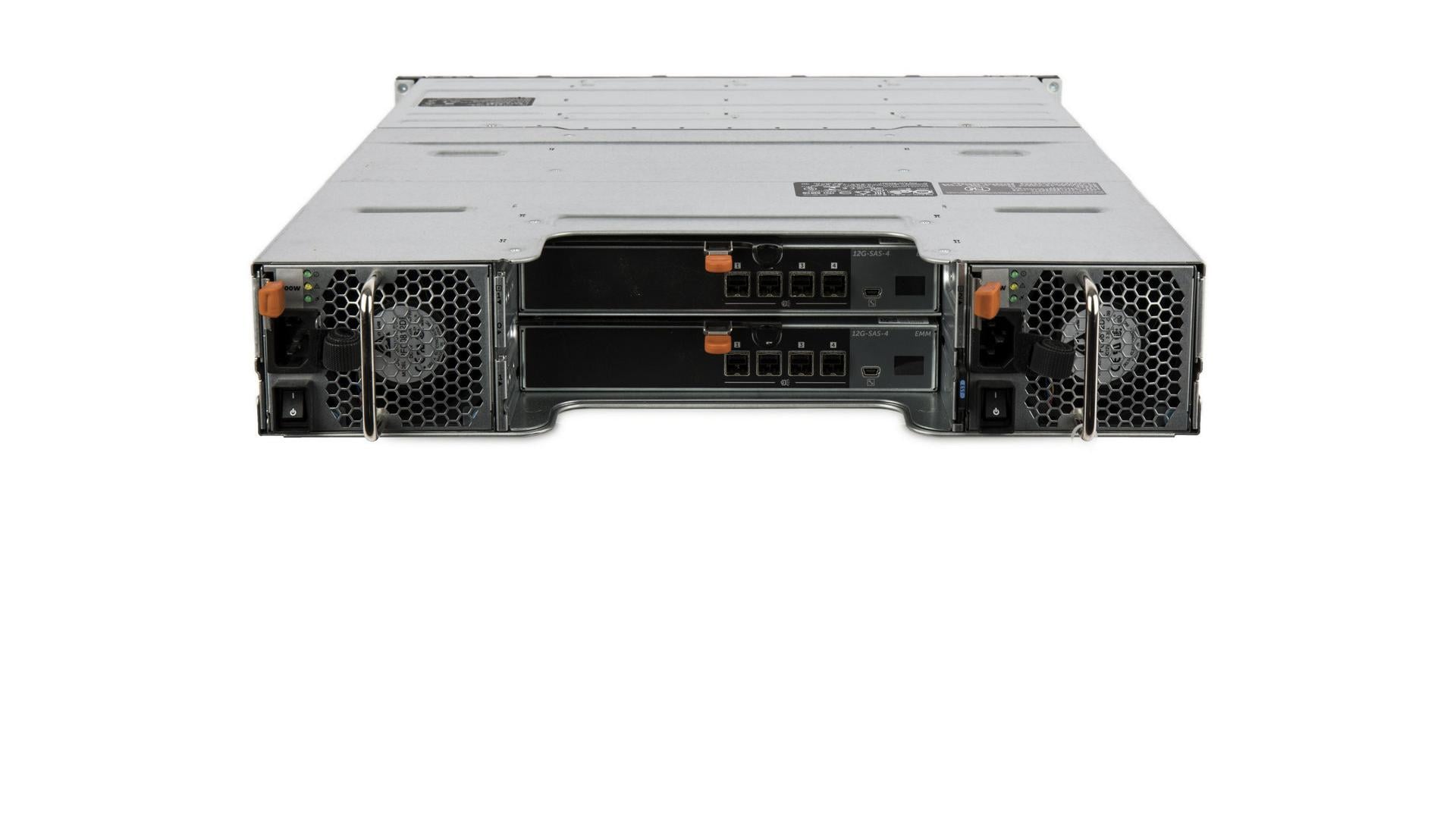
JBOD stands for just a bunch of disks. On a server it means two things: drives a controller hands to the operating system as separate devices, with no RAID layer, and the disk shelves that hold drives outside the server.
We sell these shelves and the controllers behind them, so this guide covers what decides a build: failure behavior, controller non-RAID modes, shelf cabling, and when to choose JBOD over hardware RAID.
Short answer: On servers, JBOD means drives used without RAID, each presented to the host on its own, and the same word names a disk shelf, a cabinet of drives outside the server. JBOD keeps every drive's full capacity but adds no redundancy, so a failed drive's data comes back only from a backup. It is how ZFS and Ceph expect their disks: on a host bus adapter, not behind hardware RAID.
What is JBOD?
In its main sense, JBOD is a set of disks with no RAID layer in charge of them, each reaching the host as its own device; the word also names the cabinet or shelf that holds them. The SNIA Online Dictionary, from the Storage Networking Industry Association, defines Just a Bunch Of Disks as a “collection of disks without the coordinated control provided by control software.” The SNIA Dictionary adds the second sense: “today the term JBOD most often refers to a cabinet of disks whether or not RAID functionality is present.”
The three things JBOD can mean
JBOD can mean independent disks, the enclosure that holds them, or, in Synology's DSM software, a spanned volume.
| Meaning | What the host sees | Called JBOD by | Also called |
|---|---|---|---|
| Independent disks | Each drive as its own device | SNIA; HPE MR and Broadcom MegaRAID guides | Non-RAID disk (Dell PERC); HBA drive in mixed mode (HPE Smart Array) |
| The enclosure | A shelf or cabinet of drives, with or without RAID | SNIA Dictionary; Dell's HBA355e guide and MD14xx support matrix | Shelf (SNIA); storage enclosure or expansion enclosure (Dell) |
| A spanned volume | One volume that fills each drive in turn | Synology DSM help | Concatenation (SNIA, Dell); disk spanning (Broadcom) |
Source: SNIA Online Dictionary and SNIA Dictionary v.2016.1; Dell PERC, HBA355, MD14xx and MD1280 documents; HPE SR Gen10 and MR Gen10 Plus user guides; Broadcom MegaRAID SAS Software User Guide v2.8; Synology DSM 7 help.
This guide uses the first two senses. The third is a naming collision: Synology's DSM help page Choose a RAID Type says its JBOD “Combines a collection of drives into a single storage space, with a capacity equal to the sum of all drives' capacity,” which SNIA and Dell call concatenation.
JBOD vs RAID at a glance
JBOD keeps every drive's full capacity but adds no redundancy, striping or rebuild; RAID 0 stripes for speed with no protection, and the other RAID levels give up capacity to survive a drive failure.
| JBOD (independent disks) | Spanned volume | RAID 0 | RAID 1 | RAID 5 | |
|---|---|---|---|---|---|
| Data placement | Each drive is a separate device | Fills the first drive, then the next | Striped across every drive | Each block on more than one drive | Striped, with one parity block per stripe |
| Redundancy | None | None | None | Survives one drive failure | Survives one drive failure |
| Usable capacity | Every drive, in full | The sum of the drives | Smallest drive × n | C × n/2 | C × (n − 1) |
| One failed drive | That drive's data is lost | The whole volume goes offline (Dell) | The virtual disk fails | The mirror keeps serving the data | Data is rebuilt from parity |
| Rebuild onto a replacement | No | No | No | Yes | Yes |
| Speed, as documented | Each drive's own; no striping gain | “No performance gain” | “Better read and write performance” | Fastest fault-tolerant writes (HPE) | Writes “Fair, unless using writeback cache” |
n = drives; C = drive capacity (HPE's notation). Source: SNIA Online Dictionary; Dell Server Administrator Storage Management 11.0 User's Guide, Concatenation and RAID topics; HPE SR Gen10 and MR Gen10 Plus user guides; Broadcom MegaRAID SAS Software User Guide v2.8. The JBOD speed cell is our reading: nothing stripes the data.
For your own drives, including mixed sizes, compare JBOD and RAID usable capacity in our RAID calculator.
What happens when a drive fails in a JBOD?
With independent JBOD disks, only the failed drive's data is lost; in a spanned volume, Dell's documentation says the whole volume becomes unavailable; neither layout rebuilds.

A failure on one independent disk stays on that disk, because the host sees each disk separately. For a non-RAID disk reporting a SMART error, Dell's PERC 11 and PERC 12 guides prescribe a restore, not a rebuild: “Back up your data. Replace the affected physical disk with a new physical disk of equal or higher capacity. Restore from the backup.”
A spanned volume fails as a unit. Dell's storage management guide says that “When a physical disk in a concatenated or spanned volume fails, the entire volume becomes unavailable,” and that restoring from a backup “is the only option.” Plan on that: losing any one drive in a span means restoring the whole volume from backup.
Neither layout rebuilds: HPE's MR guide lists automatic rebuild only for RAID 1, 5, 6, 10, 50 and 60, and Broadcom's 12Gb/s MegaRAID SAS Software User Guide says JBOD drives “are not part of the RAID configuration.”
Dual I/O modules protect the path, not the data
Redundant enclosure hardware can keep drives reachable; it does not keep a second copy of anything. Dell scopes the PERC H840's redundant-path support to “path redundancy only and not to controller redundancy,” and its MD1200 and MD1220 Hardware Owner's Manual says EMM failover “does not include providing connectivity to the drives controlled by the failed EMM.” Only RAID, or software such as ZFS or Ceph above the disks, makes the data redundant.
JBOD vs RAID 0 and spanning: why they are not the same
JBOD is not RAID 0: RAID 0 stripes data across all its drives for speed, while independent disks reach the host separately and a spanned volume fills one drive before the next, with no speed gain. SNIA's Common RAID Disk Data Format (DDF) Specification gives each its own type: RAID 0 is a “Striped array with no parity,” the single disk a “Single, non-arrayed disk,” and concatenation “Physical disks combined head to tail.” The SNIA Dictionary says RAID 0 “includes no redundancy, however, so strictly speaking, the appellation RAID is a misnomer.”
Single-drive RAID 0 is not JBOD either. Dell's PERC 12 guide lists “Single drive RAID 0” and “Non-RAID disk” as separate Auto-Configure choices, and the OpenZFS Hardware documentation says using single-drive RAID 0 arrays “to try to use a RAID controller like a HBA” is “not recommended,” warning that after a failure, renamed arrays can fault a ZFS pool.
RAID 5 vs JBOD: where RAID 5 fits instead
RAID 5 gives up one drive of capacity to survive one drive failure; JBOD gives up nothing and survives nothing. With HPE's formula, C × (n − 1), eight 4 TB drives give 28 TB in one protected RAID 5 volume, against 32 TB as eight separate JBOD devices. Our RAID levels guide covers RAID 6 and RAID 10.
JBOD mode on RAID controllers (Dell PERC, HPE, Broadcom)
Most server RAID controllers can hand drives to the operating system without building an array, but each vendor names and scopes that mode differently, and some cards cannot do it at all. Each row comes from that family's own guide.
| Controller | Vendor's term | What the OS sees | Non-RAID and RAID on one controller? | Watch for |
|---|---|---|---|---|
| Dell PERC 9: H330, H730, H730P, H830 | Non-RAID disk; HBA mode | Virtual and non-RAID disks; in HBA mode, non-RAID only | In RAID mode only | HBA mode disables SMART monitoring |
| Dell PERC 10: H740P, H745, H745P MX | Enhanced HBA (eHBA) mode | eHBA: non-RAID and virtual disks. RAID mode: virtual disks only | Only in eHBA mode, which limits virtual disks to RAID 0, 1 and 10 | Firmware 50.5.0-1750 or later; a mode change needs the configuration deleted |
| Dell PERC 10: H840 (external) | None | Virtual disks only | No: “H840 does not support non-RAID drives” | One device per drive only as single-drive RAID 0 |
| Dell PERC 11: H755, H750, H355, H350 | Non-RAID disk | Non-RAID disks enumerated first, then virtual disks | Yes | Write-through only; H355 and H350 skip predictive-failure monitoring on non-RAID disks |
| Dell PERC 12: H965i, H965e | Non-RAID disk (passthrough) | Drives “presented to the host as a SAS target” | Yes | Write-through cache that “cannot be altered” |
| Dell HBA330, 12 Gbps SAS HBA, HBA355i, HBA355e | Non-RAID | Physical drives | No RAID at all | On the external cards, dual-path cabling shows each drive once per path without OS multipath software |
| HPE Smart Array SR Gen10, Gen10 Plus, Gen11 (E- and P-class) | Mixed mode (RAID and HBA simultaneously) | Unassigned drives plus logical drives, “by default without any user intervention” | Yes, by default | No automatic predictive-failure LED or controller encryption for HBA drives |
| HPE MR Gen10 Plus, Gen11 | JBOD; mixed mode | A drive “exposed to the host OS as a physical drive” | Yes | “Converting a drive to JBOD will permanently delete any data on the drive.” |
| Broadcom MegaRAID | JBOD drive state and personality | “a stand-alone drive” | Yes; the JBOD personality keeps RAID 0, 1 and 10 but not RAID 5 or 6 | A replacement that comes up as JBOD will not rebuild an array until set to Unconfigured Good |
Source: Dell PERC 9 (Rev. A08), PERC 10 and PERC 12 (online editions) and PERC 11 (Rev. A05) user's guides; HBA330 and 12 Gbps SAS HBA (Rev. A04) and HBA355 (Rev. A02) user's guides; HPE Smart Array SR Gen10 (Edition 15), SR Gen10 Plus (10a), SR Gen11 (8), MR Gen10 Plus (6) and MR Gen11 (4) user guides; Broadcom MegaRAID SAS (v2.8) and 12Gb/s MegaRAID Tri-Mode (v1.27) software user guides.
For a shelf, the external cards decide. The PERC H840 can give the operating system one device per drive only through single-drive RAID 0, the setup OpenZFS advises against, so a ZFS or Ceph shelf belongs on a card without RAID, such as the HBA355e, which Dell's guide says is used “by connecting to external JBODs and tape drives.” The HBA355e is in our host bus adapters and the H840 in our RAID controllers.
How a JBOD disk shelf connects to a server
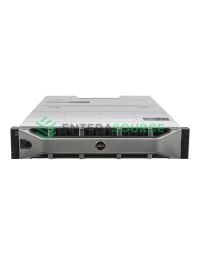
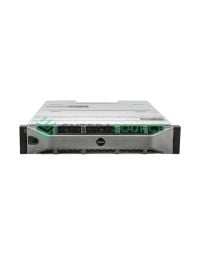
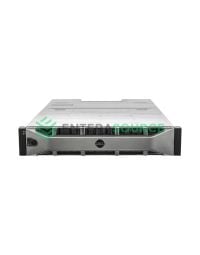
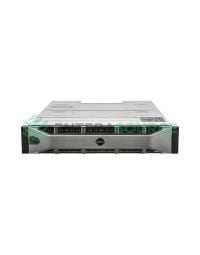
A JBOD shelf cables to an external SAS port on the server's host bus adapter or RAID controller; the shelf's I/O modules carry that link to the drives, and more shelves daisy-chain from the first within each controller's limits. A disk shelf is a rack-mounted drive enclosure, defined in the SNIA Online Dictionary as “A modular enclosure for mounting devices in an equipment rack” that may contain power supplies, cooling and pre-wired backplanes.
Dell's MD1280 Storage Enclosure Deployment Guide puts it in drive terms: “An enclosure containing physical disk drives accessed through Enclosure Management Modules (EMMs) is called a storage enclosure.” Cabled to one server, a shelf is direct-attached storage; see our SAN vs NAS vs DAS guide.
Dell's MD shelves take two enclosure management modules (EMMs), each providing “a data path between the enclosure and the host server” plus enclosure monitoring, according to the MD1400 Enclosures Hardware Owner's Manual. MD1400 and MD1420 EMMs have four mini-SAS HD ports each, MD1200 and MD1220 modules an IN and an OUT port, and the MD1280's two 6 Gbps SAS I/O modules three SFF-8088 ports each.
What a SAS expander does
A SAS expander is a switch that lets several SAS devices share one controller port. SNIA defines a Serial Attached SCSI Expander as “A switching device that uses virtualization to allow multiple SAS devices to be connected to each initiator port.” Dell's PERC tables put it in numbers: 16 drives per controller without an expander, 8 on some cards, and a platform limit with one. Dell's external SAS controllers list SAS drives only; our SAS vs SATA guide covers SATA behind expanders.
Host-attached JBOD shelves vs array-attached expansion enclosures
A host-attached shelf cables to a server's controller; an array-attached expansion enclosure, sometimes also called a JBOD, sits behind a storage array's own controllers. Dell's Server Hardware Manager support matrix calls an enclosure “used for server or enclosure expansion” a storage enclosure, and a shelf that expands an MD3 array “an expansion enclosure.” The role follows the connection, not the chassis, as the ME484 shows.
| Shelf | Attaches to | Host controllers documented | Chain and port limits |
|---|---|---|---|
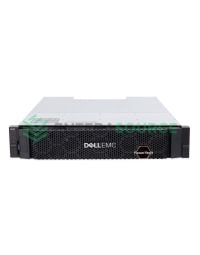
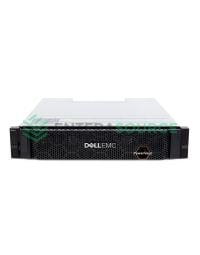
| 12-bay 3.5-inch 12Gb/s SAS disk shelf (MD1400); 24-bay 2.5-inch 12Gb/s SAS disk shelf (MD1420) | A server only, not array expansion | Tested: HBA355e, 12 Gbps SAS HBA, PERC H840, PERC H830 | One server; four per chain; no split mode or clustering |
| 12-bay 3.5-inch 6Gb/s SAS disk shelf (MD1200); 24-bay 2.5-inch 6Gb/s SAS disk shelf (MD1220) | A server, or an MD32xx array | PERC H800 and H810 | Four per controller port; split mode |
| 84-bay 3.5-inch 6Gb/s SAS 5U disk shelf (MD1280) | A server | Not stated: “Various server-based RAID controller or SAS HBA” | Two behind one HBA or RAID card |
| HP StorageWorks D2600 12-bay 3.5-inch disk enclosure | A server (our catalog) | Not documented here | Not in HPE's E208e-p enclosure list for Gen11 and Gen12 servers |
| 12-bay 3.5-inch 12Gb/s SAS expansion enclosure (ME412); 24-bay 2.5-inch 12Gb/s SAS expansion enclosure (ME424) | An ME4 or ME5 array | The array's controllers | Up to nine per 2U ME4 or ME5 array; none on single-controller arrays |
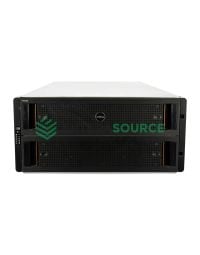
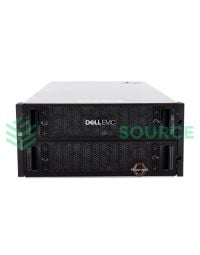
| 84-bay 3.5-inch 12Gb/s SAS expansion enclosure (ME484) | An ME4 or ME5 array, or a server | The array's controllers, or an HBA355e | Up to three per array; two per HBA355e, one per port |
| HPE Nimble ES2 expansion shelves; HP 3PAR M6710 24-bay 2.5-inch drive enclosure | An HPE Nimble or HP 3PAR array (our catalog) | Not documented here | Not documented here |
Source: Dell MD14xx Enclosure Support Matrix Rev. A09; Dell MD12xx, MD14xx and MD1280 manuals, including the MD1200/MD1220 Interoperability Guide (one copy names the H800 only); HBA355 User's Guide; ME4 and ME5 support matrices; HPE SR Gen10 User Guide. D2600 and M6710 bays: our product pages.
The Dell shelves above are in our Dell PowerVault storage range.
Cabling, chaining limits and power-on order

Chaining limits come from the shelf and the controller together. Dell's MD14xx matrix, which “supersedes all other documentation information,” allows one server per enclosure, four enclosures per chain and only 0.5 m, 2 m and 4 m mini-SAS HD cables. The MD1280 is stricter: “Only two systems can be daisy chained behind one HBA or RAID card.” Its cables start at 0.5 m, and Dell's three MD1280 documents disagree on the longest. The controllers add their own limits:
- PERC H840: eight enclosures on single paths or four on redundant paths, and no more than four on one SAS connector.
- Dell 12 Gbps SAS HBA: four per port, eight in total.
- HBA355e: two per port in a daisy chain; eight in all on single paths, four on dual paths.
- PERC H800 and H810 with the MD1200 or MD1220: four per controller port.
Power the shelves on first: Dell recommends it for the MD1200 and MD1220, and the MD1280 Enclosure Owner's Manual says “Always turn on the enclosures before turning on the host.” The MD1200 and MD1220 also have a split mode, set by a switch before power-on, that gives half the drives to each of two controllers, with no daisy-chaining or redundant paths.
Our MD1400 and MD1420 pages can add a PERC H830 or H840, both on Dell's tested list, and several 14th-generation Dell PowerEdge configurators, including the R740xd, offer those two cards and the 12 Gbps SAS HBA. For adapters its matrix does not list, Dell gives conditional or “Commercially Reasonable Effort” support.
When to use JBOD instead of hardware RAID
Use JBOD when software above the disks provides the redundancy, as ZFS and Ceph do; keep hardware RAID when the server's own volumes must survive a drive failure without such a layer. OpenZFS is blunt: “Hardware RAID controllers should not be used with ZFS,” and “It is best to use a HBA instead of a RAID controller, for both performance and reliability.” The Proxmox VE Administration Guide says ZFS “needs to communicate directly with the disks” and tells Ceph users: “Avoid RAID controllers. Use host bus adapter (HBA) instead.”
Dell's PERC 9 guide says HBA mode “should be enabled for customers, using Microsoft Storage Spaces or VMware Virtual SAN,” and Microsoft's guide Deploy Storage Spaces on a stand-alone server says “If RAID-capable, HBAs must be in non-RAID mode with all RAID functionality disabled.” It treats JBOD enclosures as optional and recommends its parity layout for highly sequential workloads “such as archive or backup.” See our Proxmox hardware requirements guide for ZFS and Ceph builds.
JBOD is the wrong choice when nothing above the disks protects the data. Non-RAID disks run write-through cache only on Dell's PERC 10, 11 and 12, HPE's controller-based encryption skips HBA drives, and for LVM storage the Proxmox guide recommends “a hardware RAID controller (with BBU).”
JBOD vs JBOF
A JBOF, just a bunch of flash, is the same idea built from solid state drives instead of disks. SNIA's online dictionary defines Just a Bunch Of Flash as “A collection of solid state storage drives without the coordinated control provided by control software,” its JBOD wording with flash in place of disks. Neither entry says how a JBOF attaches; that is in each enclosure's own documentation.
Frequently asked questions
- What does JBOD stand for?
- JBOD stands for just a bunch of disks. SNIA defines it as a collection of disks without the coordinated control provided by control software, and notes the term most often refers to a cabinet of disks, with or without RAID. HPE's MR controller guides expand it as just a bunch of drives.
- Is JBOD the same as RAID 0?
- No. RAID 0 stripes data across every drive, so SNIA notes it loses data when any drive in the set fails. JBOD presents each drive to the host separately, so one failure takes only that drive's data. Dell treats single-drive RAID 0 and non-RAID disks as separate settings, and OpenZFS advises against single-drive RAID 0.
- Is JBOD better than RAID?
- Neither is better in general. JBOD keeps every drive's full capacity but has no redundancy or rebuild, and Dell's PERC 11 and 12 limit non-RAID disks to write-through cache. RAID 1 and RAID 5 give up capacity to survive a drive failure. JBOD wins when software such as ZFS or Ceph provides the protection.
- When should you use JBOD?
- When software above the disks provides the redundancy. OpenZFS says hardware RAID controllers should not be used with ZFS, the Proxmox VE guide tells Ceph users to use a host bus adapter instead, and Dell's PERC 9 guide recommends HBA mode for Microsoft Storage Spaces and VMware Virtual SAN. Otherwise, use RAID.
- What happens if one drive in a JBOD fails?
- It depends on the layout. With independent JBOD disks, only the failed drive's data is affected; Dell's PERC guides answer a failing non-RAID disk with back up, replace and restore. In a spanned volume, Dell's storage management guide says the entire volume becomes unavailable and restoring from a backup is the only option.
- What is JBOD mode on a RAID controller?
- A setting that hands drives to the operating system without RAID. HPE's MR guides say a JBOD drive is exposed to the host OS as a physical drive; Dell calls it a non-RAID disk. Support varies: the PERC H840 does not support non-RAID drives, while PERC 11 and 12 cards run non-RAID disks beside virtual disks.
- How do you connect a JBOD shelf to a server?
- With SAS cables from an external SAS port on the server's RAID controller or HBA. For the Dell MD1400 and MD1420, Dell's support matrix lists four tested adapters, the HBA355e, 12 Gbps SAS HBA, PERC H840 and PERC H830, with one server per enclosure, four enclosures per chain and mini-SAS HD cables up to 4 m.
To attach a shelf, pick the drives and the controller together. Our Dell PowerVault range lists the MD1400 and MD1420 with the PERC H830 or H840 on the same page; for drives passed through without RAID, pair the shelf with the HBA355e instead. Dell documents those two shelves as JBODs for PowerEdge servers; for an HPE build, see our HPE ProLiant servers.
Have Questions About This Topic?
Our team works with enterprise IT hardware daily. If this article raised questions about your specific environment, we are happy to help.
Related Products
