




By Enterasource Posted on October 7, 2026
Read MoreHow to Choose a GPU Server for AI and Machine Learning

Choosing an AI GPU server comes down to five decisions made in order: the workload, the VRAM your model needs, whether you need one GPU or several, the interconnect between those GPUs, and the platform class that houses them. Get those five right and everything else — CPU, memory, storage, networking — follows from them. This guide walks the framework end to end, maps each AI and machine-learning workload to specific NVIDIA GPUs and servers you can actually buy, and closes with the rent-versus-buy-versus-refurbished decision most vendor guides skip. We receive, configure, test, and warranty this hardware, so the mapping is grounded in what real refurbished GPU servers ship as.
Short answer: an AI GPU server is a rack server with one or more data-center GPUs that accelerate model training and inference. Match the GPU to the job — a single low-profile NVIDIA L4 (24 GB) handles edge inference and virtual desktops; two to four NVLink-connected A100 or H100 GPUs handle serious training and high-throughput inference; and sustained, large-scale training scales to a dense eight-GPU HGX H100 system. Buy only the VRAM and GPU count your workload actually needs, and weigh certified-refurbished hardware to skip the new-equipment premium.
What Is an AI GPU Server?
An AI GPU server is a server that pairs one or more data-center graphics processing units (GPUs) with its CPUs to run artificial-intelligence and machine-learning workloads — training, inference, and fine-tuning — along with adjacent parallel jobs like high-performance computing (HPC), rendering, and GPU-accelerated virtual desktops (VDI). The GPU does the heavy parallel math; the CPU, system memory, storage, and network exist to feed it fast enough to keep it busy.
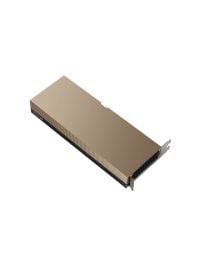
What makes a GPU a server GPU rather than a desktop card is how it is built to live in a rack: data-center accelerators such as the A100, L40S, A10, and L4 are passively cooled (they rely on the chassis's high-static-pressure fans, not an onboard fan), validated for 24/7 duty, and support enterprise features like ECC memory, Multi-Instance GPU (MIG) partitioning, and high-bandwidth NVLink interconnect. They also match the vendor's thermal, power-cable, and riser kits — a gaming card dropped into a PowerEdge chassis is neither cooled nor supported correctly.
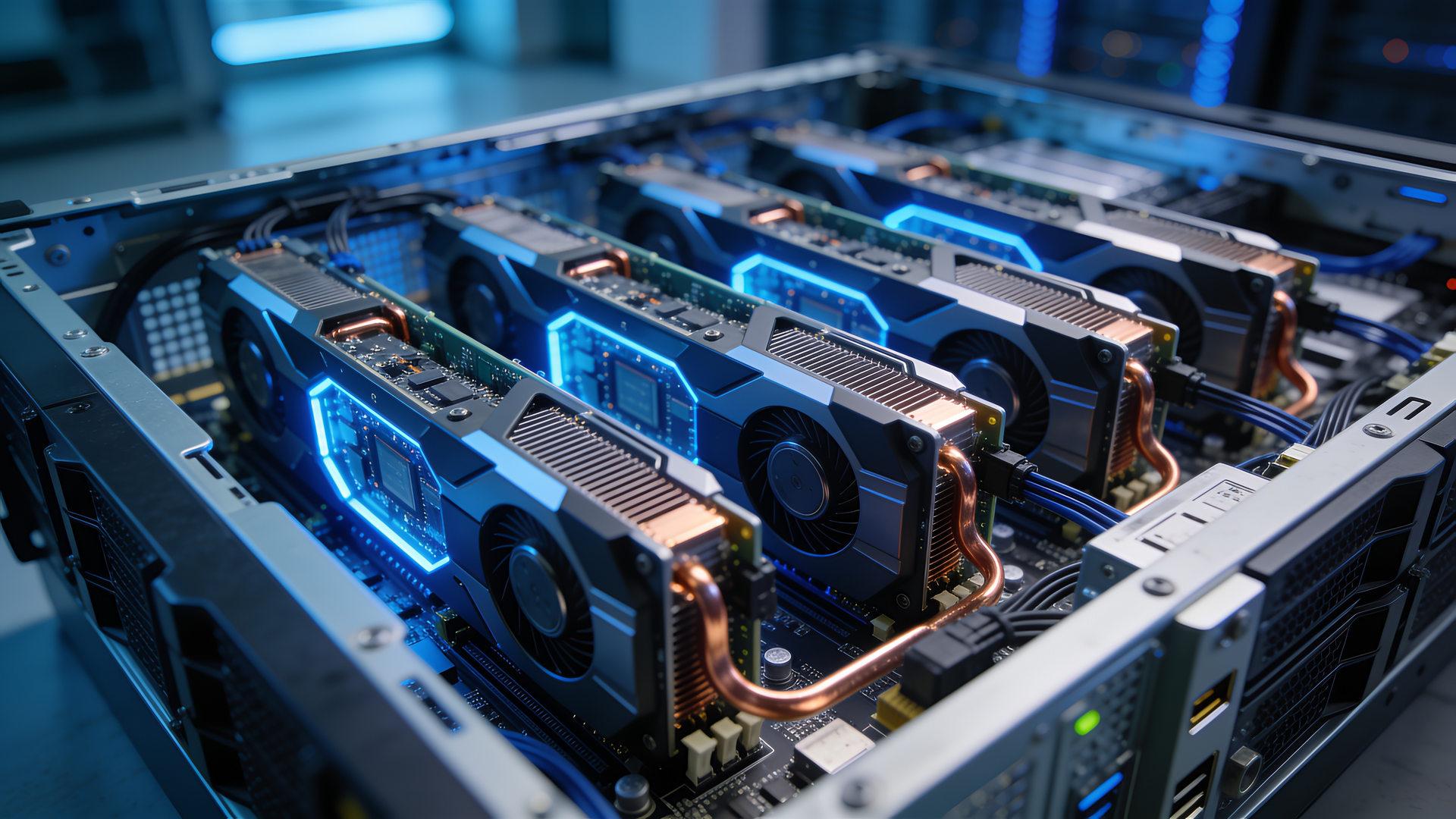
AI GPU servers span a wide range. At the small end sits a single 72-watt low-profile L4 in a mainstream 2U rack server for edge inference. At the large end sits a dense 8U system with eight 700-watt H100 GPUs wired together for large-language-model training. The rest of this guide is about landing on the right point in that range for your workload.
In short: an AI GPU server = a rack server plus one or more validated, passively cooled data-center GPUs, sized so the accelerator — not the CPU — carries the AI math.
Why GPUs, Not CPUs, for AI and Machine Learning
GPUs beat CPUs for AI because the core operation of deep learning — dense matrix multiplication across millions to billions of parameters — is massively parallel, and a GPU is thousands of small cores built to run that parallel math at once. A CPU has dozens of large cores tuned for sequential, branch-heavy logic; it will run a neural network, just far more slowly and at far lower throughput. For a NVIDIA H100, that parallel hardware is 16,896 CUDA cores plus fourth-generation Tensor Cores and a dedicated Transformer Engine with FP8 precision; NVIDIA reports up to 9× faster training and up to 30× faster inference on large language models versus the prior GPU generation.
The CPU still matters — it handles data loading, preprocessing, orchestration, and the parts of a pipeline that are not GPU-friendly — which is why an AI server pairs both. But for the training and inference math itself, the accelerator does the work. That is why "a server for machine learning" almost always means "a GPU server," and why the first sizing question is never about the CPU.
How to Choose a GPU Server for AI: A 5-Step Framework
Choose an AI GPU server in five ordered steps: (1) identify the workload, (2) size VRAM to your model, (3) decide single- or multi-GPU, (4) determine whether you need a fast GPU-to-GPU interconnect, and (5) pick the platform class and its power and cooling envelope. Each step narrows the next, so work them in order — the workload sets the VRAM target, VRAM and throughput set the GPU count, the GPU count and how tightly the GPUs must cooperate set the interconnect, and all of that sets the chassis.
| Step | The question to answer | What it decides | Rule of thumb |
|---|---|---|---|
| 1. Workload | Training, fine-tuning, inference, or VDI? | How memory- and interconnect-hungry the job is | Training and fine-tuning are memory- and interconnect-heavy; inference and VDI are lighter and scale out as independent replicas |
| 2. VRAM | How large is the model, at what precision? | The single gating spec — which GPU can hold the model | Weight memory ≈ parameters × bytes per parameter; a ~7B model at 16-bit ≈ ~14 GB (fits one 24 GB card); a ~70B model exceeds any single card |
| 3. GPU count | Does the model fit one GPU, or do you need more throughput? | Single-GPU vs multi-GPU | One GPU per instance if the model fits its VRAM; go multi-GPU when the model exceeds one card or you need more aggregate throughput or training speed |
| 4. Interconnect | Will the GPUs share one model, or run independently? | PCIe vs NVLink / NVSwitch | NVLink and NVSwitch matter for sharded (tensor-parallel) training and large-model inference; independent inference replicas do not need them |
| 5. Platform + power | How many double-width slots, and what power and cooling? | The chassis class | 1–4 GPUs → mainstream rack server; 4× double-width → purpose-built 2U; 8× → HGX system; any dense GPU node needs 200–240 V power |
Step 1 — Identify the Workload
Start with the job, because training, fine-tuning, inference, and VDI have very different hardware appetites. Training a model from scratch is the most demanding: it needs the most VRAM (weights plus gradients plus optimizer state plus activations), benefits from multiple GPUs, and rewards a fast interconnect. Fine-tuning an existing model is lighter than full training but still memory-hungry. Inference — running a trained model to serve predictions — needs enough VRAM to hold the model and its working set, and usually scales best as many independent replicas rather than one giant tightly-coupled node. VDI and video/vision workloads are lighter still and often run on low-profile cards. Naming the workload honestly is the whole game; over-speccing for "training" when you only ever run inference is the most expensive mistake in this category.
Step 2 — Size VRAM to Your Model
VRAM — the GPU's on-board memory — is the gating spec, because a model's weights and working set must fit in GPU memory or the job simply will not run. A useful rule of thumb: weight memory roughly equals the parameter count times the bytes per parameter. A ~7-billion-parameter model in 16-bit precision is on the order of ~14 GB, which fits comfortably on a single 24 GB card like an L4 or A10; a ~70-billion-parameter model in 16-bit is far larger than any single GPU and forces you to either shard across multiple GPUs or quantize aggressively. Treat this as an illustration, not a guarantee: quantization (INT8, FP8, or 4-bit) shrinks the footprint, while the KV cache, activations, and framework overhead grow it. The takeaway is directional — pick the smallest VRAM that comfortably holds your model plus headroom, then move to GPU count. For LLM inference, where the KV cache grows with context length and concurrent users, see how to size GPU memory for an on-prem LLM.
Step 3 — Single-GPU vs Multi-GPU
Use one GPU per model instance when the model fits in a single card's VRAM; go multi-GPU when either the model is too large for one card (so it must be split across GPUs) or you need more aggregate throughput than one GPU delivers. Those are two different reasons with two different shapes. Splitting one large model across GPUs (tensor or pipeline parallelism) makes the GPUs cooperate tightly on every step — that is where interconnect matters. Running many copies of a model that each fit on one GPU (independent inference replicas) simply needs more cards in the box, not faster links between them. Decide which pattern you are in before you pay for an interconnect.
Step 4 — Interconnect: When NVLink and NVSwitch Matter
A fast GPU-to-GPU interconnect matters for multi-GPU training and large tensor-parallel inference, and is irrelevant for independent inference replicas. NVIDIA's NVLink is a direct high-bandwidth link between GPUs; on PCIe cards like the A100 it is a two-card bridge running at 600 GB/s, versus roughly 64 GB/s over the PCIe bus. NVSwitch goes further — it is a switch fabric that lets every GPU on a baseboard talk to every other GPU at full bandwidth simultaneously, which is what an 8-GPU HGX system uses. If your workload shards a model across GPUs and exchanges tensors on every step, that bandwidth is the difference between GPUs that wait on each other and GPUs that stay busy. If your workload is many independent streams, NVLink is money you do not need to spend — buy the cards without it.
Step 5 — Platform Class, Power, and Cooling
Finally, the platform class and its power envelope: count GPUs by slot width, not just "how many," and confirm your circuit can feed them. Data-center GPUs are either single-width (A2, L4, T4 — low profile, low wattage) or double-width (A30, L40S, A100, H100 — full-length, high wattage), and a chassis has separate limits for each. Power is the constraint people miss: a fully populated multi-GPU node draws enough that its high-wattage supplies require 200–240 V service — many 2400 W-class supplies derate sharply on a 120 V circuit, so a dense GPU build on a standard North American 120 V branch can fail to power up at full load. Cooling scales with GPU TDP, which is why purpose-built GPU platforms add high-performance fans and, at the top end, liquid cooling. For the power and PSU math on specific Dell platforms, see our Dell R740 power consumption guide, the R750 power consumption guide, and the R760 PSU specifications guide.
Best GPUs for AI, by Workload
There is no single best GPU for AI, and no single best GPU for machine learning; the right card depends on the workload. For entry inference, edge, and VDI, low-profile cards like the NVIDIA L4, A2, and T4 win on power draw and chassis fit. For mainstream inference and light training, the A10, A30, and L40S. For large-model training and high-throughput inference, the A100 and H100. The table below maps the server-deployable NVIDIA data-center GPUs to their VRAM, power, interconnect, and best-fit job; you can browse the full graphics-cards catalog for the complete list including VDI and pro-graphics cards (A16, A40, L40).
| GPU | VRAM | TDP | Interconnect | Best for |
|---|---|---|---|---|
| NVIDIA A2 | 16 GB GDDR6 | 40–60 W | PCIe Gen4 (no NVLink) | Entry inference, edge, VDI — low-profile |
| NVIDIA T4 | 16 GB GDDR6 | 70 W | PCIe Gen3 (no NVLink) | Inference, video/vision, edge — low-profile |
| NVIDIA L4 | 24 GB GDDR6 | 72 W | PCIe Gen4 (no NVLink) | Inference, video/CV, edge, VDI — low-profile |
| NVIDIA A10 | 24 GB GDDR6 | 150 W | PCIe Gen4 (no NVLink) | Mainstream inference + mixed graphics, VDI |
| NVIDIA A30 | 24 GB HBM2 | 165 W | PCIe Gen4 + NVLink bridge | Mainstream inference + light training |
| NVIDIA L40S | 48 GB GDDR6 | 350 W | PCIe Gen4 (no NVLink) | Universal: training + inference + graphics |
| NVIDIA A100 (no PDP — named for reference) | 40 or 80 GB HBM2e | 250–300 W | PCIe Gen4 + NVLink bridge 600 GB/s | Large-model training, high-throughput inference (MIG up to 7) |
| NVIDIA H100 PCIe | 80 GB HBM2e | 300–350 W | PCIe Gen5 + NVLink 600 GB/s | Dense training + high-throughput inference |
| NVIDIA H100 NVL | 94 GB HBM3 | up to ~400 W | PCIe Gen5 + NVLink | Large-language-model training & inference |
Entry Inference, Edge, and VDI: Low-Profile A2, L4, and T4
For inference, edge deployment, and virtual desktops in a slot- or power-constrained chassis, the strongest options are the single-width, low-profile cards. The NVIDIA L4 (24 GB GDDR6, 72 W) is the modern workhorse for real-time inference and video/vision; the A2 (16 GB, 40–60 W) is the lowest-power entry point; and the T4 (16 GB, 70 W) remains a common inference and video card in older 14th-generation chassis. All three are low-profile and low-wattage, so they drop into the widest range of servers without a high-end PSU or GPU power-cable kit — the cheapest correct answer when the workload is inference, not training.
Mainstream Inference and Light Training: A10, A30, and L40S
When you need more headroom than a low-profile card but not a full training rig, step up to the mainstream tier. The A10 (24 GB, 150 W) covers mainstream inference plus mixed graphics and VDI; the A30 (24 GB HBM2, 165 W) adds HBM2 memory bandwidth and an NVLink bridge for mainstream inference and light training; and the L40S (48 GB, 350 W) is the universal card — one accelerator that handles training, inference, and graphics, which makes it the flexible choice when a single box has to do a bit of everything.
Large-Model Training and High-Throughput Inference: A100 and H100
For large-model training and the highest-throughput inference, the answer is the A100 or H100 — and between the two, the best GPU for deep learning is set by model size and precision, not a single spec-sheet winner. The A100 (40 or 80 GB HBM2e, NVLink bridge at 600 GB/s, and MIG partitioning into up to seven instances) is the previous-generation Ampere flagship and the sweet spot for a lot of refurbished multi-GPU builds — most of the capability of current silicon without the newest-generation premium. The H100 is the Hopper-generation flagship: the H100 PCIe (80 GB HBM2e, 2 TB/s, 300–350 W) slots into standard PCIe GPU servers, while the H100 NVL (94 GB HBM3, ~3.9 TB/s) pairs two cards with a larger memory pool aimed squarely at large-language-model work. When you need eight of these wired together, you move from a card-in-a-server to a purpose-built HGX system — the next section.
GPU Server Platform Classes: From One GPU to Eight
AI GPU servers fall into three platform classes: mainstream rack servers that take one to four GPUs, purpose-built 2U systems that take four double-width GPUs, and dense eight-GPU HGX systems for large-scale training. Match the class to how many GPUs your workload needs and how tightly those GPUs must communicate — the more they must cooperate on a single model, the further up this ladder you go.
These are the platform classes people mean by a deep learning server or a machine learning server: the same GPU hardware, named by the workload it runs.
Mainstream Rack Servers, 1–4 GPUs (Dell PowerEdge Class)
Most AI GPU deployments start here: a mainstream 2U rack server with a GPU enablement kit, carrying a handful of accelerators for inference, VDI, or light training. This is the Dell PowerEdge class — broad-install servers that take one to a few GPUs with the right riser, power cables, and high-performance fans. We keep the deep "which Dell model takes which GPU, and how many" detail in a dedicated companion article rather than repeat it here: see our Dell PowerEdge GPU server guide for the full model-by-model compatibility matrix, or browse mainstream Dell PowerEdge rack servers to configure one. The short version: if you need one to four GPUs and your GPUs run largely independently, a mainstream rack server is the right and cheapest class.
Purpose-Built Multi-GPU, 4× Double-Width
When you need four double-width GPUs cooperating — mid-scale training, or high-throughput inference at density — step up to a purpose-built 2U GPU platform. These have GPU risers, power, and thermal solutions built in rather than added as a kit, and they support NVLink bridges across pairs of A100-class cards for sharded training. The Dell PowerEdge R750xa holds up to four double-width GPUs (the A100/NVLink platform) and the Dell PowerEdge R760 is the Gen5 mainstream option; the companion guide covers exactly which GPUs each validates. This class is the practical ceiling for a single rack-server chassis — beyond four double-width GPUs, you are no longer putting cards in a server, you are buying a GPU system.
Dense 8-GPU Training Systems: The Supermicro 8× H100 Class
At the top of the ladder are dense eight-GPU systems built on the NVIDIA HGX H100 baseboard — the class you buy when you are genuinely training large models or serving them at scale. Our Supermicro 8× H100 GPU servers are 8U systems carrying eight NVIDIA H100 80 GB SXM GPUs on an HGX baseboard, and they differ from a PCIe-card server in three ways that matter for training.

SXM vs PCIe. The H100 comes in two forms. The SXM module used in these systems runs at 80 GB HBM3 with 3.35 TB/s of memory bandwidth, up to 700 W, and NVLink at 900 GB/s per GPU. The PCIe card runs at 80 GB HBM2e with 2 TB/s, 300–350 W, and NVLink at 600 GB/s. That is roughly 1.7× the memory bandwidth and 1.5× the NVLink bandwidth on SXM — which is exactly why dense training uses SXM modules on a baseboard rather than PCIe cards in slots.
NVSwitch, not bridges. A PCIe server connects at most a pair of GPUs with an NVLink bridge. The HGX H100 baseboard instead pairs its eight GPUs with NVSwitch chips so that every GPU talks to every other GPU at the full 900 GB/s simultaneously — an all-to-all fabric totaling 7.2 TB/s of GPU-to-GPU bandwidth across the board. For a model sharded across all eight GPUs, that non-blocking fabric is the whole point; it is the capability a bunch of bridged PCIe cards cannot replicate.
Intel Xeon or AMD EPYC host. The same 8-GPU H100 platform ships with either host CPU. The Intel option, the Intel Xeon SYS-821GE-TNHR (8× H100 80 GB), runs dual 4th/5th-Gen Intel Xeon Scalable processors; the AMD option, the AMD EPYC AS-8125GS-TNHR (8× H100 80 GB), runs dual AMD EPYC processors. Both are NVIDIA-certified 8U systems with DDR5 memory, PCIe Gen5 expansion, and up to eight 400G InfiniBand ports for lashing multiple nodes into a training cluster plus separate Ethernet for management. Both are configured and quoted per deployment.
When you actually need 8× H100. Honestly, most teams do not. Eight H100s wired over NVSwitch is for training large models from scratch, fine-tuning very large models, or serving them at high concurrency — sustained, heavy, tightly-coupled GPU work. If your real workload is inference, VDI, computer vision, or fine-tuning a model that fits on one or two cards, a mainstream or purpose-built platform with right-sized GPUs will do the job for a fraction of the power, cooling, and cost. Naming the workload honestly (Step 1) is what keeps you off this rung until you truly need it.
Rent vs. Buy vs. Refurbished: The AI Server Cost Decision
The cost decision for an AI GPU server is really a choice among three paths: rent from a cloud or GPU host, buy new, or buy certified-refurbished. Rental fits bursty, short-term, or experimental work; owning fits sustained utilization, data-control requirements, and long-run total cost of ownership; refurbished lets you own right-sized, validated hardware without paying the new-equipment premium. There is no universally correct answer — it turns on how heavily you will use the GPUs, whether your data can leave your control, and how long you will run the workload. The matrix below lays out the drivers (no pricing — the accelerators dominate the bill of materials, and real numbers come from a quote on a specific configuration).
| Driver | Cloud / rental | Buy new | Buy refurbished |
|---|---|---|---|
| Best fit | Bursty, short-term, experimental, spiky demand | Sustained use where you must have the newest silicon | Sustained use on right-sized, proven GPUs |
| Cost structure | Operating expense, pay-as-you-go | Capital expense + new-generation premium | Capital expense, no new-generation premium |
| Utilization sweet spot | Low or unpredictable utilization | High utilization | High utilization |
| Data control / residency | Data leaves your environment | Full control, on your infrastructure | Full control, on your infrastructure |
| Time to deploy | Fast to start, subject to availability | Subject to vendor lead time | In-stock, tested, ready to ship |
| Hardware freshness | Whatever the host offers | Newest generation | Last-generation, fully serviceable |
When Cloud or Rental Fits
Rent when your demand is bursty, short-term, or still being figured out. If you are prototyping, running a one-off training job, or serving traffic that spikes unpredictably, paying by the hour for someone else's GPUs beats buying hardware that would sit idle between peaks. The trade-offs are that costs accrue continuously (a GPU running 24/7 in the cloud stops being cheap quickly), and your data and models run in an environment you do not control — a non-starter for workloads with data-residency or confidentiality requirements. Rental is an operating-expense answer to an uncertain or intermittent question.
When Owning Fits
Own when utilization is sustained, when your data cannot leave your control, or when the long-run total cost of ownership favors capital over recurring rental. A GPU server that stays busy pays back its purchase against months of equivalent cloud spend, and it keeps your training data and model weights on infrastructure you govern. Owning also means predictable capacity — no competing for scarce instance types, no surprise price changes on your busiest week. If the GPUs will be working most of the time and the data is sensitive, owning is usually the lower-cost and lower-risk path.
Why Refurbished Makes Sense for AI Hardware
Certified-refurbished is the owning path that skips the new-equipment premium, and for AI hardware the logic is especially strong. New flagship GPUs and servers carry a launch premium that decays as the platform matures, while last-generation enterprise hardware depreciates steeply yet remains fully serviceable — a refurbished buyer captures that curve instead of funding it. Because the accelerators, not the chassis, dominate the cost of a GPU server, the highest-leverage decision is right-sizing the GPU — buying only the VRAM and GPU count your workload needs (an A100 / A10 / L4 / L40S platform for inference, VDI, and mid-scale training) rather than the newest silicon by default. The objection to refurbished has always been risk, and that is what testing and warranty close: hardware that is received, configured, burned in, and warranted removes the "refurbished equals risky" concern that would otherwise justify paying the new premium.
The practical move for most teams is to right-size against the framework above, then get a configured quote. Browse mainstream Dell PowerEdge rack servers for one-to-four-GPU builds, the Dell PowerEdge R750xa for a purpose-built four-GPU platform, or the Supermicro 8× H100 GPU servers for dense training — and request a quote for current pricing and availability on a specific configuration.
Frequently Asked Questions
- How do I choose a GPU server for machine learning?
- Work five decisions in order: identify the workload (training, fine-tuning, inference, or VDI), size VRAM to your model, decide single- or multi-GPU, determine whether you need an NVLink/NVSwitch interconnect, and pick the platform class and its power envelope. The workload sets the VRAM target, VRAM and throughput set the GPU count, the GPU count and how tightly the GPUs cooperate set the interconnect, and all of that sets the chassis. Over-speccing for "training" when you only run inference is the most common and most expensive mistake.
- Do you need a GPU for machine learning?
- For any non-trivial deep-learning training or high-throughput inference, effectively yes — the dense matrix math is massively parallel and runs far faster on a GPU's thousands of cores than on a CPU's dozens. Small classical-ML models and light inference can run on CPU, but neural-network training or serving at scale needs a GPU to be practical. The CPU still handles data loading and orchestration, which is why an AI server pairs both.
- How much GPU memory (VRAM) do I need for machine learning?
- Enough to hold your model plus its working set, which scales with model size and precision. As a rough guide, weight memory ≈ parameters × bytes per parameter: a ~7-billion-parameter model in 16-bit is on the order of ~14 GB and fits a single 24 GB card; a ~70-billion-parameter model far exceeds one card and needs multiple GPUs or aggressive quantization. Add headroom for the KV cache, activations, and framework overhead — treat the estimate as directional, not exact.
- What GPU do you need to train a large language model (LLM)?
- It depends on size. A small model that fits one card's VRAM can train on a single A100 or H100; a large model must be sharded across multiple GPUs connected by NVLink, and the largest models train on dense eight-GPU HGX H100 systems where an NVSwitch fabric lets all eight GPUs exchange tensors at full bandwidth. The H100's Transformer Engine with FP8 precision is built specifically for transformer/LLM training. If you are fine-tuning rather than training from scratch, requirements drop substantially — often to one or two cards.
- Is it better to rent or buy a GPU server for AI?
- Rent when demand is bursty, short-term, or experimental and utilization is low or unpredictable; buy when utilization is sustained, your data must stay under your control, or long-run total cost favors capital over recurring rental. A GPU that runs continuously stops being cheap in the cloud quickly, and rental means your data and models live in an environment you do not govern. Certified-refurbished is the buying path that avoids the new-equipment premium while keeping the hardware on infrastructure you own.
- What is the best GPU for AI?
- There is no single best GPU — it depends on the workload. For entry inference, edge, and VDI, low-profile cards like the NVIDIA L4 (24 GB), A2 (16 GB), and T4 (16 GB) win on power and fit. For mainstream inference and light training, the A10, A30, and L40S. For large-model training and high-throughput inference, the A100 and H100. Match VRAM and interconnect to the job rather than buying the flagship by default.
- Why is a GPU better than a CPU for machine learning?
- Because deep learning is dominated by dense matrix multiplication, which is massively parallel, and a GPU has thousands of cores built to run that math simultaneously, where a CPU has dozens of cores optimized for sequential, branch-heavy work. A NVIDIA H100 pairs 16,896 CUDA cores with Tensor Cores and a Transformer Engine; NVIDIA reports up to 9× faster training and up to 30× faster inference on large language models versus the prior generation. The CPU still handles data loading and orchestration, but the accelerator does the training and inference math.
- How much does an AI server cost?
- Cost is driven above all by the GPU choice, because the accelerators typically represent more of the system's value than the host server. The other drivers are GPU count, CPU/RAM/storage, the power and cooling the GPU configuration requires, and the warranty and support term. The biggest savings levers are right-sizing the GPU (VRAM and count) to the workload and choosing certified-refurbished, validated hardware instead of paying the new-equipment premium. Request a quote for current pricing on a specific configuration.
- When do you actually need an 8× H100 server?
- Only for sustained, tightly-coupled, large-scale GPU work — training large models from scratch, fine-tuning very large models, or serving them at high concurrency across all eight GPUs. An eight-GPU HGX H100 system uses an NVSwitch fabric so every GPU communicates with every other at the full 900 GB/s, which matters when one model is sharded across all eight. If your workload is inference, VDI, computer vision, or fine-tuning a model that fits on one or two cards, a mainstream or purpose-built platform with right-sized GPUs does the job for far less power, cooling, and cost.
- Can you use an AMD GPU for machine learning?
- Yes — AMD Instinct data-center accelerators run machine-learning workloads via the ROCm software stack, and some server platforms validate them. In practice, the NVIDIA ecosystem (CUDA, cuDNN, and broad framework support) remains the default most teams build on, so the majority of refurbished AI GPU servers ship with NVIDIA cards. If your software stack already targets ROCm, AMD accelerators are a viable option; if you rely on CUDA-specific tooling, plan around NVIDIA.
Once you have named the workload and sized the GPU, our team runs this configuration math every day — send us your workload and we will return a right-sized recommendation with availability on tested, warranted refurbished hardware. Browse mainstream Dell PowerEdge rack servers, the Supermicro 8× H100 GPU servers, or the full graphics-cards catalog, or read the model-by-model detail in our Dell PowerEdge GPU server guide.
Have Questions About This Topic?
Our team works with enterprise IT hardware daily. If this article raised questions about your specific environment, we are happy to help.
Related Products
