





By Enterasource Posted on October 7, 2026
Read MoreDell PowerEdge R640 Buying Guide: Specs, Configuration, and the Truth About EOL

If you are researching a Dell PowerEdge R640, you have probably tried to find its end-of-life date and come up empty. That is not because the information is hidden. Dell has never published an end-of-life or end-of-service-life date for the PowerEdge R640, or for any PowerEdge server.
This guide is for IT buyers and infrastructure engineers evaluating an R640 — new to them, used, or already racked. It covers what actually governs the machine's lifecycle, how to find the only date that applies to yours, how to configure one properly, and what to check before you hand over money for a used one.
Who the R640 is for — and who should buy something else
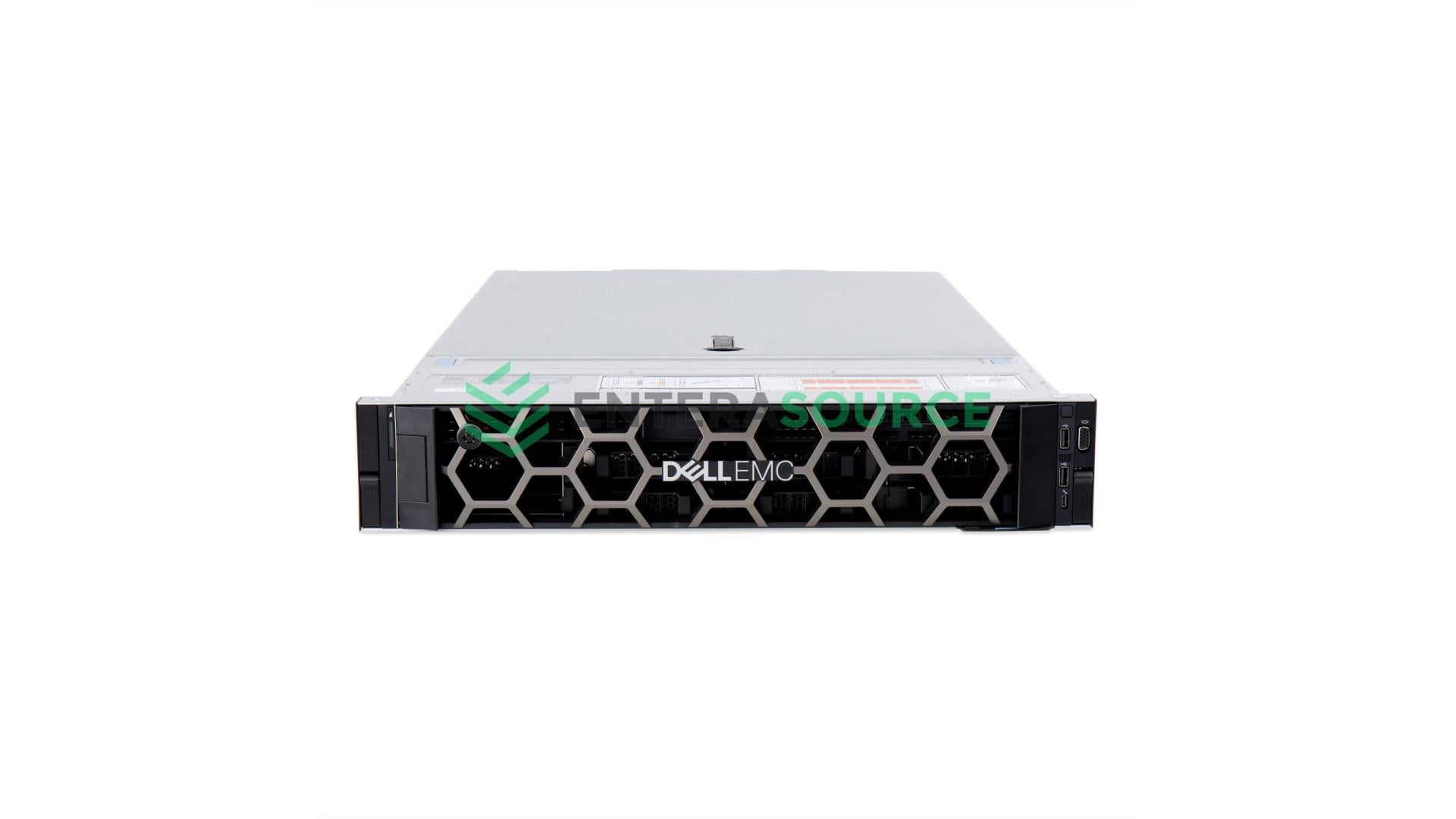
The R640 is a two-socket 1U server built for virtualization, general compute consolidation and database workloads where rack density matters more than expansion slots. It is Dell's 14th-generation 1U platform, and it remains one of the most widely available servers on the secondary market.
Buy something else in three cases. If you need PCIe Gen4 devices, the R640 is Gen3 and the R650 is the answer. If you need more than three expansion slots or a double-width GPU, the 2U R740 is the same platform with room to grow. And if you need more than 28 cores per socket, no 14th-generation machine will get you there.
If you are still deciding between PowerEdge models and generations generally, start with our guide to how to choose a Dell PowerEdge model and generation — this article assumes you have narrowed to the R640 and covers what to do next.
Is the Dell PowerEdge R640 end of life?
No — and more precisely, there is no date to find. Dell does not publish model-level end-of-life or end-of-service-life dates for PowerEdge servers. The lifecycle attaches to the individual server, not to the model.
The clearest evidence is structural rather than anecdotal. Dell maintains a public End-of-Life Product List, and its scope is stated in its own title: converged infrastructure and storage. It covers Converged Infrastructure, Data Protection, Connectrix, PowerPath, PowerFlex, enterprise storage, PowerStore, Unity, VNX and storage networking. PowerEdge servers do not appear on it. You can verify that absence in one click.
Dell's own moderators have said the same thing directly, twice. Asked in April 2025 to confirm the R640's EOL or EOSL date, DELL-Charles R replied: "There isn't any documented information for End of Life and End of Support Life on PowerEdge servers." In August 2023, asked where to find the same information for the R640 and R340: "There is no document announced or published for servers for EOL or EOSL."
Third-party databases agree. Service Express, whose EOSL database ranks for this query, lists the PowerEdge R640 (part number PER640) with EOL: "Date Not Published", EOSL: "Date Not Published", Status: "Supported."
What EOL and EOSL actually mean
The two terms are not interchangeable, and Service Express defines them cleanly: EOL is the point after which "the OEM no longer markets, sells or updates your equipment"; EOSL is the point after which "the OEM no longer sells, provides updates or services your equipment." EOL is a sales milestone. EOSL is a support milestone, and it is the one that affects you.
How to find the real date for your specific server
Because the lifecycle belongs to the machine, the date is retrievable — from the service tag. Dell's own moderator gives the procedure: go to Dell's support site, enter the service tag, open the Service Event tab, and untick "Only show active events." The End of Service Life date appears.
That last step is the one everybody misses. The date is filtered out of the default view, which is why so many people conclude it does not exist. Run this before you buy a used server, not after.
Why "five to seven years" is an estimate, not a date
You will see a five-to-seven-year lifespan quoted for PowerEdge servers, usually without attribution. It is traceable. Asked about the R640 in April 2025, the same Dell moderator wrote: "Usually they have about 5-7 years of support life, depending on the availability of hardware." He had made the same point in August 2023 — "Usually, lifespan hardware is around 5-7 years" — while noting that a warranty of up to five years can be extended by two years for seven in total.
That is an informal estimate from a forum moderator, not a published lifecycle commitment. Treat it as a rule of thumb and use the service-tag lookup for anything you are actually budgeting against.
Watch for "end of sale" being presented as "end of life"
Some pages publish a date for the R640 under a heading that looks like end of life but is actually end of sale — the point Dell stopped selling it new. The two are not the same thing, and end of sale tells you nothing about how long a machine is supported.
The clearest illustration comes from a competing page that ranks for this exact query. Its own FAQ asks "When did the Dell PowerEdge R640 reach end of life?" and answers: "The R640 is part of Dell's 14th generation and is moving through its lifecycle, with support gradually evolving depending on region and contract." That is a page built to answer the question declining to answer it — which is the most direct evidence available that the date does not exist to be found.
What changes when Dell support ends — and what doesn't
The same moderator set out what the clock is tied to in April 2024: "End of Life (EOL) and End of Support Life (EOSL) would be tied to the warranty at time of purchase," typically five years from purchase and sometimes extended by two.
Here is the consequence that matters most to anyone buying used, and almost nobody states it: the clock does not restart when the server changes hands. Dell requires a formal ownership transfer to move a service tag to you, and that transfer updates who Dell lists as the registered owner — it does not reset warranty coverage, duration or terms, which stay tied to the original purchase date. A used R640 inherits the original purchaser's lifecycle, whatever it has left.
What continues after Dell's coverage lapses is the aftermarket. Service Express lists the R640's status as "Supported" while publishing no EOL or EOSL date at all — third-party maintenance is not bounded by a date Dell never set. Parts are the other half of that answer: alongside the configurable build page, we list ninety individually stocked R640 spare parts, from backplanes and motherboards to risers, PSUs and rail kits. Machines we ship carry our own warranty, which is the practical replacement for the Dell clock rather than an extension of it.
One thing a support contract does not buy you is firmware. A Dell distributor, quoted in a community discussion of PowerEdge lifecycle tracking, put the distinction precisely: "firmware and security updates depend on the product's lifecycle, not a fixed number of years," and "extending or renewing ProSupport restores service entitlements … but does not control whether firmware updates are available." Treat that as a distributor's account rather than a Dell policy statement — but plan on the two being separate questions, because renewing support does not by itself guarantee continued BIOS or iDRAC updates.
Dell PowerEdge R640 specs at a glance
Every figure below is from Dell's PowerEdge R640 Technical Guide.
| Spec | R640 |
|---|---|
| Form factor | 1U rack, two sockets |
| Processors | 2nd Generation Intel Xeon Scalable family (Intel C620 chipset) |
| Interconnect | Up to 3 Intel UPI links, up to 11.2 GT/s |
| Memory slots | 24 DDR4 DIMM slots; registered ECC DDR4 only |
| Memory speed | Up to 2933 MT/s |
| Maximum RAM | 1.53 TB with RDIMMs · 3 TB with LRDIMMs |
| Expansion | Up to 3 × PCIe Gen3 slots, plus dedicated PERC and rNDC slots |
| Drive options | 10 × 2.5" (up to 8 NVMe), 10 × 2.5" all-NVMe, 8 × 2.5", 4 × 3.5"; up to 2 × 2.5" rear |
| Front bay capacity | Up to 76.8 TB (10 × 2.5"), up to 64 TB (10 × NVMe or 4 × 3.5") |
| Accelerators | Up to 3 single-width GPUs (NVIDIA T4) or 1 FPGA |
| Embedded NIC | 4 × 1GbE · 2 × 10GbE + 2 × 1GbE · 4 × 10GbE · 2 × 25GbE |
| Management | iDRAC9; TPM 1.2 / 2.0 |
| Dimensions | 42.8 mm H × 482.0 mm W × 808.5 mm D, 21.9 kg (48.3 lbs) — includes bezel |
The memory ceiling: 1.53 TB or 3 TB, and you choose once
Dell publishes two maximum RAM figures for the R640 because the answer depends on which DIMM type you fit. The R640 supports up to 1.53 TB using RDIMMs and up to 3 TB using LRDIMMs — 64 GB × 24 slots and 128 GB × 24 slots respectively.
Dell's own spec-sheet summary compresses this to a flat "3TB max" with both DIMM types named but never split, and resellers reproduce that line — which is how you end up seeing either 3 TB or 1.5 TB quoted as "the" R640 maximum. Both are real Dell figures. Neither is the whole answer on its own. The distinction matters because Dell's installation manual states plainly that "RDIMMs and LRDIMMs must not be mixed." Whichever type a machine arrives with sets your ceiling permanently, unless you replace the entire memory population at once.
Worth being straightforward about our own side of this: our configurator offers 8, 16, 32 and 64 GB ECC RDIMMs, so an R640 configured with us tops out at 1.53 TB. Reaching 3 TB means an all-LRDIMM build. For how much memory a virtualization host actually needs, our Proxmox hardware requirements guide covers sizing in detail.
Start with the chassis — everything else follows from it
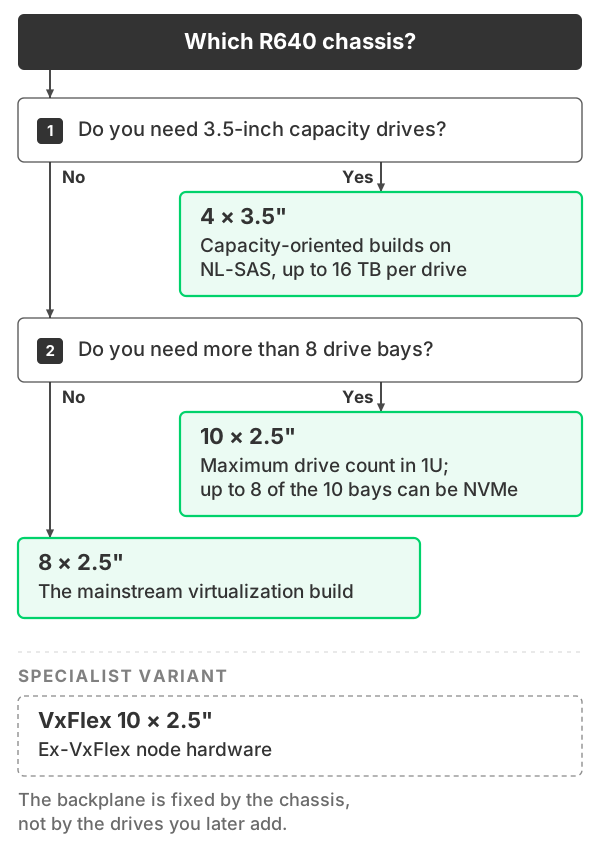
An R640 build begins with one required choice, and the rest of the configuration only opens up after you make it. Four chassis are available, and the backplane is fixed by the chassis, not by the drives you later add.
| Chassis | Best for |
|---|---|
| 4 × 3.5" | Capacity-oriented builds on NL-SAS, up to 16 TB per drive |
| 8 × 2.5" | The mainstream virtualization build |
| 10 × 2.5" | Maximum drive count in 1U; up to 8 of the 10 bays can be NVMe |
| VxFlex 10 × 2.5" | Ex-VxFlex node hardware |
This is the decision that is genuinely hard to reverse. Dell's technical guide lists four separate backplanes for the R640, and swapping one is not a practical field change. Note in particular that the standard 10 × 2.5" backplane supports up to eight NVMe drives of its ten bays — Dell's platform also offers a 10 × 2.5" all-NVMe backplane, which we do not stock as a configurable option. If NVMe capacity is central to your design, confirm which backplane a machine has before buying. Our backplane and storage configuration guide covers how these are wired.
Which Xeon Scalable CPUs are worth paying for
The R640 takes two processors, and Dell's technical guide lists both 1st and 2nd Generation Intel Xeon Scalable parts as supported — a table running from 105 W four-core SKUs up to 28-core parts at 205 W. A 1U chassis taking top-bin 205 W processors is not obvious, and it is what makes the R640 worth considering against a 2U machine rather than assuming you need the extra height. The secondary market is unusually deep: our own configurator carries 124 options for socket one and 126 for socket two, spanning 4 to 28 cores per socket, or 8 to 56 cores in a dual-socket build.
The best value in that pool is the 2nd Generation "R" refresh parts. The Xeon Gold 6258R offers 28 cores and 56 threads at 205 W — the same core count as the Platinum 8280 — and ServeTheHome measured it as more than a 60% per-core discount against the Platinum part.
The 6258R has one real limitation: it drops the third UPI link, so it cannot be used in four-socket and larger configurations. In an R640 that restriction cannot apply, because the R640 is a two-socket server. You get Platinum-class core count in the one platform where the Gold part's compromise is structurally irrelevant.
Memory population rules that change what you should buy
The R640 has six memory channels per processor and 24 sockets — twelve per processor, two per channel. Dell's manual maps them explicitly: slots A1 and A7 are channel 0, A2 and A8 channel 1, and so on through A6 and A12 on channel 5, with B1 to B12 mirroring for the second processor.
Four rules from Dell's installation guidelines change what you should actually order:
- Populate in sixes. Dell's guidance is to "populate six identical memory modules per processor (one DIMM per channel) at a time to maximize performance." Four or eight DIMMs per processor leaves channels idle and gives up bandwidth no CPU upgrade recovers.
- Never mix RDIMM and LRDIMM. "RDIMMs and LRDIMMs must not be mixed" — the rule behind the memory ceiling above.
- Mixed speeds run at the slowest. "If memory modules with different speeds are installed, they will operate at the speed of the slowest installed memory module(s)." One cheaper stick derates the entire system.
- Order of population is fixed. Fill white release tabs before black, and when mixing capacities, install the highest-capacity modules first.
The mixed-speed rule is the one that costs people quietly. Our configurator offers DDR4 in PC4-2666V, PC4-2933Y and PC4-3200AA — adding a single 2666 module to a 2933 population drops the whole machine to 2666, and nothing in the interface warns you.
Storage controllers, boot devices and power
The storage controller is the configuration choice most likely to cause regret, because reversing it means buying a card and re-cabling. Dell lists both RAID and non-RAID options for the R640, and our configurator carries five: PERC H330, H730, H730P and H740P, plus the PERC HBA330.
The HBA330 is the non-RAID, IT-mode host bus adapter. If you are running ZFS or Ceph, that is the one you need — those filesystems want direct access to the disks, not a RAID controller presenting volumes. If you are running conventional RAID, the H730P or H740P with cache is the better fit.
On drives, our 2.5" options split into read-intensive, mixed-use and write-intensive SAS SSDs alongside 10K and 15K SAS disks; endurance class is a real purchasing decision on a used server, and SSD endurance: DWPD vs TBW covers how to size it. For boot, the BOSS controller with M.2 SSDs keeps the operating system off the data pool. For power, we offer 750 W, 1100 W and 1600 W 80+ Platinum supplies — a dual-socket R640 running 205 W processors draws considerably more than a lightly configured one, and our analysis of R740 power consumption includes same-generation R640 measurements worth reading before you size a PDU.
One option a spec sheet cannot tell you about: we build the RAID array before the server ships. RAID 0, 1, 5, 6, 10, 50 and 60 are configuration services on the build page, so the machine arrives with its array already created rather than as a pile of unconfigured disks — see RAID levels explained for the trade-offs. Proxmox is also the only hypervisor subscription offered on this chassis, and we pre-install the tier you choose before shipment.
R640 vs R650 vs R740
The useful framing is not "newer is better." In configuration terms the R640 and R740 are the same platform in different form factors — our configurator offers an identical CPU pool for both, the same 124 and 126 options across the same 4-to-28-core range, with the same memory capacities and speeds. The R740 adds a 2U chassis, more expansion and a fourth power supply option. The R650 is the actual generational step. The Dell PowerEdge R740 buying guide covers the 2U machine in its own right. For the same 1U slot two generations on, see the 16th-generation R660 buying guide.
| Spec | R640 | R650 | R740 |
|---|---|---|---|
| Form factor | 1U | 1U | 2U |
| Generation | 14th | 15th | 14th |
| Processors | 2nd Gen Xeon Scalable | 3rd Gen Xeon Scalable, up to 40 cores per processor | 2nd Gen Xeon Scalable, up to 28 cores per processor |
| DIMM slots | 24 | 32 | 24 |
| Maximum RAM | 1.53 TB RDIMM / 3 TB LRDIMM | 2 TB RDIMM / 8 TB LRDIMM | 3 TB |
| Memory speed | Up to 2933 MT/s | Up to 3200 MT/s | Up to 2933 MT/s |
| PCIe | Up to 3 slots, Gen3 | Up to 3 slots, Gen4 | Up to 8 slots, Gen3 |
| Front drives | Up to 10 × 2.5" (76.8 TB) or 4 × 3.5" | Up to 10 × 2.5" (153 TB) | Up to 16 × 2.5" (122.88 TB) or 8 × 3.5" (128 TB) |
| Dimensions | 42.8 × 482.0 × 808.5 mm (includes bezel) | 1U | 86.8 × 434.0 × 737.5 mm (excludes bezel) |
Note on dimensions: Dell publishes R640 measurements including the bezel and R740 measurements excluding it, so the two depth figures are not directly comparable. Sources: Dell R640 Technical Guide, R650 Specification Sheet, R740 Spec Sheet.

What to check before you buy a used R640
Most of what goes wrong with a used Dell R640 is knowable before it ships. This is the sequence we work through on machines arriving at our own dock, and it is worth running whoever you buy from.
- Look up the service tag first. Enter it on Dell's support site, open the Service Event tab, untick "Only show active events," and read the End of Service Life date. This is the only lifecycle date that exists for that machine.
- Confirm ownership can be transferred. Dell requires a formal transfer to move the service tag to you, and it takes several business days. Remember the warranty does not reset — you inherit the original clock.
- Check the iDRAC licence tier, and whether it will import. iDRAC9 licences bind to a specific service tag. Dell's LIC008 error appears when "the license binding ID does not match the device unique identifier," and a licence bound to a different server will not import.
- Check the licence generation matches. Dell states that "iDRAC9 Licenses are different for 14G/15G/16G." The R640 is 14th generation, so a licence bought for a 15G or 16G machine is worthless on it — an easy and expensive mistake on the used market.
- Identify the DIMM type. RDIMM or LRDIMM sets your permanent memory ceiling, because the two cannot be mixed.
- Check DIMM speeds match across every installed module, and that the population follows the six-per-processor channel rule rather than filling four or eight slots.
- Identify the storage controller by part, not by description. "RAID controller" on a listing could be an H730P or an HBA330 — they do opposite things.
- Confirm the backplane matches your drive plan, including how many bays are actually NVMe-capable.
- Check PSU wattage and that both supplies match. Mismatched pairs undermine the redundancy you are paying for.
- If you are buying single-CPU now and adding the second later, ask what ships in the empty socket. A single-processor machine does not include the second heatsink, and sourcing one separately is a common and avoidable annoyance. The same applies to the second processor's twelve DIMM slots, which are unusable until that socket is populated.
- Confirm rails and bezel are included. Neither ships by default, and 1U static and sliding rails are different parts.
- Ask for BIOS and iDRAC firmware versions. Firmware currency at handover determines how much patching headroom you inherit.
- Review drive SMART data and wear indicators. Used SAS SSDs arrive with real write history.
- Ask about fan condition and dust. The R640 supports up to eight fans in a 1U chassis, and fan wear is a genuine failure predictor.
- Confirm prior licences and TPM state have been cleared before the machine is redeployed.
Frequently Asked Questions
- Is the Dell PowerEdge R640 end of life?
- Dell has never published an end-of-life or end-of-service-life date for the PowerEdge R640, or for PowerEdge servers generally. Dell's own published End-of-Life product list is scoped to converged infrastructure and storage products and does not include PowerEdge servers. A Dell moderator stated in April 2025 that "there isn't any documented information for End of Life and End of Support Life on PowerEdge servers," and made the same point in 2023. The Service Express EOSL database lists the R640 with EOL and EOSL both as "Date Not Published" and its status as "Supported."
- How do I find the end-of-service-life date for my specific R640?
- Enter the server's service tag at Dell's support site, open the Service Event tab, and untick "Only show active events" — the End of Service Life date is hidden behind that filter by default. This is the procedure Dell's own moderator gives, and it returns a date for your individual machine. There is no model-wide date to look up.
- Does buying a used R640 reset its support clock?
- No. A Dell moderator stated in April 2024 that end of life and end of service life are "tied to the warranty at time of purchase," and Dell's ownership transfer process updates who is listed as the registered owner without resetting warranty coverage, duration or terms. A used R640 carries the original purchaser's dates, so check the service tag before buying rather than after.
- How much RAM does a Dell PowerEdge R640 support?
- It depends on the DIMM type, and Dell publishes two maximums. The R640 has 24 DDR4 DIMM slots and supports up to 1.53 TB using RDIMMs or up to 3 TB using LRDIMMs. RDIMMs and LRDIMMs cannot be mixed in the same system, so whichever type is installed sets your ceiling permanently.
- How many memory channels does the R640 have, and how should I populate them?
- Six channels per processor, with 24 sockets total — twelve per processor, two per channel. Dell's guidance is to "populate six identical memory modules per processor (one DIMM per channel) at a time to maximize performance." Populating four or eight DIMMs per processor leaves channels idle and gives up memory bandwidth that no CPU upgrade recovers.
- What happens if I mix memory speeds in an R640?
- Everything runs at the slowest module's speed. Dell states that "if memory modules with different speeds are installed, they will operate at the speed of the slowest installed memory module(s)." On a used server arriving with mixed modules this is the most common silent performance loss, and it is worth checking before purchase.
- Which CPUs are worth buying for a used R640?
- The 2nd Generation "R" refresh parts are the value pick. The Xeon Gold 6258R offers 28 cores and 56 threads at 205 W — the same core count as the Platinum 8280 — and ServeTheHome measured it as more than a 60% per-core discount against the Platinum part. Its only real limitation, no support for four-socket and larger configurations, cannot apply in an R640, which is a two-socket server.
- What should I check before buying a used R640?
- Five things carry the most risk on a used Dell R640: the End of Service Life date from the service tag, whether ownership can be transferred to you, the iDRAC licence tier and whether it is bound to this machine's service tag, which DIMM type is installed, and whether the storage controller is a PERC or an HBA330. The last matters because ZFS and Ceph need the non-RAID HBA330, and changing it later means buying a card and re-cabling.
- Will an iDRAC9 Enterprise licence from another server work on my R640?
- No. iDRAC9 licences are bound to a specific service tag, and Dell's LIC008 error occurs when "the license binding ID does not match the device unique identifier." Generation matters too — Dell states that "iDRAC9 Licenses are different for 14G/15G/16G," and the R640 is a 14th-generation server, so a licence purchased for a 15G or 16G machine will not import.
- Can the R640 take NVMe drives?
- Yes, but how many depends on the backplane fitted rather than the drives you buy. Dell's technical guide lists a 10 × 2.5-inch backplane supporting up to eight NVMe drives of its ten bays, a separate 10 × 2.5-inch all-NVMe backplane, an 8 × 2.5-inch SAS/SATA/NVMe backplane, and a 4 × 3.5-inch SAS/SATA backplane. The backplane is set when the chassis is built and is not a practical field change, so confirm which one a used machine has before you buy.
Where to go from here
If you already own an R640, run the service-tag lookup — it takes a minute and replaces guesswork with a date. If you are buying, pay particular attention to the DIMM type and the storage controller, because those are the two choices you cannot cheaply undo.
When you are ready to specify one, you can configure a Dell PowerEdge R640 from the chassis up, on refurbished Dell PowerEdge hardware we test and warranty ourselves.
Have Questions About This Topic?
Our team works with enterprise IT hardware daily. If this article raised questions about your specific environment, we are happy to help.
