U.2 NVMe SSDs
Refurbished U.2 SSDs: 2.5-inch NVMe enterprise drives that connect over PCIe Gen3 or Gen4 x4 through the U.2 (SFF-8639) connector, for servers with NVMe-capable drive bays. U.2 drives are built in read-intensive, mixed-use and write-intensive endurance classes, so match the class and the PCIe generation to your workload and server. Drives go through our lab on arrival and again before dispatch.
-
 Dell 99JNC 3.2TB TLC NVMe U.2 SSD 2.5" Gen3 x4 MU Solid State Drive | MZ-WLK3T20Availability: Available by QuoteManufacturer: Dell Condition: Refurbished 1 Year WarrantyRequest PricingOut of stock
- Dell 9N17H 800GB MLC NVMe SSD 2.5" Gen3 x4 MU Solid State Drive | SSDPE2ME800G4Availability: Available by QuoteManufacturer: Dell Condition: Refurbished 1 Year WarrantyRequest PricingOut of stock
- Dell C9X5T 1.6TB TLC NVMe 2.5" Gen4 x4 MU SSD | Intel SSDPF2KE016T9EAvailability: Available by QuoteManufacturer: Dell Condition: Refurbished 1 Year WarrantyRequest PricingOut of stock
- Dell D08Y8 8TB TLC NVMe SSD 2.5" Gen3 x4 RI Solid State Drive | SSDPE2KX080T8TAvailability: Available by QuoteManufacturer: Dell Condition: Refurbished 1 Year WarrantyRequest PricingOut of stock
- Dell DX4NF 750GB 3D XPoint NVMe SSD 2.5" Gen3 x4 WI Solid State DriveAvailability: Available by QuoteManufacturer: Dell Condition: Refurbished 1 Year WarrantyRequest PricingOut of stock
- Dell DX74Y 7.68TB TLC NVMe U.2 2.5" Gen4 x4 RI Solid State Drive | MZ-WLR7T60Availability: Available by QuoteManufacturer: Dell Condition: Refurbished 1 Year WarrantyRequest PricingOut of stock
- Dell F5P84 1.6TB TLC NVMe SSD 2.5" Gen3 x4 RI Solid State Drive | SSDPE2KE016T7TAvailability: Available by QuoteManufacturer: Dell Condition: Refurbished 1 Year WarrantyRequest PricingOut of stock
- Dell F6V5P 6.4TB TLC NVMe 2.5" Gen4 x4/2x2 MU Solid State Drive | MZ-WLJ6T40Availability: Available by QuoteManufacturer: Dell Condition: Refurbished 1 Year WarrantyRequest PricingOut of stock
- Dell FWYRY 7.68TB NVMe 2.5" Gen3 x4 RI Solid State Drive | Toshiba KCD5XLUG7T68Availability: Available by QuoteManufacturer: Dell Condition: Refurbished 1 Year WarrantyRequest PricingOut of stock
- Dell G7N00 1.6TB BiCS NVMe 2.5" Gen4 x4/2x2 MU FIPS SSD | KIOXIA KCM6FVUL1T60Availability: Available by QuoteManufacturer: Dell Condition: Refurbished 1 Year WarrantyRequest PricingOut of stock
- Dell H4XPX 30.72TB QLC NVMe 2.5" PCIe Gen4 RI SED FIPS SSD | MZ-WLR30TBAvailability: Available by QuoteManufacturer: Dell Condition: Refurbished 1 Year WarrantyRequest PricingOut of stock
- Dell H8D5M 6.4TB TLC NVMe SSD 2.5" Gen4 x4/2x2 MU Solid State Drive | MZ-WLR6T40Availability: Available by QuoteManufacturer: Dell Condition: Refurbished 1 Year WarrantyRequest PricingOut of stock


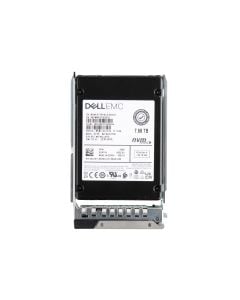


What makes a drive U.2
U.2 names a connector and form factor, not a speed. Seagate describes the U.2 connector as the renamed SFF-8639 and notes that NVMe drive bays commonly use four of its high-speed lanes as a PCIe link, which is why U.2 drives are specified as x4 devices. Some 2.5-inch NVMe drives sold for U.2 bays are U.3 models; the common question below explains how U.3 relates to U.2.
U.2, U.3, M.2 and E3.S compared
U.2 is the 2.5-inch NVMe drive for front bays, U.3 is the same connector wired for tri-mode bays, M.2 is the small board-mounted format servers use for boot, and E3.S is the newer EDSFF drive. The standards bodies and makers define them as follows:
| Format | Connector or specification | PCIe lanes | Physical size | Typical server use |
|---|---|---|---|---|
| U.2 | SFF-8639 | x4, or two x2 ports on dual-port drives | 2.5-inch drive | Front bays wired for NVMe |
| U.3 | SFF-8639, links set by SFF-TA-1001 | x4 | 2.5-inch drive | Universal bays that also take SAS and SATA |
| M.2 | M.2 card-edge connector | x4 on Samsung's datacenter M.2 drives; x2 per drive on Dell's BOSS-N1 | 22 mm wide, 80 mm (2280) or 110 mm (22110) long | Boot drives on a boot card such as Dell's BOSS |
| E3.S | SFF-TA-1002 connector, SFF-TA-1008 form factor | x4, x8 or x16 | 76 x 112.75 mm, 7.5 mm thick (16.8 mm for 2T) | E3.S bays of 16th-generation PowerEdge |
Sizes and lanes come from SNIA's SFF specifications, KIOXIA's EDSFF E3 page, Samsung's datacenter M.2 brief and Dell's BOSS-N1 guide; Dell's R760 spec sheet lists up to 16 E3.S Gen5 drives alongside its U.2 options.
Which servers take U.2 drives
A U.2 drive needs a bay that its backplane wires for NVMe; a SAS/SATA-only bay will not run it. Dell builds the R750 with SAS/SATA, NVMe and mixed front backplanes, so the NVMe count depends on the configuration ordered:
| Dell PowerEdge generation | NVMe drives supported (Dell document) |
|---|---|
| 14th generation, 1U (R640) | Up to 10 NVMe drives in 2.5-inch bays (R640 technical guide) |
| 14th generation, 2U (R740xd) | Up to 24 NVMe drives (R740 and R740xd technical guide) |
| 15th generation (R750) | Up to 24 NVMe drives, Gen3 and Gen4 SSDs on the supported list (R750 technical guide) |
| 16th generation (R760) | Up to 24 NVMe U.2 Gen4 drives (R760 spec sheet) |
Our R740 and R740xd backplane guide shows how those bays are wired, and Dell PowerEdge servers lists the systems. To size the endurance class you need, see how read-intensive, write-intensive and mixed-use drives differ and our DWPD and TBW explainer. NVMe add-in cards and M.2 drives are on NVMe SSDs, and 3.84TB enterprise SSDs compares that capacity across interfaces. An Enterasource warranty backs every SSD; the listing shows for how long.
What the server needs for a U.2 drive
A U.2 drive needs a PCIe path, not a SAS controller: the backplane carries each bay's four lanes to the processor directly, through a PCIe switch, or through a tri-mode controller. Broadcom's tri-mode adapters run NVMe, SAS or SATA devices in a single bay and work with existing SFF-8639 (U.2) backplanes, and an eight-lane tri-mode adapter attaches two x4 NVMe drives directly, or four at x2. PCIe generation sets the ceiling: per the PCI-SIG figures KIOXIA publishes, a Gen3 x4 link moves about 3.9 GB/s and a Gen4 x4 link about 7.9 GB/s, and KIOXIA's Gen4 drives fall back to PCIe 3.0 in older servers.
For other ways to add NVMe, compare M.2 SSDs and BOSS controller cards for boot, the capacity pages for 960GB and 1.92TB drives, all enterprise SSDs, and server RAID controllers for SAS and SATA bays.
U.2 drive questions
- Is U.2 the same as U.3?
- No. U.3 (SFF-TA-1001) is a tri-mode standard built on the U.2 specification and uses the same SFF-8639 connector, but it defines the links so one bay can take an NVMe, SAS or SATA drive on a universal backplane. KIOXIA states that its U.3 drives are natively backward compatible with U.2 NVMe drive slots, and notes that full interoperability in a tri-mode backplane requires drives and backplanes built to the U.3 specification. Check whether your server's bays are U.2 NVMe or tri-mode before you order.
- Can I use a U.2 drive in a U.3 bay?
- Compatibility is only promised in the other direction. KIOXIA's U.3 drives fit U.2 NVMe slots, but a U.2 drive in a universal tri-mode bay works only where the server maker supports it, because SFF-TA-1001 redefines how the bay's lanes are wired. Check the server's supported-drive list for U.2 entries, or order a U.3 drive for a tri-mode bay.
- U.2 or M.2 for a server?
- U.2 for data and M.2 for boot, in most servers. U.2 drives sit in front bays and reach 30.72TB in KIOXIA's 2.5-inch NVMe line, with dual-port versions for multipath. M.2 drives mount inside the chassis on a boot card: Dell's BOSS-N1 takes a pair of 80 mm NVMe M.2 drives at 480GB or 960GB and is built for operating-system boot.
- Do U.2 drives need a special controller or backplane?
- They need a backplane wired for NVMe; a SAS RAID controller alone will not run them. Dell sells servers such as the R750 with SAS/SATA, NVMe or mixed front backplanes, so the backplane ordered with the server decides which bays take U.2. Tri-mode controllers add NVMe to the same bays as SAS and SATA, and PCIe also allows a direct connection from the bay to the processor.