Dell PowerVault Controllers
Enterasource sells replacement controllers for Dell PowerVault arrays: MD3200, MD3400, MD3600 and MD3800 series RAID controllers in SAS, iSCSI and Fibre Channel versions, controllers for the dense MD3260, MD3460, MD3660 and MD3860, ME4 and ME5 controllers, and the enclosure management modules (EMMs) and I/O modules that run MD1200, MD1400, MD1280, MD3060e and ME4 expansion shelves. To match a failed controller, take the array model, host interface and cache size from its label. Controllers are tested in-house twice, once on receipt and once before dispatch.
Filters
-
 Dell 8X4HH PowerVault MD3060e 6Gbps SAS ControllerAvailability: In StockManufacturer: Dell Condition: Refurbished 1 Year WarrantyBuy Now$64.99
- Dell W307K PowerVault MD1200 MD1220 6Gbps SAS 512MB Cache ControllerAvailability: Available by QuoteManufacturer: Dell Condition: Refurbished 1 Year WarrantyRequest PricingOut of stock
- Dell 3DJRJ PowerVault MD1200 MD1220 SAS 6GB 512MB Cache EMM ControllerAvailability: Available by QuoteManufacturer: Dell Condition: Refurbished 1 Year WarrantyRequest PricingOut of stock
- Dell 2X93X PowerVault MD1400 MD1420 12Gbps SAS ControllerAvailability: Only 4 leftManufacturer: Dell Condition: Refurbished 1 Year WarrantyBuy Now$49.99
- Dell 49H29 PowerVault ME4012 ME4024 ME4084 SAS 12Gbps 8GB Cache ControllerAvailability: Available by QuoteManufacturer: Dell Condition: Refurbished 1 Year WarrantyRequest PricingOut of stock
- Dell 770D8 PowerVault MD3200i MD3220i 1GBASE-T iSCSI 6Gbps 2GB Cache ControllerAvailability: Available by QuoteManufacturer: Dell Condition: Refurbished 1 Year WarrantyRequest PricingOut of stock
- Dell 2RY9V PowerVault ME412 ME424 SAS 12Gbps EMMAvailability: Available by QuoteManufacturer: Dell Condition: Refurbished 1 Year WarrantyRequest PricingOut of stock


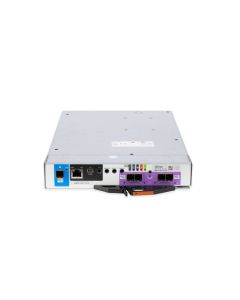


PowerVault controllers by family and host interface
Match the replacement to the array family and to the host interface of the controller it replaces: Dell's support matrices define each MD3 model by its interface, and ME4 and ME5 enclosures take controllers in several interface versions.
| Array family | Host interface (Dell) |
|---|---|
| MD3200 and MD3220; dense MD3260 | 6Gb SAS |
| MD3200i and MD3220i; dense MD3260i | 1Gb iSCSI |
| MD3600i and MD3620i | 10Gb iSCSI |
| MD3600f and MD3620f; dense MD3660f | 8Gb Fibre Channel |
| MD3400 and MD3420; dense MD3460 | 12Gb SAS |
| MD3800i and MD3820i; dense MD3860i | 10GBASE-T iSCSI, 2 ports per controller |
| MD3800f and MD3820f; dense MD3860f | 16Gb Fibre Channel, 4 ports per controller |
| ME4012, ME4024, ME4084 | 12Gb SAS, 10GBASE-T iSCSI, or 10Gb iSCSI SFP+ with 16Gb FC; 8GB per controller |
| ME5012, ME5024, ME5084 | 12Gb SAS, 10GBASE-T iSCSI, 25Gb iSCSI SFP28, or 32Gb FC; 16GB per controller |
Dell lists 2GB, 4GB or 8GB of cache for dual-controller MD3400 and MD3800 series arrays, so the cache size on the old controller's label is part of the match. Drives for the same arrays are on PowerVault Hard Drives and PowerVault SSDs, complete systems on Dell PowerVault arrays, and every array brand's controllers under Controllers.
EMMs and IOMs for PowerVault expansion shelves
Expansion shelves run on enclosure management modules (EMMs) or I/O modules (IOMs) rather than RAID controllers, and Dell builds them for the MD1200 and MD1220, MD1400 and MD1420, MD1280, MD2412 and MD2424, MD3060e, and ME412, ME424 and ME484 shelves. Dell's MD3 data sheet lists MD1200 and MD1220 shelves as the way to grow the 2U MD3400 and MD3800 series to 192 drives (past 120 with a premium feature), and the MD3060e as the dense shelf that takes the MD3460, MD3860i and MD3860f to 180. For what a JBOD shelf is and when one makes sense, read What Is JBOD?
Replacing one controller without downtime
In a dual-controller ME4 array you can: Dell's ME4 owner's manual states that controller modules and IOMs are hot-swappable in a dual-controller configuration, so one module can be replaced without halting I/O to disk groups while the partner controller runs the system. Dell's ME5 manual adds three rules: both controllers in an enclosure must be the same model type, a removed module must be replaced within five minutes in a 2U enclosure or seven in a 5U enclosure to prevent overheating, and the system should be checked again after 30 minutes. The 5U ME4084 runs only with two controllers; a single-controller 2U array has no partner to fail over to, so plan a maintenance window there.
Matching firmware on partner controllers
An ME controller pair has to run the same firmware, and the array can handle that for you. Dell's ME4 administrator's guide describes Partner Firmware Update (PFU), enabled by default in dual-controller systems: when firmware is updated on one controller, the system updates the partner automatically, and when one controller is replaced, the surviving controller's firmware can be transferred to the new module whether it arrives with older or newer firmware. Dell recommends leaving PFU enabled unless support directs otherwise.