Managed Gigabit Ethernet Switches
Managed gigabit switches give every access port 1Gb/s with VLAN, management and, on Layer 3 models, routing features, and these are rack-mount enterprise models rather than desktop units. Gigabit access switches come from the Cisco Catalyst, Juniper EX, HP ProCurve and Dell N-series families in 8- to 48-port models, and some data center lines add gigabit models for management networks. Each is tested in-house before it ships and covered by a 2-year warranty.
-
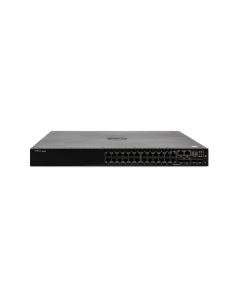
 Dell Networking N2024P PoE+ SwitchAvailability: Ships in 5-7 Business DaysManufacturer: Dell Condition: Refurbished 2 Year WarrantyRequest Pricing
- Dell Networking N2048 Managed SwitchAvailability: Ships in 5-7 Business DaysManufacturer: Dell Condition: Refurbished 2 Year WarrantyRequest Pricing
- Dell Networking N2048P PoE+ SwitchAvailability: Ships in 5-7 Business DaysManufacturer: Dell Condition: Refurbished 2 Year WarrantyRequest Pricing
- Dell Networking N3024 Managed SwitchAvailability: Available by QuoteManufacturer: Dell Condition: Refurbished 2 Year WarrantyRequest Pricing
- Dell Networking N3024F Managed SwitchAvailability: Available by QuoteManufacturer: Dell Condition: Refurbished 2 Year WarrantyRequest Pricing
- Dell Networking N3024P PoE+ SwitchAvailability: Available by QuoteManufacturer: Dell Condition: Refurbished 2 Year WarrantyRequest Pricing
- Dell Networking N3048 Managed SwitchAvailability: Ships in 5-7 Business DaysManufacturer: Dell Condition: Refurbished 2 Year WarrantyRequest Pricing
- Dell Networking N3048P PoE+ SwitchAvailability: Available by QuoteManufacturer: Dell Condition: Refurbished 2 Year WarrantyRequest Pricing
- Dell Networking S3048-ON Managed SwitchAvailability: Ships in 5-7 Business DaysManufacturer: Dell Condition: Refurbished 2 Year WarrantyRequest Pricing
- Dell Networking S3124 Managed SwitchAvailability: Ships in 5-7 Business DaysManufacturer: Dell Condition: Refurbished 2 Year WarrantyRequest Pricing
- Dell Networking S3124F Managed SwitchAvailability: Ships in 5-7 Business DaysManufacturer: Dell Condition: Refurbished 2 Year WarrantyRequest Pricing
- Dell Networking S3124P PoE+ SwitchAvailability: Ships in 5-7 Business DaysManufacturer: Dell Condition: Refurbished 2 Year WarrantyRequest Pricing




Managed, smart and unmanaged
A managed switch is configured and monitored; an unmanaged switch is not, and a smart switch sits between. Cisco's own definitions set them apart:
| Switch type | Configuration | What you get | Typical place |
|---|---|---|---|
| Unmanaged | None; plug and play | Basic Layer 2 connectivity, fixed defaults | Desks and small rooms |
| Smart | Limited, lightly managed | Some management, QoS and security | Small offices |
| Managed | Full configuration and remote management | VLANs, port security, authentication, traffic prioritization | Enterprise closets and data centers |
Feature set and stacking on the Catalyst 2960-X family
On a gigabit access switch the feature level matters as much as the port count. Cisco ties each 2960-X and 2960-XR model to one feature set that cannot be upgraded later, and its data sheet sets these limits:
| Feature set (suffix) | IPv4 routes, direct / indirect | Stacking |
|---|---|---|
| LAN Lite (-LL) | 320 / 32 | None |
| LAN Base (-L) | 2,000 / 1,000 | FlexStack-Plus, up to 8 switches at 80 Gbps |
| IP Lite (-I, 2960-XR) | 4,000 / 1,250, plus HSRP, VRRP and EIGRP stub | FlexStack-Plus with other 2960-XR IP Lite switches only |
Layer 2 or Layer 3 access
A Layer 2 switch forwards traffic within each VLAN, and Cisco notes that Layer 2 switches need a Layer 3 device to route between VLANs; a Layer 3 switch routes between them itself, with a VLAN interface acting as each VLAN's gateway. On the Catalyst 2960-X family the feature set draws that line, as the table above shows: LAN Lite and LAN Base hold small route tables, while IP Lite adds routing protocols and HSRP for redundant gateways.
Other ways to build a gigabit edge
Juniper's EX2300 joins up to four switches in a Virtual Chassis, and its 12-port EX2300-C models are fanless. Cisco's Nexus 2200 fabric extenders give gigabit ports to a parent Nexus switch, which holds all of their configuration, so treat one as an extension of that switch rather than a standalone unit. For fibre to the access port, Juniper builds all-SFP versions of its EX4200 and EX4300 that take 1G SFP optics on every access port.
Pair fibre ports with 1G SFP transceivers, compare PoE+, 24-port, 48-port and 10GbE switches, or browse Catalyst 9200, the wider Cisco switch range, Juniper, Dell Networking and HP ProCurve and other networking in our enterprise network switches. Free ground shipping covers the lower 48 states.
Managed gigabit switch questions
- What is the difference between Layer 2 and Layer 3 managed switches?
- Routing. A Layer 2 managed switch moves traffic inside VLANs and needs a router or Layer 3 switch to pass traffic between them, per Cisco; a Layer 3 switch routes between VLANs on the switch itself. Layer 3 access suits sites that route at the closet, while Layer 2 access keeps routing on a core switch or firewall.