NVMe SSDs
Enterprise NVMe SSDs connect over PCIe rather than through a SAS or SATA controller, so the server needs NVMe-capable drive bays or a free PCIe slot. The class spans PCIe Gen3, Gen4 and Gen5 drives in five forms: 2.5-inch U.2, half-height add-in cards, M.2, and EDSFF E3.S and E1.S. Match the form factor and endurance class to your bays and workload; every NVMe drive is checked by our lab when received and once more before dispatch.
Filters
-
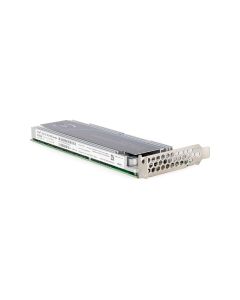
 Dell 06V6M 1.6TB NVMe SSD HHHL Gen3 x4 MU Solid State Drive | MZPLL1T6HEHP000D3Availability: Only 1 leftManufacturer: Dell Condition: Refurbished 1 Year WarrantyBuy Now$349.99
- Dell 4WDXY 1.6TB TLC NVMe 2.5" Gen3 x4 MU Solid State Drive | Samsung MZ-WLL1T6CAvailability: Available by QuoteManufacturer: Dell Condition: Refurbished 1 Year WarrantyRequest PricingOut of stock
- Dell 58V30 1.6TB TLC NVMe SSD 2.5" Gen3 x4 MU Solid State Drive | SSDPE2KE016T8TAvailability: Available by QuoteManufacturer: Dell Condition: Refurbished 1 Year WarrantyRequest PricingOut of stock
- Intel SSDPEDMD800G4 DC P3700 800GB NVMe PCI-E Solid State DriveAvailability: Available by QuoteManufacturer: Intel Condition: Refurbished 1 Year WarrantyRequest PricingOut of stock
- Dell 008MW 1TB TLC NVMe 2.5" Gen3 x4 RI Solid State Drive | Intel SSDPE2KX010T8TAvailability: Available by QuoteManufacturer: Dell Condition: Refurbished 1 Year WarrantyRequest PricingOut of stock
- Dell 3FG6P 3.84TB TLC NVMe SSD 2.5" Gen3 x4 MU Solid State Drive | MTFDHAL3T8TCTAvailability: Available by QuoteManufacturer: Dell Condition: Refurbished 1 Year WarrantyRequest PricingOut of stock
- Dell 54MJH 3.2TB TLC NVMe SSD 2.5" Gen3 x4 MU Solid State Drive | MTFDHAL3T2TCUAvailability: Available by QuoteManufacturer: Dell Condition: Refurbished 1 Year WarrantyRequest PricingOut of stock
- Dell JTVX2 512GB NVMe SSD M.2 Gen4 x4 Solid State Drive | KIOXA KXG70ZNV512GAvailability: Available by QuoteManufacturer: Dell Condition: Refurbished 1 Year WarrantyRequest PricingOut of stock
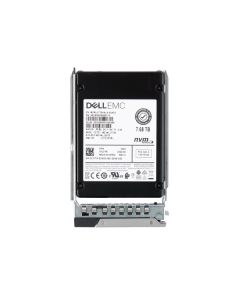
- Dell Y27TR 7.68TB NVMe SSD 2.5" Gen4 x4/Dual Port x2 RI Solid State DriveAvailability: Available by QuoteManufacturer: Dell Condition: Refurbished 1 Year WarrantyRequest PricingOut of stock




NVMe form factors
The form factor decides where an NVMe drive fits, and each one maps to a different bay or slot:
| Form factor | Connector or slot | Where it fits |
|---|---|---|
| U.2 (2.5-inch) | SFF-8639, four PCIe lanes | 2.5-inch bays on an NVMe-capable backplane |
| U.3 (2.5-inch) | Same SFF-8639 connector, SFF-TA-1001 tri-mode | Tri-mode bays; KIOXIA states its U.3 drives also run in U.2 slots |
| EDSFF E3.S | E3.S bay | E3.S bays, found on certain 16th- and 17th-generation PowerEdge models (R660, R760, R770) |
| EDSFF E1.S | E1.S bay | E1.S bays |
| Add-in card (HHHL) | PCIe slot | A PCIe slot |
| M.2 | M.2 socket keyed for PCIe x4 | M.2 slots and NVMe boot cards such as Dell's BOSS-N1, which takes 80 mm drives |
U.2 drives have their own page, U.2 NVMe SSDs, and M.2 drives are on M.2 SSDs.
Enterprise NVMe vs consumer NVMe
Enterprise NVMe drives are rated and built for server duty. Their makers publish endurance in drive writes per day, with KIOXIA building one PCIe 4.0 enterprise line in a 1 DWPD read-intensive version and a 3 DWPD mixed-use version, and they ship in hot-swap server forms such as U.2 and E3.S. On the software side, Proxmox treats power-loss protection as recommended and consumer SSDs as discouraged.
Dell's Enterprise NVMe and Data Center NVMe classes
Dell sells NVMe drives in two classes, and its R760 drive table lists both. Dell's support article on the pair describes Enterprise NVMe drives as a higher performance tier than Data Center drives that draw more power because of that performance, and says the two can sit in the same RAID set, where the Enterprise drives then perform at Data Center speeds. Match the class when you add drives to an existing set if you want the full speed of the faster class.
NVMe in servers: backplanes, RAID and hot-plug
An NVMe drive runs only where the backplane carries PCIe to the bay: Dell's PERC 11 guide notes that the drive type a controller runs depends on the backplane, includes NVMe versions of the controller for hardware RAID, and does not support mixing NVMe drives with SAS or SATA. U.3 drives need U.3-compliant bays for tri-mode operation, which KIOXIA's U.3 guidance spells out. Seagate's NVMe primer notes that a planned hot-swap function is available for 2.5-inch drives. Controllers are on RAID controllers, boot cards on BOSS controller cards, and our R740 backplane guide walks through NVMe-capable bay layouts.
Enterprise NVMe questions
- What is the difference between enterprise and consumer NVMe SSDs?
- Enterprise NVMe drives state their endurance in drive writes per day, such as the 1 and 3 DWPD versions of KIOXIA's PCIe 4.0 enterprise line, and come in hot-swap server forms like U.2 and E3.S. Server software asks for those properties, and Proxmox's system requirements ask for PLP and steer away from consumer drives.
- Can I add NVMe drives to a server with SAS bays?
- Not in SAS-only bays. NVMe needs PCIe at the drive bay, so the backplane must be NVMe-capable, or tri-mode for U.3 drives. Without one, use an NVMe add-in card in an open PCIe slot or an NVMe boot card. Dell's PERC 11 guide also rules out mixing NVMe drives with SAS or SATA drives, so plan NVMe as its own RAID set.
To compare NVMe with SAS and SATA, see all server SSDs and SAS SSDs, and for endurance ratings our DWPD vs TBW guide.