




By Enterasource Posted on October 7, 2026
Read MoreScaling Success: The Smart Business Guide to Refurbished Dell Servers
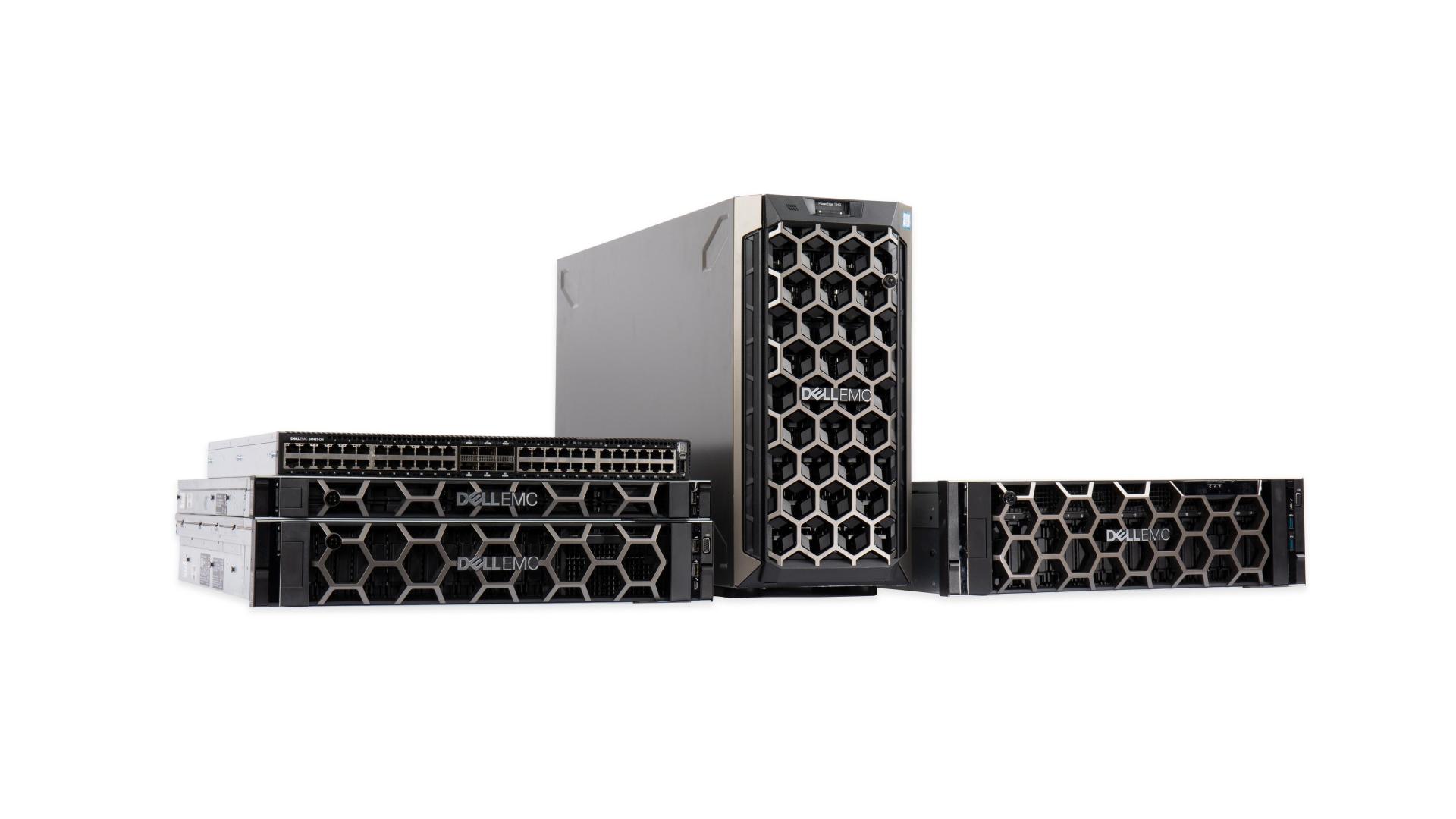
Choosing the right Dell PowerEdge server comes down to three decisions: the form factor (1U, 2U, or tower), the generation (13th through 16th Gen), and whether a standard or streamlined "xs" model fits the job. Match those three to how the server will actually be used -- virtualization, storage, general compute, or a small office -- and the shortlist narrows fast. This guide walks through each decision, with a model-by-workload comparison table, so you can pick a PowerEdge with confidence.
This is a model-selection guide, not a buying-condition guide. If you are still weighing whether to buy new or refurbished hardware, see the companion article: New vs Refurbished Servers: Which One Should You Choose.
Step 1: Pick a form factor -- 1U, 2U, or tower
Form factor is the first filter because it decides rack density, internal storage, and expansion. Most data center workloads land on a 1U or 2U rack server, while offices and edge sites often do better with a tower.
- 1U rack (R6x0 line) -- the density champion. A 1U server such as the Dell PowerEdge R640, R650, or R660 packs two sockets into a single rack unit. That makes it ideal for compute-heavy roles -- web and application tiers, virtualization hosts, and HPC nodes -- where bulk storage usually lives elsewhere on a SAN or NAS.
- 2U rack (R7x0 line) -- the balanced workhorse. A 2U server such as the Dell PowerEdge R740, R750, or R760 trades a little density for far more drive bays, more PCIe expansion slots, and room for GPUs and extra cooling. Choose 2U when you need substantial local storage and compute in the same box.
- Tower (T-series) -- the office and edge option. A tower such as the Dell PowerEdge T440 or T640 runs quietly outside a rack, offers generous internal drive capacity, and (on the T640) supports GPUs. It is a good fit for a first server, a branch office, or a workshop floor.
Step 2: Match the generation to your workload (13th to 16th Gen)
Generation sets the processor family, memory speed, and PCIe/NVMe support. Newer generations add cores, faster memory, and more I/O lanes; earlier generations deliver strong, proven value for steady workloads. Dell keeps the naming consistent, so the second digit tracks the generation: an R640 is 14th Gen, an R650 is 15th Gen, and so on.
- 13th Gen (R630, R730, R730xd): Intel Xeon E5-2600 v3/v4, DDR4 memory, PCIe 3.0. Dependable value for file and print, directory services, backup targets, and light virtualization. See the Dell PowerEdge R630 and R730.
- 14th Gen (R640, R740/R740xd, T440, T640): 1st and 2nd Gen Intel Xeon Scalable, faster DDR4, and broader NVMe support. This is the mainstream virtualization workhorse for most SMB and mid-market data centers. See the R640, R740, and storage-dense R740xd. The 2U R740 has its own Dell PowerEdge R740 buying guide.
- 15th Gen (R650, R750, plus AMD R6525/R7525): 3rd Gen Intel Xeon Scalable (or AMD EPYC on the R6525 and R7525), DDR4-3200, and PCIe 4.0 for more bandwidth and higher core counts. See the R650, R750, and AMD-based R7525 and R6525.
- 16th Gen (R660, R760): 4th and 5th Gen Intel Xeon Scalable, DDR5 memory, and PCIe 5.0 -- the highest-numbered generation in the PowerEdge line, and the top choice for the most demanding, growth-oriented workloads. See the R660 and R760.
Step 3: Standard or "xs"? Know the value variants
Starting with 15th Gen, Dell added "xs" models -- streamlined, cost-optimized versions of the standard server with fewer memory slots, fewer drive bays, and less PCIe expansion. They are built for single-socket and scale-out roles that do not need maximum expansion, so you pay for the capacity you use instead of headroom you may never fill.
- Pick an xs model (R650xs, R750xs, R660xs, or R760xs) for cost-sensitive, scale-out nodes -- edge clusters, web front ends, and single-socket workloads.
- Pick the standard model (R650, R750, R660, R760) when you need dual sockets, maximum memory, more drive bays, or GPU and PCIe headroom.
Those tradeoffs are easiest to judge model by model. For the 16th Gen standard-versus-xs decision, see the model-specific R660 and R660xs numbers.
Dell PowerEdge model selection by workload
Use this table to map a workload to the right form factor and example models. Treat it as a starting shortlist -- the exact configuration depends on your core, memory, and storage targets.
| Workload / use case | Best form factor | Example models | Why it fits |
|---|---|---|---|
| Virtualization & VDI consolidation | 2U dual-socket (or dense 1U) | R740, R750, R760, R640, R650, R660 | Cores and memory capacity for high VM density; 2U adds local storage |
| Storage-dense / backup / software-defined storage | 2U high-bay "xd" | R740xd, R730xd | Many drive bays for large usable capacity |
| General compute / web & app tier | 1U dual-socket | R630, R640, R650, R660 | Rack density and front-end throughput; storage lives on SAN/NAS |
| Cost-optimized / scale-out nodes | 1U or 2U "xs" | R650xs, R750xs, R660xs, R760xs | Lower cost per node with right-sized expansion |
| Small office / edge / ROBO | Tower or short-depth 1U | T440, R250, R350 | Quiet, low power, no rack required, minimal footprint |
| GPU / graphics / heavy compute | 2U or GPU-capable tower | T640, R740 | PCIe headroom and cooling for accelerator cards |
| In-memory database / large consolidation | Four-socket | R840, R940 | Maximum sockets, cores, and memory in one chassis |
Shortcut: how many sockets do you need?
Socket count is a fast way to narrow the field:
- Single-socket for small business, edge, and light workloads -- short-depth 1U servers like the Dell PowerEdge R250 and R350.
- Dual-socket for the mainstream -- virtualization, databases, and general consolidation on an R640 or R740 class server.
- Four-socket for the largest in-memory databases and heavy consolidation -- the R840 and R940.
New or refurbished? That is a separate decision
Model selection and buying condition are two different questions. Once you have shortlisted a form factor and generation, decide whether new or certified refurbished hardware makes more sense for your budget and lead time. Refurbished enterprise servers from earlier generations (13th through 15th Gen) often deliver the best value for proven, steady workloads. For the full breakdown, read New vs Refurbished Servers: Which One Should You Choose, then browse the complete Dell PowerEdge server range.
Frequently Asked Questions
What is the difference between the Dell R640 and R650?
The R640 is a 14th Gen 1U server built on 1st or 2nd Gen Intel Xeon Scalable processors with DDR4 memory and PCIe 3.0. The R650 is its 15th Gen successor, moving to 3rd Gen Xeon Scalable, faster DDR4-3200 memory, and PCIe 4.0 for more bandwidth and higher core counts. Both are dual-socket 1U servers, so the choice usually comes down to whether you need the R650 newer platform and I/O or the R640 proven value.
Is a 1U or 2U server better for virtualization?
Both work well; the difference is storage and expansion. A 2U server like the R740 or R750 gives you more drive bays and PCIe slots, so you can keep VM storage local and add GPUs. A 1U server like the R640 or R650 maximizes rack density and is the better pick when your virtual machines are backed by shared SAN or NAS storage.
What does 'xs' mean on a Dell PowerEdge server?
The xs models, such as the R650xs and R750xs, are streamlined, cost-optimized variants of the standard server. They offer fewer memory slots, fewer drive bays, and less PCIe expansion, which makes them a strong fit for single-socket or scale-out workloads that do not need maximum capacity.
Which Dell PowerEdge generation should I buy?
Match the generation to the workload. 13th Gen (R630, R730) is dependable value for file, print, directory, and backup roles. 14th Gen (R640, R740) is the mainstream virtualization workhorse. 15th and 16th Gen (R650/R750, R660/R760) add more cores, faster memory, and newer PCIe for demanding or growth workloads.
What is the difference between the R740 and R740xd?
The xd stands for extra drives. The R740xd is the storage-dense version of the R740, offering many more drive bays for large usable capacity. Choose the R740xd for backup targets, software-defined storage, and data-heavy roles; choose the standard R740 when you need balanced compute with moderate local storage.
Which Dell PowerEdge is best for a small business or office?
For a first server or a branch office, a tower like the T440 runs quietly without a rack and has room to grow. If you prefer a rack, a short-depth single-socket 1U such as the R250 or R350 keeps power and footprint low while still delivering enterprise reliability.
Get Help Choosing the Right Dell PowerEdge
Have Questions About This Topic?
Our team works with enterprise IT hardware daily. If this article raised questions about your specific environment, we are happy to help.
